





A Full Guide of DeepAI Video Generator
Deepai video generator is a popular tool that uses Artificial intelligence (AI) offering a wide range of applications including image generation, video creation, and music composition. Searching, What Is DeepAI Video Generator and How to Use It? Deepai video generator transforms the process of creating video content from prompts and images.
Follow this page to explore the information on what is Deepai video generator and how to use it.
Part 1. What Is DeepAI Video Generator?
DeepAI Video Generator is an AI-powered tool that enables users to transform text prompts and images into engaging video content. It creates animations from static images and generates videos from scratch using text descriptions. This cutting-edge platform is accessible for various purposes such as educational content or marketing materials. It allows individuals and businesses to generate engaging animation videos to visualize concepts dynamically and entertainingly.
This user-friendly platform empowers users to bring their ideas to life quickly and efficiently making it a valuable resource in today's digital era. It is easy to use without requiring extensive technical skills.

Part 2. How to Use DeepAI Video Generator?
DeepAI Video Generator offers various AI services under one platform that makes it advanced technology accessible to everyone.
Here is the step-by-step guide on how to use deepai video generator.
Step 1: Create an account
First, visit the official Deep AI website where you can explore various tools and features. Then Create an account which requires basic details like your email address. This is browser-based there is no need to install any software.
Step 2: Enter Your Input
You can choose to enter a text description or picture, and DeepAI will automatically identify the content and produce videos for you in a short time.
Step 3: Review and download
Review and refine your videos, once you are satisfied, you can download and save the video.
Part 3. How to Get DeepAI Super Resolution of Video
DeepAI Super Resolution helps creators enhance low-quality videos by intelligently increasing resolution while preserving important visual details. Powered by deep learning algorithms, it analyzes each frame to reconstruct missing pixels, making videos sharper, clearer, and more suitable for modern high-resolution displays.
Step 1. Extract video frames
Use video processing tools such as OpenCV or FFmpeg to split the original video into individual image frames.
Step 2. Apply DeepAI Super Resolution
Upload each extracted frame to the DeepAI Super Resolution API, which enhances resolution and restores visual details using AI models.
Step 3. Reassemble the video
Combine the enhanced frames back into a video file using video encoding tools, ensuring smooth playback and improved overall quality.
Part 4. Create AI Videos Effortlessly with HitPaw VikPea AI Video Generator
For creators who want to go beyond enhancement and generate videos directly from ideas, HitPaw VikPea offers a powerful and intuitive solution. Unlike traditional tools that rely on existing footage, VikPea enables video creation from text prompts or images, making it ideal for marketing videos, social media content, and creative storytelling. With support for multiple advanced AI models and built-in video enhancement, it provides a complete workflow from generation to final polish, even for users with no editing background.
- AI video generation from text or images for creative video production
- Multiple AI models optimized for different video styles and visual narratives
- Customizable resolution and duration settings before video generation starts
- Built in video enhancement improves clarity sharpness and visual consistency
- User friendly interface designed for fast results without technical skills
- Integrated workflow combining video creation and enhancement in one tool




Step 1.Download and open HitPaw VikPea on Windows or Mac, then select the AI Video Generator feature from the home screen.
Step 2.Choose Text to Video to generate clips from prompts, or Image to Video to upload starting and ending frames.
Step 3.Pick an AI model such as Kling2.1, Kling2.5, Hailuo 2.3, Pixverse 5.0, VEO3, or Seedance1.0 Pro. Adjust video length, resolution, and other output parameters.
Step 4.Click Generate to create the video. Preview the result, download it, or further enhance quality using the built in Video Enhancer.
Conclusion
DeepAI Video Generator offers an accessible way to create and enhance videos using AI, from prompt-based generation to resolution improvement. For users seeking more advanced creative control and faster video creation, combining DeepAI with HitPaw VikPea AI Video Generator delivers a flexible and professional AI-powered video workflow.




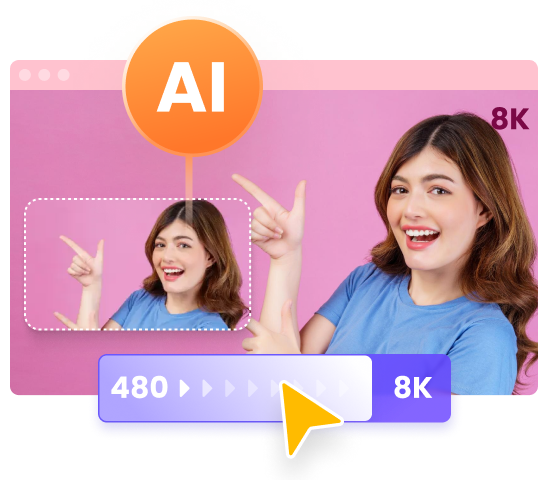
 HitPaw Univd (Video Converter)
 HitPaw VoicePea
  HitPaw FotorPea


Share this article:
Select the product rating:
Daniel Walker
Editor-in-Chief
This post was written by Editor Daniel Walker whose passion lies in bridging the gap between cutting-edge technology and everyday creativity. The content he created inspires the audience to embrace digital tools confidently.
View all ArticlesLeave a Comment
Create your review for HitPaw articles