






Topaz Video Upscaler Review and Top Alternative
 By Daniel Walker
Unless you've been living under a rock, you've likely heard about Topaz Video Upscaler, a generative video AI tool that enhances videos. It has created ripples across the industry with an incredible 16K resolution upscaling. Naturally, Topaz Video Upscaler has managed to catch some eyeballs by advertising this nifty feature alone. But does it deliver on the promise? When done incorrectly, AI upscaling often introduces artifacts and compromises original video quality. Has Topaz Video Upscaler addressed this issue? In this hands-on review of the tool, we'll dig deep into Topaz Video Upscaler's features, strengths, weaknesses, real-world performance, and more.
Part 1: Hands-on Review of Topaz Video Upscaler
Before choosing an AI video upscaler, it is essential to evaluate real-world performance. This section takes a hands-on look at Topaz Video Upscaler, covering features, output quality, and practical limitations.
What is Topaz Video Upscaler?
Topaz Video Upscaler is an AI-powered online tool designed to upscale SD and HD videos to 1080p or 4K. It enhances clarity, sharpness, and color using trained AI models, allowing users to improve video quality directly from a web browser without installing desktop software.
Unlike traditional editors that rely on manual adjustments, Topaz applies automated AI enhancement to restore details while preserving a natural look, making it accessible for beginners and casual creators.

Key Features of Topaz Video Upscaler
- AI Upscaling
- Frame Interpolation
- Improves Sharpness and Clarity
- Multiple AI Presets
- Adds Slow-motion Effect
- Relative Sharpening
Topaz Video Upscaler enhances videos to as high as 4K resolution. You can boost your video quality to 1080p or 4K as per your needs.
The tool can generate and add new frames between existing ones to get rid of choppiness in videos.
Topaz Video Upscaler uses multiple AI models to denoise videos, stabilize them, and get rid of any AI artifacts in them.
A variety of AI preset models like Film & TV, Sports, Gaming, Old Video, Art & CG, or Standard allow you to enhance your videos for specific purposes and experiences.
By increasing the framerate of the original video, Topaz Video Upscaler lets users create a slow-motion effect for parts of their video.
Say goodbye to blurs and oversaturated videos. Topaz Online Video Upscaler sharpens videos with fine detail without overdoing it!
Performance of Topaz Video Upscaler
While Topaz Video Upscaler's powerful features sound impressive on paper, the real-world experience of users can be a mixed bag. That's because, like every other video editing tool, the Topaz video upscale tool's performance relies heavily on the server-side performance.
AI upscaling of videos to 4K resolution is quite resource-intensive. So, the performance of the tool may vary depending on the peak loads. There's a silver lining, though. Usually, video upscaling is fast, smooth, and uneventful. So, you can expect a flawless experience on most jobs.
Strengths and Weaknesses of Topaz Video Upscaler
 Pros
Pros
- High-quality Output: It produces excellent-quality video output up to 4K resolution.
- Detail-rich Upscaling: Even when upscaled to 4K resolution, videos retain original quality with enhanced details without overdoing it.
- Fully Online: Excellent tool for users with low-end desktops. They don't have to rely on the performance of their devices.
- Comprehensive Enhancements: Improves resolution, sharpness, colors, noise, details, and much more, to deliver natural clarity.
- Dedicated AI Models: The Topaz video upscale tool uses AI models trained for specific purposes and use cases.
- Beginner-friendly: Users don't get lost in a sea of confounding tools. Topaz Video Upscaler is easy to use for everyone.
 Cons
Cons
- No Control Over Speed: Users have no control over how fast or slow the tool enhances videos, since it's all done online.
- Inefficient: Topaz upscale video files can be extremely large in size. Doesn't upscale efficiently.
- Stability Issues: Long videos can take inordinate amounts of time to be processed, during which the tool may cancel upscaling unceremoniously.
- Relatively Expensive: Especially for casual users. The Topaz Video Upscaler free plan is highly limiting.
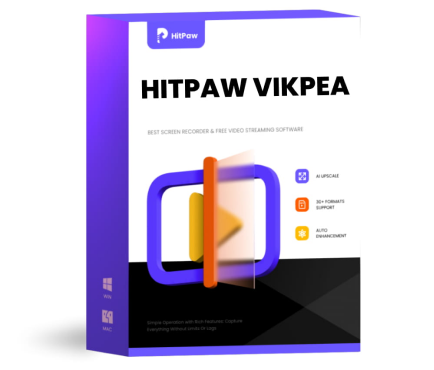
HitPaw VikPea - A faster and more stable alternative to Topaz
Enhance videos up to 4K or 8K with clean details and fewer artifacts. HitPaw VikPea delivers smooth AI upscaling, even on low end devices, with optional cloud acceleration for faster results.




Part 2: How to Use Topaz Online Video Upscaler
- Step 1: Input Video File for Upscaling
- Step 2: Preview and Download
Go to Topaz Online Video Upscaler, and use the 'Upload a video' button to upload your video. Choose appropriate settings on the left panel.
Preview the upscaled video and download it.
The online versions of Topaz AI Video Upscaler offers a pretty package consisting of AI-powered video enhancement features desired by everyone, from casual social media users to content creators. However, its high pricing may discourage more professional users. Nevertheless, for users who don't mind its price, it's a pretty solid tool that produces high-quality results consistently. It's not as feature-rich as the desktop version but it gets the job done for casual users.
Part 3: Best Topaz Video Upscaler Alternative for Faster and Cleaner Results: HitPaw VikPea
HitPaw VikPea fills the missing gaps in Topaz Video Upscaler's offering. It's fast, powerful, and reliable, even on low-end devices. More importantly, HitPaw VikPea AI Video Upscaler delivers consistently reliable quality output free from artifacts. With affordable pricing, VikPea appeals to both casual and professional users. What's more, HitPaw also offers an Online AI Video Enhancer tool for users looking for a universally compatible AI video upscaling tool.
Key Features of HitPaw VikPea AI Video Enhancer
- Dedicated AI models deliver cleaner upscaling with fewer artifacts and distortions.
- Enhance resolutions to 4K or 8K; improve sharpness, colors, detail, and more.
- Get rid of noise, backgrounds, and watermarks. Stabilize, deblur, and do more.
- VikPea not only restores old videos, but also revives corrupted, unplayable ones.
- Batch enhancement allows creators to save hours on large video projects
- Cloud acceleration ensures fast processing even on low performance computers
How to Improve Videos with HitPaw VikPea AI Video Enhancer
Step 1: Launch HitPaw VikPea on your desktop or visit the online version. Drag your video into the tool, or click 'Choose File' to import the video using the file explorer.
Step 2: Choose an AI model to enhance your video from the right panel. VikPea will automatically start enhancing the video.
Step 3: Watch the before-and-after previews in split-screen mode. If you're happy with the outcome, click 'Export' to save the final video.
FAQs on Topaz Video Upscaler
Yes. Topaz AI Video Enhancer is generally worth it for users who need high-quality AI upscaling, noise reduction, and frame interpolation. It uses advanced machine learning models to improve clarity and detail, especially for 480p-1080p footage, though its performance depends on your hardware and the complexity of your videos.
Topaz Video AI requires Windows 10/11 or macOS 10.15+ with AVX2-supporting CPU, and a dedicated GPU with at least 4 GB VRAM for basic acceleration. For best performance on large or complex videos, a GPU with 8 GB+ VRAM, 32 GB+ RAM, and ample disk space is recommended, as integrated graphics can significantly slow processing.
Alternative tools to Topaz include AI video enhancers like HitPaw VikPea, Runway's video enhancement models, and AVCLabs Video Enhancer. These tools also offer AI upscaling and noise reduction, with some providing browser-based options, batch processing, or different pricing models that may better suit casual or professional workflows.
No. Topaz Video AI is not available for free in full form. Topaz typically offers a limited trial that lets users test features on short clips, but a paid license is required for full, unrestricted use and high-resolution exports beyond trial limits.
Topaz Video AI is primarily offered as a one-time purchase per major version, but updates and new models may be paid upgrades. Users usually pay once for the current version’s license, with optional paid upgrades for future feature releases.
Conclusion
Topaz Video Upscaler is an impressive AI-powered video enhancement tool on paper. It offers ultra-high-resolution upscaling and a suite of advanced features. However, it suffers from occasional stability and performance issues. If you're looking for a more reliable, efficient, and affordable alternative, HitPaw VikPea is the best option out there. It delivers consistent results, runs smoothly even on modest systems, and offers cloud acceleration to speed up performance. However, if you need an online tool, HitPaw Online AI Video Enhancer will get the job done for you. Check them out today.
Leave a Comment
Create your review for HitPaw articles


