



AI Image Denoiser: Remove Noise from Photos with AI
AI denoise image tool that removes grain and noise from photos while preserving sharp details for cleaner, high-quality photos in seconds. Instantly improve clarity and restore details in low-light, high-ISO, or old images with HitPaw FotorPea image denoiser.



Remove Grain and Noise from Photos with Advanced AI
Intelligent AI Noise Reduction for Photos
Powered by deep learning, the AI image denoiser intelligently detects and removes unwanted noise from photos. It distinguishes real textures from grain to deliver smoother, clearer results while preserving fine details. Whether for portraits, landscapes, or low-light images, this technology enhances clarity without blurring or quality loss.
Remove Noise from Old Photos with One-Click
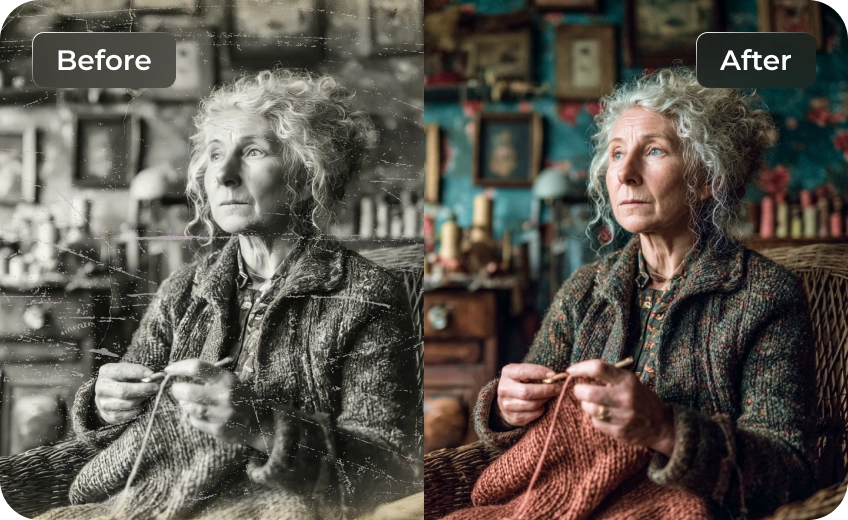
Vintage photos and scanned images contain grainy textures, film noise, and digital artifacts that make details appear faded or unclear. AI image denoising intelligently removes unwanted noise while preserving authentic textures and important details. HitPaw FotorPea AI image denoiser helps restore smoother tones, clearer facial features, and sharper elements, bringing old memories back to life.
Fix Low-Light Night Photos with Clear Details
Night photography often requires higher ISO settings, which can introduce heavy grain and color noise. HitPaw FotorPea AI image denoiser intelligently cleans up these artifacts while keeping lights, buildings, and scene details sharp, helping your night shots look clearer and more natural.
Reduce Noise in High-ISO Action Photos Instantly
Capturing fast-paced action often requires high ISO settings, which introduce unwanted grain and digital noise. Our AI image denoiser intelligently removes image noise while preserving motion details, textures, and sharp edges, delivering crisp and clear action shots instantly. Perfect for sports, wildlife, and any fast-moving subjects, it ensures every moment is captured in stunning clarity after being trained on millions of images.

Instant Reduce Noise

Multi-Format Support

Batch Denoising Photos

Secure Image Denoiser
Common Use Cases for AI Image Denoiser
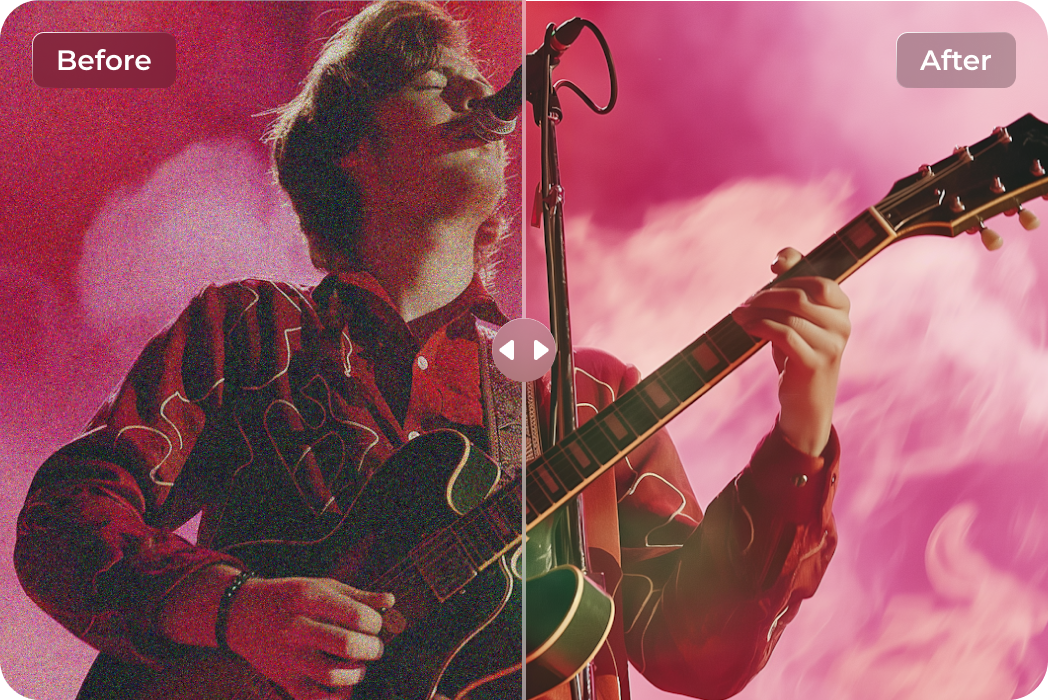
Denoise Low-Light Concert Shots
One-click denoise concert photos shot in low light — AI removes grain caused by small sensors or low-res cameras while restoring crisp details and preserving stage lighting.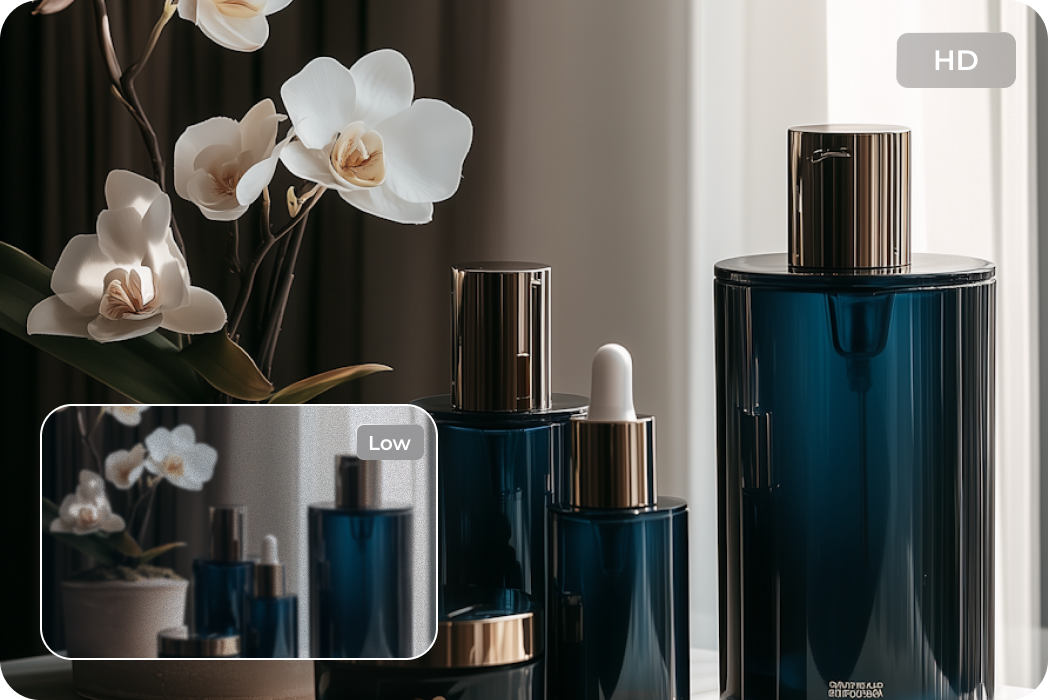
Clean Product Photography for Pro-Level
Say goodbye to distracting image noise. Fix grainy texture and perform fast picture noise removal with powerful AI denoise, perfect for clean and professional product photography.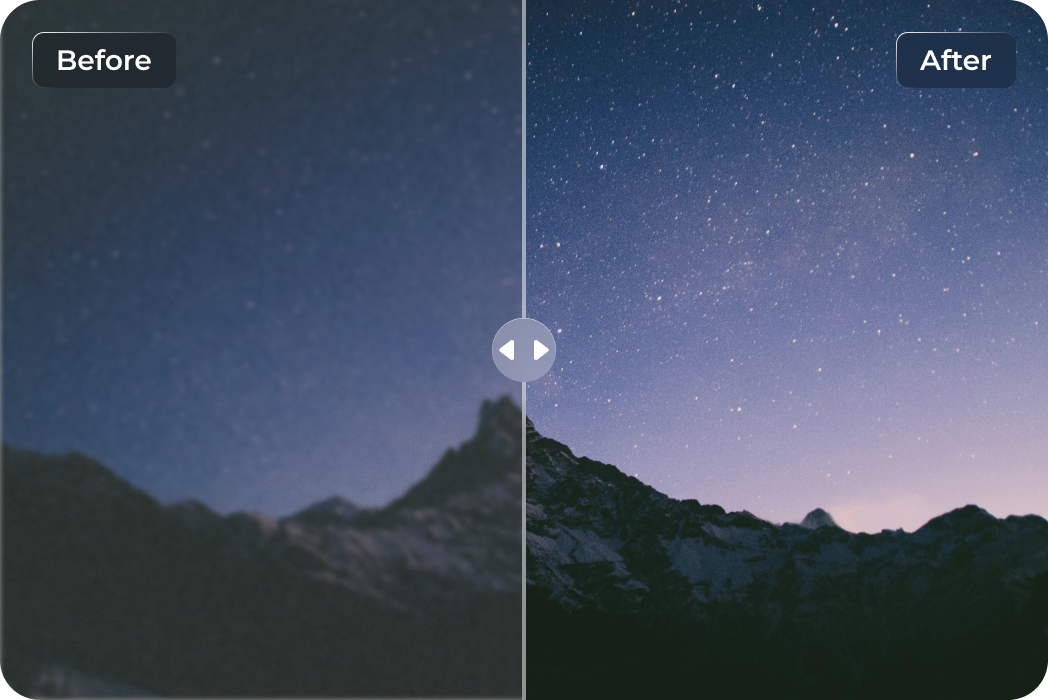
Capture Your Aurora Travel Nights Instantly
Traveling to see the Northern Lights but your shots come out noisy or blurry? One-click AI denoising removes grain, restores crisp details, and keeps the vibrant colors of the night sky.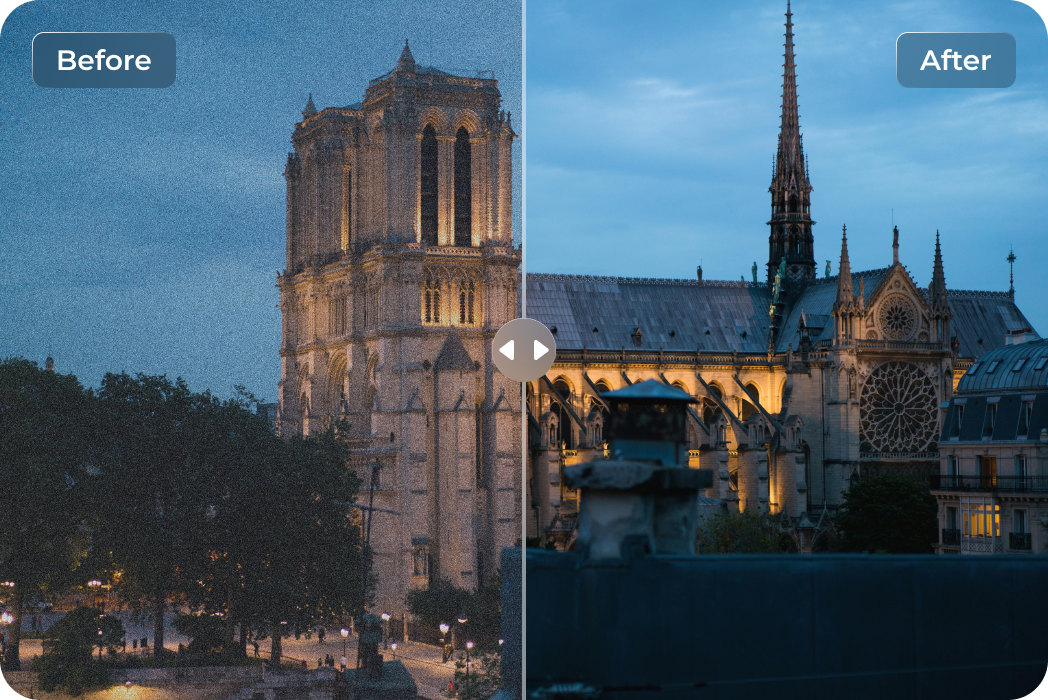
Reduce Image Noise on Night City Photos
Walking past illuminated landmarks under the night sky, yet your photos feel dull or grainy? Use AI to remove noise from night-time building and cityscape shots, revealing architectural details in every scene.What Users Are Saying About Noise Reduction in Photos

Amateur Photographer @NYC _ Jason L.

"Capturing the city lights at night was always a nightmare — so much grain from high ISO shots. This AI denoiser cleaned up the noise while keeping the lights vibrant and details sharp. My night photography finally looks professional!"

Freelance Portrait Photographer @Berlin _ Sofia K.
"I love capturing candid portraits, but low-light indoor shots often came out noisy. HitPaw FotorPea denoising tool removed the grain while keeping skin textures natural. My clients are amazed at how clean and professional the final images look."

Astrophotographer @Iceland _ Erik H.
"Shooting the northern lights is always a battle with noise and grain in my long-exposure photos. This AI denoiser removed the noise without smudging the colors or star details. My aurora shots have never looked this crisp and vivid!"

Wildlife Photographer @Kenya _ David M.
"Shooting animals in motion, especially in low light, always gave me grainy, noisy images. HitPaw FotorPea AI denoiser preserved every fur detail and motion blur perfectly, making my action shots sharp and vivid without losing realism."

History Enthusiast @London _ Margaret S.
"I inherited a bunch of old family photos that were faded and full of grain. Using this AI denoiser, I could remove the noise and bring out details I never thought I’d see again. It felt like breathing new life into my grandparents’ memories."
How to Denoise Images in 3 Easy Steps

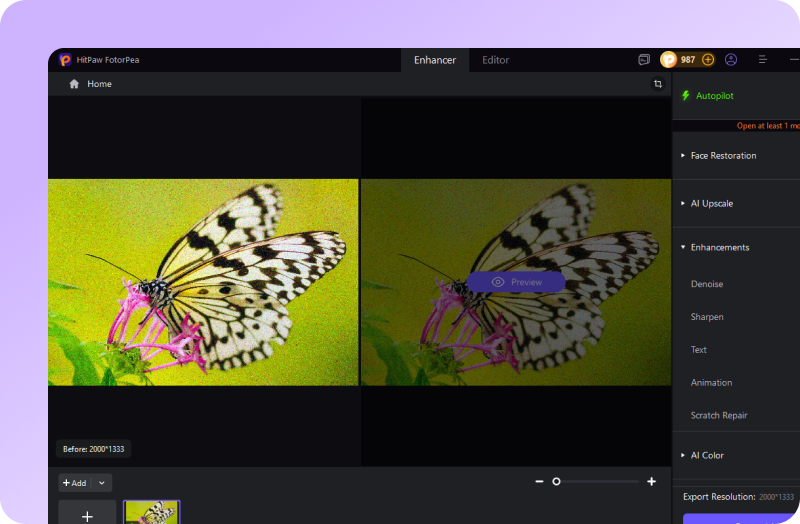
Upload Your Noised Image
Upload the photo you want to improve. Our AI image denoiser automatically detects grain and noise on the image.
Choose AI Denoise Model
Choose a suitable AI model for regular photos, camera noise, or high-ISO images to achieve the best denoising result.
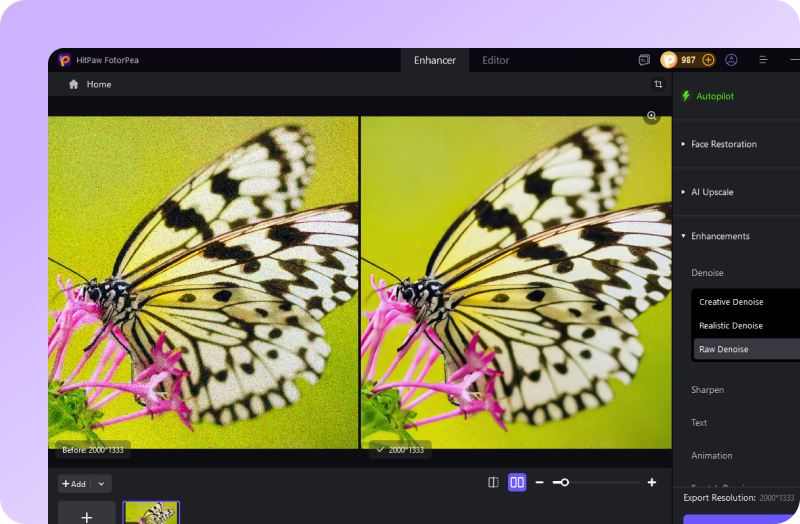
Preview the Clean Photo
Preview the result and download your enhanced image with powerful photo noise reduction and clearer visual quality.
Enhance, Denoise, and Edit Photos Instantly with HitPaw FotorPea
FAQs About HitPaw FotorPea AI Image Denoiser
Denoising is the process of removing unwanted grain, speckles, or digital noise from a photo. It improves clarity and restores fine details to make the image cleaner and sharper. Image denoising is commonly used to remove noise from image files, reduce grainy textures, and enhance overall photo quality.
Advanced AI image denoising technology can remove noise from camera-taking while preserving important details, textures, and edges. By analyzing the image, the AI denoiser differentiates between noise and real image content, ensuring that photo noise reduction on low-light photos, high-ISO shots, or scanned images without sacrificing clarity.
You can denoise a wide range of images with HitPaw FotorPea — from low-light and night photos to portraits, wildlife shots, product photography, PDF files, and even scanned old photos. Its AI denoiser automatically removes grain, reduces noise on image, and performs precise image denoising while preserving sharp details and textures.
You can easily fix grainy pictures online with HitPaw Photo Enhancer Online. Simply upload your photo, and the AI denoise image tool will automatically remove noise from image, restore sharp details, and enhance clarity — all online, no installation needed.
Yes. You can denoise multiple images simultaneously using advanced AI image denoising technology. The tool automatically removes noise and grain from all selected photos at once, restoring clear details and sharpness across every image in your batch.
HitPaw FotorPea AI denoising tool supports all popular image formats, including JPG, JPEG, PNG, WebP, and RAW. You can denoise images and enhance them regardless of format.
Tips & Tricks for HitPaw FotorPea AI Denoiser
- Best AI Image Denoiser Tools to Clean Noisy Photos
- How to Fix Grainy Photos: 8 Proven Methods for Clearer Images
- Top 8 Tools to Denoise Online Easily
- How to Reduce Wave Noise in Images Like a Pro
- Understanding Gaussian Noise Image - Best 6 Online Tools
- How to Make Your Old Photo Turn into Denoise Photo Clearly
- Fix Noise in Camera Portraits: Reasons, Mistakes, & Methods
- [Don't Miss Them] 7 Tools to Bring Your Best Photo Noise Reduction
- Deep Learning Approaches for Gaussian Noise Removal
- Complete Guide To Learn Reduce Night Grain in Mobile Photos
- How to Reduce Noise in Photoshop in 2026
- AI Noise Reduction - Best Noise Reduction Software in 2026
 HitPaw FotorPea
