






Top 8 PDF Quality Enhancers for Crystal-Clear Documents
Looking for a way to fix blurry or pixelated PDFs? This guide explores 8 efficient AI PDF quality enhancers to help you upscale images, sharpen text, and optimize documents without losing quality. Whether you're handling marketing brochures, academic papers, or scanned files, learn how to achieve professional, crisp results automatically.
Part 1. 8 Recommended PDF Quality Enhancers
1. The Best PDF Quality Enhancer with HitPaw FotorPea
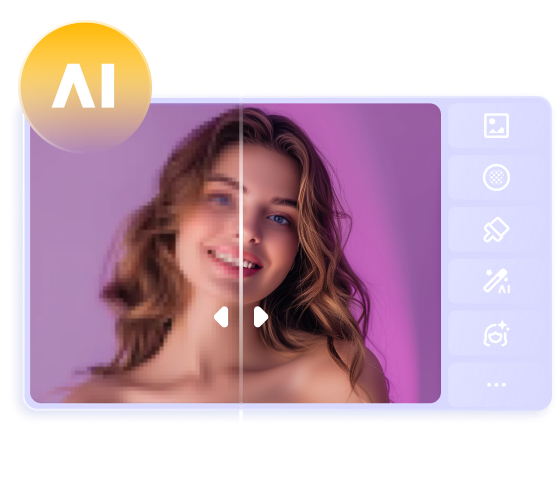
HitPaw FotorPea relies on AI technology, ensuring that your blurry PDF documents look clear and pleasing without any manual operations. It's also very convenient, supporting mobile uploads of PDFs, allowing you to enhance your PDF files anytime, anywhere. In addition, there are various AI models for obtaining high-quality images.
If you intend to save time by processing and enhancing multiple PDF documents in one go, HitPaw also supports batch enhancing, and that too without adding a watermark to the images.
Reasons to Choose it as AI PDF Enhancer
- Outstanding PDF quality enhancer to enhance the reputation and quality of PDF documents
- Works on Mac and Windows
- Presents a simple user interface
- No PDF document quality loss detected
- Data preview function to assess the PDF document quality, enhancing
- No damage done to the overall quality of the PDF documents
- Enhance the PDF documents without adding a watermark on them




How to AI enhance PDF quality with HitPaw FotorPea?
Step 1: To enhance PDF quality AI, you'll need to install the HitPaw FotorPea first and then launch the software afterward. Press Enhance Photos Now, then import the PDF phone into the software's main window.

Step 2: From the All the AI Models window, you can now see the various AI models on the AI. Since you're willing to improve the appearance of the PDF images, turn on the Denoise Model and Text Models.
Step 3: You can then see the doings of the Denoise and Text Models by choosing the Preview icon. If you're happy with the quality of the PDF images, you can download them by selecting the Export icon.
User Reviews:
2. i2PDF - PDF Enhancer Online
i2PDF remains a brilliant PDF quality enhancer that empowers you to improve the PDF documents quickly. Since it is a web-based tool, it doesn't require you to install the software, as going to the website of the tool will enable you to clean up the scanned images, sharpen the text of the photos, and increase the PDF resolution of the pictures effortlessly.
 Pros
Pros
- Free to use
- No registration is needed to enhance the PDF
- Compatible with the various PDF utilities
 Cons
Cons
- Provides limited AI capabilities
Price: Free
3. Enhancepdf.com - PDF Quality Improver
Another PDF quality enhancer that comes in handy when enhancing the quality of the PDF documents is EnhancePDF.com. It focuses on making the PDF's visual quality look better.
With this online PDF enhancer, you can explore the combination of noise reduction techniques and filters to make the PDF documents look polished and outstanding.
Pros
- Primarily focuses on the quality improvements
- Doesn't ask for installation when enhancing the PDF documents
- Works outstandingly well for scanned documents
Cons
- Limited advanced options
Price: Free, premium begins at $5/month
4. Online2pdf - Online PDF Enhancer
Online2PDF is a multidimensional online tool that enables you to convert PDF documents and enhance, merge, and compress them. While retraining the PDF files' readability, Online2PDF's compression algorithms maximize the overall quality of the documents.
Pros
- Multifunction tool to enhance the PDF files
- Provides a decent trade-off between file size and quality.
- Easy to use
Cons
- Outdated user interface
Price: Free
5. Adobe Acrobat - PDF Document Enhancer
Adobe Acrobat is the gold standard as it works brilliantly for enhancing and editing PDF documents. It comes with the progressive Optimize PDF operation, which helps you enhance PDF quality automatically and manually. Additionally, Adobe Acrobat guarantees that the PDF documents are maintained.
Pros
- Flawless user interface for newcomers
- Offers the deep control over the quality settings and compression
- Brilliant for professional and casual users
Cons
- Expensive subscription
Price: Starts at $19.99/ month
6. Smallpdf - Free PDF Enhancer Tool
You can go for several online tools to enhance the PDF documents, and SmallPDF surely remains one of the most breathtaking ways to improve the PDF documents through sharpening and compression. It relies upon the smart algorithm to decrease the file size without affecting the PDF document quality.
Pros
- Fast to use
- No installation needed to import PDF documents
- Brilliant for the basic enhancement requirements
Cons
- Limited free usage
Price: Free, Premium begins at $9/month
7. FrameConvert - PDF Quality Upscaler
Frame convert is a modern tool for upscaling PDF documents and images. It pays great attention to text sharpening, noise reduction, and smart upscaling, courtesy of multiple lightweight AI models.
Pros
- Provides the latest AI upscaling technology
- Enhance the images inside the PDFs
- Easy to use
Cons
- Limited PDF document customizations
Price: Free, $7.99/month
8. Apagoinc - PDF Quality Enhancer Tool
Despite all the options given in this post, if you still want to use a PDF quality enhancer, Apagonic could be an outstanding option. It is an advanced and professional PDF editor that allows you to perform text sharpening, general optimization, and OCR improvement.
It is most commonly used by businesses that ask for high-fidelity processing. Luckily, while enhancing or editing PDF documents, Apagonic doesn't mess up the quality of the PDFs and doesn't insert a watermark in the edited PDF documents.
Pros
- Provides the detailed enhancement settings
- Excellent for severely damaged PDF documents or files
- No PDF quality loss detected during the
- customization or enhancement
Cons
- May ask for the learning curve
Price: Free, $25/month
Part 2. FAQs of PDF Quality Enhancer
Q1. Will enhancing a PDF increase its file size?
A1. Yes, upscaling and sharpening images adds data, which typically increases file size. However, advanced tools like HitPaw FotorPea use smart compression to balance clarity and size. You can often achieve a significantly clearer document with only a minimal impact on the final file footprint through professional optimization.
Q2. Can I process multiple PDFs at once?
A2. Absolutely. Many desktop programs like HitPaw FotorPea and i2PDF support batch processing, allowing you to enhance multiple documents simultaneously. While most basic online tools limit you to one file at a time, using professional software can save significant time by automating the quality enhancement for your entire folder.
Q3. Are there free AI tools that can enhance PDF quality?
A3.
Yes, several free and open-source AI tools can significantly improve your document quality. A top recommendation is OCRmyPDF, an advanced Python-based application that offers professional-grade features:
• Automatic Deskewing: Straightens crooked scanned pages. While it requires basic command-line knowledge, it provides high-quality results without the cost of premium software.
• OCR Processing: Makes text searchable and sharper.
• Image Optimization: Cleans up background noise and artifacts.
Final Thoughts
If you're struggling with blurry PDF documents, sharing them for business purposes will not benefit your business. Hence, we've reviewed the 8 outstanding ways to enhance PDF quality AI without affecting the overall quality of the PDF files. You can try out all the options to improve the PDF quality. HitPaw FotorPea remains the best PDF quality enhancer.
It completely enhances multiple PDF files simultaneously and also offers you the chance to customize the multiple parameters of the images.
 HitPaw Edimakor
 HitPaw VikPea (Video Enhancer)
 HitPaw Univd (Video Converter)
![[100% Working] 2 Ways to Remove Background from PDF](https://images.hitpaw.com/topics/covers/mremove-background-from-pdf-cover.jpg?w=293&h=450)

Share this article:
Select the product rating:
Daniel Walker
Editor-in-Chief
This post was written by Editor Daniel Walker whose passion lies in bridging the gap between cutting-edge technology and everyday creativity. The content he created inspires the audience to embrace digital tools confidently.
View all ArticlesLeave a Comment
Create your review for HitPaw articles