






Best Programs to Restore Old Photos Without Effort [2026 New]
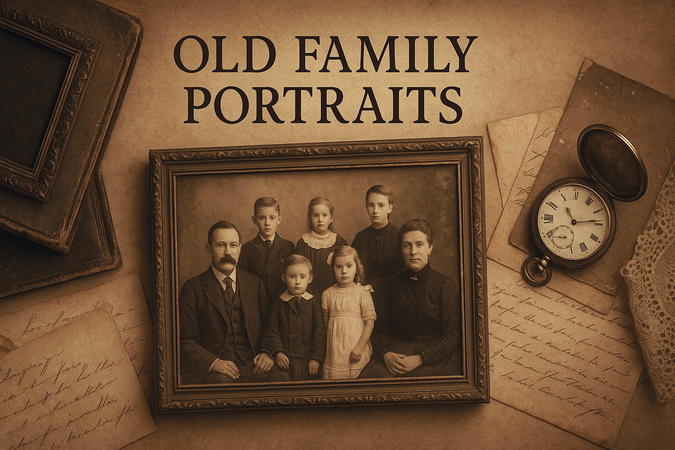
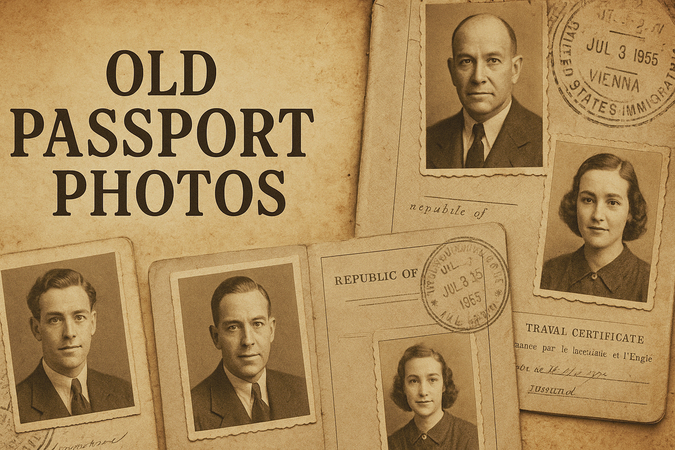
Think about the old photos you have stored in albums or concealed in boxes. Have you ever noticed how some of them have cracked, faded, or developed yellow stains over time? These old pictures represent a slice of memories with family and friends or milestones like weddings. Therefore, restoring them is about fixing damaged photos and preserving the memories that matter.
Moreover, restoring those old memories allows you to breathe new life into fading images and bring their warmth back. For this reason, if you desire to hold on to your precious moments, then read the article below and explore the best program to restore old photos.

Part 1. Significant Reasons to Restore Old Photos
Before moving forward, you must understand why restoring old photos holds such value. Using the best program to restore old photos ensures these memories remain vibrant and accessible for generations. Below, we will explore some reasons why restoring old photos is important:
1. Creating Personalized Gifts: A restored photo can be transformed into a heartfelt gift, such as a framed picture or even a custom keepsake. Using a reliable tool to restore them ensures the gift is both beautiful and meaningful.
2. Soulful Connections: Photos trigger deep emotions by capturing cherished moments with loved ones. Restoring brings those moments back to life or fosters emotional connections with people and events that hold significant meaning.
3. Celebrating Special Occasions: Presenting enhanced versions of old photographs adds a meaningful touch to events like anniversaries and reunions. So, choosing the best program to restore old photos ensures professional and visually stunning results for such occasions.
4. Preserving Family Heritage: Old photos often serve as a visual record of family milestones and traditions. Therefore, the best tool can repair damage and restore clarity, which makes it easier to share these memories with future generations.
Part 2. Key Features to Look for in a Program to Restore Old Photos
The best program to restore old photos should offer powerful features that simplify the restoration process while delivering exceptional results. Here are key aspects to consider when selecting the best tool to cater to all these needs:
1. Advanced Features: Besides basic restoration tools, look for advanced editing features like contrast adjustment and background repair. These features give you greater control over the restoration process and enable you to refine every aspect of your image for optimal results.
2. Colorization Options: Colorizing can transform faded memories into vibrant and living pictures. The right software can help you preserve and share precious memories with future generations.
3. High-Resolution Output: Choose a program that supports the finest quality output to ensure your restored photos look professional. The best program to restore old photos will ensure the enhanced pictures retain exceptional clarity and detail.
4. AI-Powered Restoration Tools: A great restoration program uses AI to automate tasks like removing scratches or restoring faded colors. This makes the process faster and more efficient, even for beginners, for a seamless and precise enhancement.
Part 3. Best Program to Restore Old Photos into Clear, Like-New Images
When you consider restoring your old pictures, there are several advanced programs that can guide you to bring those memories back to life. Therefore, try using the listed program to preserve your images for the upcoming years:
1. HitPaw FotorPea
If you are looking for the best program to restore old photos, HitPaw FotorPea is the ideal choice.
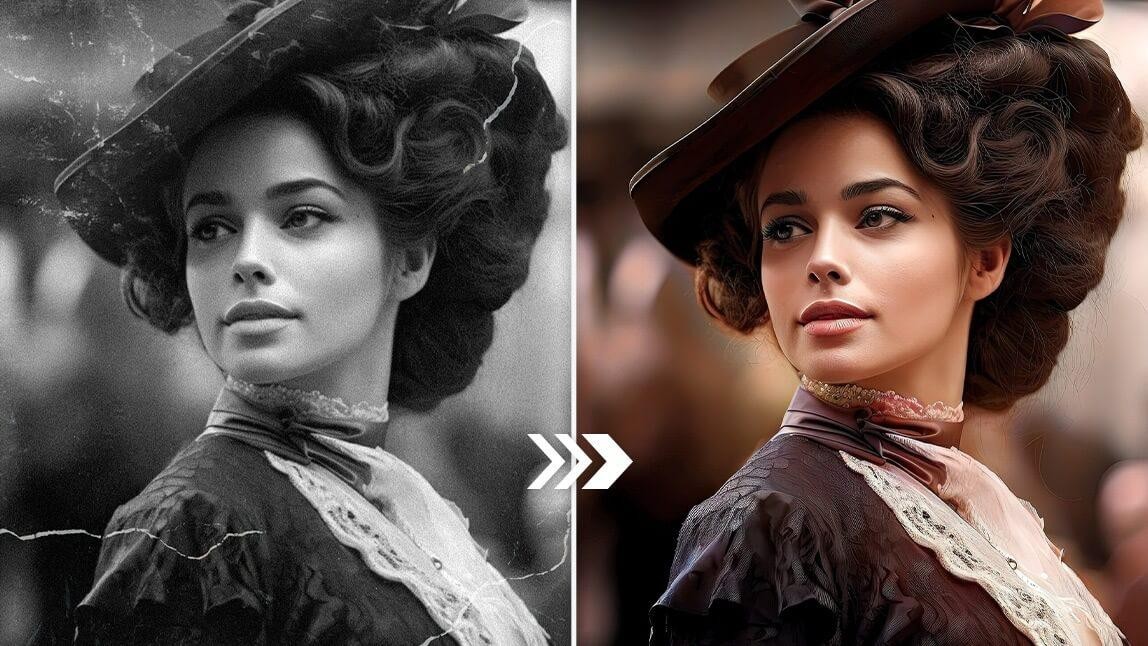
Unlike traditional tools that rely on manual scratch removal or filter adjustments, HitPaw FotorPea provides a much simpler and more intelligent solution. Just upload your image, and the AI automatically recommends the most suitable enhancement model to restore and colorize old photos in one click.
For users who want more control, manual customization is also available. You can use the Scratch Repair tool to fix damaged areas, apply the AI Color model to restore natural tones, and choose your desired output resolution, including 2K, 4K, or 8K for ultra-clear results.
Why HitPaw FotorPea Is the Best Program to Restore Old Photos
- Uses advanced AI models to restore old, faded, and low-resolution photos in one click
- Automatically enhances facial details, removes blur, and brings back natural textures
- Includes Scratch Repair tool to fix damaged areas and recover missing parts of old images
- AI Color model helps restore natural and vibrant colors for black-and-white or faded photos
- Supports multiple enhancement levels including 2K, 4K, and 8K ultra-clear upscaling
- Simple workflow: upload image, auto-recommend model, and restore without complex editing skills
Limitations of HitPaw FotorPea
For high-resolution images or severely damaged old photos, processing may take longer due to deeper AI restoration, but it usually delivers more detailed and higher-quality results. Additionally, some advanced features and models are available under premium plans.




2. PhotoScape X
With the help of this program for preserving old photos, users can restore multiple pictures efficiently at once. Moreover, it offers various restoring capabilities, including removing stains and adjusting colors. This software allows editors to alter minor photo details by using a spot-healing brush.
 Pros
Pros
- Supports batch editing to restore multiple old photos at once efficiently
- Includes spot-healing brush to remove stains, scratches, and minor defects
- Provides basic color adjustment tools to improve faded or discolored images
- User-friendly interface suitable for beginners and casual editors
 Cons
Cons
- Limited AI-based restoration capabilities compared to modern AI photo enhancers
- Manual editing required for high-quality old photo restoration results
- Less effective for heavily damaged or low-resolution historical photos
Price: Free; Pro version available (approx. $39.99 one-time purchase depending on platform)
Rating: 4.3/5
Best For: Beginners and casual users who want a simple manual editor for basic old photo restoration and batch processing
3. PhotoWorks
Another program that can restore old photos is PhotoWorks, which helps users with patch features and removes major defects from images. With the help of its adjustment brush, you can even enhance different parts of your old photos. Not only this, but it allows one to add different effects in order to lift the overall dullness of the image.
Pros
- Simple interface suitable for beginners
- Includes patch and adjustment brush for localized corrections
- Offers quick enhancement effects to improve old and dull photos
Cons
- Limited advanced AI restoration features
- Less effective for severely damaged or low-resolution photos
Price: Paid; starts around $19.25/month (varies by plan)
Rating: 4.2/5
Best For: Beginners who want a simple photo editor for quick old photo enhancement and basic retouching
4. Retouch Pilot
This software was designed to remove imperfections from the photos with the help of its smart patch tool. Furthermore, using its elastic tool, users can also manage the elasticity of their images and change the proportion of their outlook. It also benefits one with a scratch remover tool to recover distorted images without any steep learning curve that comes with more advanced editing tools.
Pros
- Easy-to-use interface with minimal learning curve
- Smart patch tool effectively removes scratches and imperfections
- Elastic tool allows flexible adjustment of image proportions
- Suitable for quick restoration of damaged or old photos
Cons
- Limited advanced AI-based enhancement features
- Less effective for high-resolution restoration or heavy damage repair
Price: Paid; starts around $29.95 one-time purchase (varies by version)
Rating: 4.1/5
Best For: Users who want a lightweight tool for quick scratch removal and basic old photo restoration
5. Adobe Photoshop
Photoshop is the industry standard program for restoring old photos and fixing almost any type of damage to the pictures. By using features like a spot healing brush and clone stamp, you can seamlessly remove imperfections and repair missing parts of your old images. It facilitates users with a content-aware fill tool that analyzes the color from the surroundings and fills in the corrected part to provide a blended finish.
Pros
- Industry-leading tools for advanced photo restoration and retouching
- Highly precise control over every detail using layers and masks
- Powerful healing, cloning, and color correction features
- Extensive plugin ecosystem and professional workflow support
Cons
- Steep learning curve for beginners
- Time-consuming manual editing process
- Requires subscription-based pricing model
Price: Subscription-based; starts at around $22.99/month
Rating: 4.7/5
Best For: Professional designers and advanced users who need full manual control for high-precision old photo restoration
Part 4. How to Restore Old Photos Using HitPaw FotorPea (Step by Step Guide)
After exploring the capabilities of the best program to restore old photos, you must be wondering how to take advantage of its expertise. Therefore, for your ease, here’s a step-by-step guide to help you restore your cherished memories:
Step 1. Click AI Enhancer on HitPaw FotorPea
To inaugurate the process of restoration, start by launching the tool on your device first and then gain access to its "AI Enhancer" feature. Next, press the "Choose Files" button to import your desired damaged old photo.
Step 2. Auto Model Recommend to Restore your Image
Now, HitPaw FotorPea will automatically analyze and recommend the most suitable model to restore and fix your old photos. You can click enhance to try. The result will be a big surprise for you.
Step 3. Preview the Before and After Restored Images
You can easily find that the damaged old photos have been restored and colorized.
Step 4. Restore your Image by Applying Different Models Again
After importing your image, head to the AI Model panel in the right corner and enable the "Face Model" by tapping on it. Now, press the "Selected Faces" button and let the tool restore the facial clarity of the image. Next, toggle the "Scratch Repair" button to repair all the damaged parts of the image. Lastly, activate the "Colorize Model" tool to bring back the lively colors of the old image.
Step 5. Preview the Image and Export
Once you apply all the enhancement features, navigate to the Preview button to start the improvement process. At the end of the process, your before and after results will be displayed by the tool in front of you. Now, accelerate to the "Export" button and save your restored image for future use.
Part 5. Tips for Achieving Stunning Results in Photo Restoration
Achieving appealing results in photo restoration requires attention to detail, patience, and the right techniques. However, with the following expert tips, you can surely restore your old memories with a professional and natural look:
1. High-Quality Scan: Ensure that the program to restore old photos digitizes your old image at a high resolution and captures all the details to give flexibility when editing. Using a scanner that is capable of scanning up to 600 DPI ensures your image grabs fine textures and subtle details.
2. Repair Damage Carefully: Use tools like a healing brush or spot removal in order to remove and fix scratches, dust, and small imperfections from images. Moreover, with larger imperfections, using advanced tools like clone stamps can help in reconstructing missing sections with precision.
3. Restore Faded Colors: To achieve professional outcomes, adjust the brightness, contrast, and saturation of your pictures to bring out the original tone. By using color correction tools, you can address discoloration and restore vibrant life hues.
4. Sharpen Blurry Details: With the help of sharpen tools or AI-driven enhancement features, you can clarify blurry areas and maintain subtlety to avoid any artifacts. Enhancing the unclear details with sharpening tools can balance the crisp result that looks natural.
FAQs of Best Program to Restore Damaged Photos
Q1. What is the best program to restore old photos?
A1. If you are looking for the best program to restore old photos, HitPaw FotorPea is the ideal choice. It uses AI models to automatically restore faded, blurred, and low-resolution images in one click, while also offering scratch repair, colorization, and high-resolution upscaling up to 8K. Unlike traditional manual editors, it simplifies the entire workflow so users can restore old photos quickly without advanced editing skills.
Q2. Is it possible to restore an old photograph?
A2. Yes, it is absolutely possible to restore an old photograph. With modern AI photo restoration tools, you can fix common issues such as fading, scratches, blur, and discoloration. Advanced models can even reconstruct missing facial details and recover natural textures, making old photos look much clearer and more vibrant.
Q3. How can I recover old photos from years ago?
A3. If your goal is simply to fix scratches or do basic restoration, traditional tools like PhotoScape X, PhotoWorks, Retouch Pilot, or Adobe Photoshop can help you manually remove imperfections and adjust colors. However, if you want a faster and easier solution, AI tools such as HitPaw FotorPea can automatically restore old photos, remove damage, enhance clarity, and even recolor faded images in seconds—bringing your pictures back to life with minimal effort.
Conclusion
To sum up, restoring old photos is more than just a technical process, as it's a heartfelt way to preserve old memories. A restored image can bring back the past to life, reconnect emotions, and give a second chance to moments that seem irretrievable. However, with the help of the best program to restore old photos, like HitPaw FotorPea, you can repair damage, enhance faded colors, and sharpen blurry details effortlessly.
 HitPaw Edimakor
 HitPaw VikPea (Video Enhancer)
 HitPaw Univd (Video Converter)


Share this article:
Select the product rating:
Daniel Walker
Editor-in-Chief
This post was written by Editor Daniel Walker whose passion lies in bridging the gap between cutting-edge technology and everyday creativity. The content he created inspires the audience to embrace digital tools confidently.
View all ArticlesLeave a Comment
Create your review for HitPaw articles