





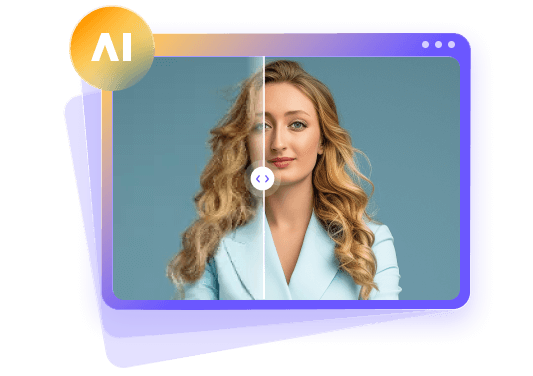
5 Best Backlit Photo Editors to Brighten Dark Faces
 By Daniel Walker
Backlit photos may capture beautiful scenes, but they often result in the subject's face being too dark to see. Increasing the photo's exposure may result in a washed out image and reveal hidden image noise. This article explains how to fix backlit photos and provides an in depth analysis of 5 photo editing tools by comparing features, prices, and platform support.
We compare different situations to determine when manual adjustments or the use of AI is more appropriate while considering the photographer's skills and financial means. We also evaluate the pros and cons of each tool regarding their impact on pictures with backlit, highly saturated areas, as well as dark and desaturated areas.

Part 1: Quick Choice: Best Useful Tools to Fix Backlit Photos
Some pictures just need a quick adjustment to brightness. Others require several modifications such as foreground and background adjustments. Let's take a quick look at the five best options and what situations they are ideal for.
| Tool | Best choice | Key benefit |
|---|---|---|
| HitPaw FotorPea | Best Overall | AI brightening, denoising, and face enhancement |
| Luminar Neo | Best Value | Separate lighting controls with a one-time purchase option |
| Lightroom | Best Premium | Precise subject masks and exposure adjustments |
| Apple Photos | Best Free Option | Built-in lighting adjustments for iPhone users |
| SnapEdit | Best for Online Correction | Dedicated Backlight Fix with adjustable strength |
| Fotor | Best for Simple Edits | Automatic enhancement and basic lighting controls |
For minor adjustments, pick a tool that's designed to fix the type of issue in your photo. See if it has a data cap or charges for extra features before you sign up.
Part 2: How We Tested These Backlit Photo Editors
We tested five photo editing tools and rated them based on their features for facial and general image lighting and editing. We assessed their capabilities to remove shadows and restore details as well as tools for optimal exposure to fix backlit photos.
| Test scenario | Main problems |
|---|---|
| Indoor portrait beside a window | Dark face and an overly bright window |
| Group photograph at sunset | Uneven face brightness and dark clothing |
| Hazy outdoor portrait | Glare, weak contrast, and unclear facial details |
Testing Criteria for Backlit Photo Correction
| Testing criteria | What to check |
|---|---|
| Face brightness | Clear facial features without excessive brightening |
| Background detail | Preserved detail in bright skies and windows |
| Skin tones | Natural skin color and texture |
| Noise and edges | Visible grain, halos, or blurred hair |
| Ease of use | Editing effort and available controls |
| Cost and exports | Paid features, download quality, and usage limits |
Part 3: Top 5 AI Photo Editors to Fix Backlit Photos Naturally
The following tools can be used for backlit photo editing. Each focuses on backlit photo correction in a different way. Some photo editors offer a higher degree of manual control while others use artificial intelligence (AI) to automatically fix issues.
1. HitPaw FotorPea- AI Enhancement for Dark Portraits
HitPaw FotorPea is a desktop application for improving backlit photos using AI. It uses a Low-light Model to adjust photo exposure and uses denoising, face enhancement, and other advanced AI models to improve grain and clarity in facial features. Using this software, you can also sharpen, upscale, and colorize photos with separate AI models. If you need to edit bulk backlit dark portraits, it offers batch processing to improve exposure and make other edits as well.
Key features
- Low-light enhancement brightens faces in backlit photos.
- AI denoising reduces grain in dark areas.
- Face enhancement brings out unclear facial details.
- Sharpening makes blurry edges and details clearer.
- AI upscaling increases resolution for small photos.
- Color calibration gives photos more natural colors.
- Before-and-after previews show lighting and detail changes.
- Batch processing enhances several photos at once.
 Pros
- Combines lighting correction and detail enhancement tools.
- Offers simple editing without manual exposure adjustments.
- Shows correction previews before saving edited photos.
 Cons
- Requires paid access to export enhanced photos.
Real case study
I tested HitPaw FotorPea on a portrait taken with a backlit context. As expected, the frontal part of the face was very dark. I selected the Low-light model and got a preview where I could see the eyes and cloth, and face in general, a lot better. I ran Denoise to reduce the grain and got a very satisfactory result, as the skin looked natural.


Best for: Automatic enhancement for dark portraits with noise or soft facial details.
Rating: ★★★★★ (5/5) for its range of lighting and portrait enhancement tools.
Actual Price: Costs $22.39 monthly, $90.39 annually, and $130.39 for a perpetual license.
Available platform: Windows and macOS.
2. Luminar Neo - Separate Foreground and Background Lighting
Luminar Neo is software that can edit foreground and background lighting independently and fix underexposed photos. The Light Depth tool works as an AI backlight remover helps in improving subject exposure. Moreover, it provides controls to adjust the color and smoothness of the subject.
Key features
- Light Depth brightens backlit photos using estimated distance.
- Separate brightness controls adjust foreground and background.
- Warmth controls adjust colors across different areas.
- Softness controls smooth the transition into shadows.
Pros
- Adjusts subject and background separately.
- Controls correction strength and warmth.
Cons
- Overlaps can reduce depth accuracy.
Real case study
I used Luminar Neo's Light Depth tool to edit a sunset portrait. I increased the foreground brightness and adjusted the background to reduce the lighting transition. The facial area and clothes were shown more clearly. The tool enhanced the bright colors of the sunset.
Best for: Separate control over subject and background lighting.
Rating: ★★★★⯪ (4.5/5) for its range of adjustable lighting controls.
Actual Price: The Desktop Only plan cost US$99.
Available platform: Windows and macOS.
3. Lightroom - Precise Masks for Difficult Exposure Problems
Lightroom provides tools for masking to adjust the exposure of faces that are otherwise lost in the darkness of an overly backlit photo. Its controls allow users to adjust elements of portraits subjects and backgrounds independently to remedy backlit and other types of outdoor/indoor portraits.
Key features
- Subject masking brightens faces without changing backgrounds.
- Shadow controls reveal details in darker areas.
- Highlight controls recover available bright background detail.
- Local color controls refine skin tones selectively.
Pros
- Adjusts face and background lighting separately.
- Allows precise adjustments around mask edges.
- Keeps edits reversible without overwriting originals.
Cons
- Detailed corrections take more editing time.
- Full editing access requires paid subscriptions.
Real case study
I used Lightroom's subject mask to select the person in the window-lit portrait. I increased exposure and shadows and adjusted the highlights of the background. The person was then easily viewed, the window was represented properly and the skin had a more natural look.
Best for: Precise adjustments for dark subjects and bright backgrounds.
Rating: ★★★★☆ (4/5) for its masking tools and selective exposure controls.
Actual Price: US$11.99 per month with an annual commitment billed monthly.
Available platform: Windows, macOS, web, iOS, and Android.
4. SnapEdit - Dedicated Online Backlight Correction
Snapedit is an online backlight photo editor. Its backlight fix tool enhances pictures by lighting up dark subjects and reducing overexposed backgrounds. This tool is useful when subjects are backed by sources of strong light (i.e. window or outdoor light). It also offers an intensity slider, allowing users to control the strength of the tool.
Key features
- Automatic correction brightens faces darkened by backlighting.
- Background adjustments balance bright areas behind subjects.
- Adjustable intensity lets users control correction strength.
- Browser editing accepts JPG and PNG uploads.
Pros
- Includes dedicated correction for backlighting.
- Supports desktop and mobile browsers.
Cons
- Backlight correction requires paid credits.
Real case study
I used the Backlight Fix feature in SnapEdit to enhance an outdoor portrait. The preview lightened the subject's face and clothes. I increased the strength to bring more detail to the face and to remove distractions in the background. The slider allowed for a good deal of control to strike an ideal balance between the background and foreground.
Best for: Online backlight correction with adjustable strength.
Rating: ★★★⯪☆ (3.5/5) for its focused backlight correction tools.
Actual Price: Costs US72 per year.
Available platform: Web browsers on Windows, macOS, iOS, and Android.
5. Fotor - Simple Enhancement with Basic Manual Adjustments
Fotor can fix backlight in photo online free with limited usage and offers automatic enhancement as well as manual controls for brightness and contrast. Its 1-Tap Enhance feature makes images look sharper. Users can also adjust visibility of faces and other areas of the image and modify overall lighting.
Key features
- Automatic enhancement offers quick corrections for lighting.
- Brightness controls make dark faces more visible.
- Contrast controls adjust differences between image tones.
- Image resizing adjusts photo dimensions for sharing.
Pros
- Combines automatic and manual editing.
- Works online without software installation.
Cons
- Some features require paid access.
Real case study
I uploaded a photo on Fotor to remove backlight from the photo and used 1-Tap Enhance. The subject was easier to see; however, the background became too light. I adjusted contrast and brightness to maintain the warm tones of the sunset. After that, my photo becomes clear, and my face becomes visible.
Best for: Casual users who want simple online lighting adjustments.
Rating: ★★★☆☆ (3/5) for its automatic enhancement and basic editing controls.
Actual Price: Pro plan costs US29.99/month.
Available platform: Web, Windows, macOS, iOS, and Android.
Part 4: Before-and-After Tests: Which Tool Fixes Backlit Photos Best?
Using before and after examples, evaluate whether editors can make the following edits without causing skin to look unnatural or losing detail in the background. Make sure to use the same photos for each editor.
Test 1: Indoor Portrait Beside a Bright Window
Test 2: Group Photograph at Sunset
Test 3: Hazy Outdoor Portrait
The goal is to increase the visibility of the subject while keeping the image natural. The best way to know which tool to use is to experiment with each one.
Part 5: How to Choose the Best Tool to Fix Backlit Photos
There are several options to correct backlit photos. The best app to fix lighting in pictures for you depends on your preferences.
- HitPaw FotorPea is a great tool to use if you want to use AI to enhance portraits with dark face details and reduce noise.
- Luminar Neo is a great option to provide more control when enhancing foreground and background lighting.
- Lightroom is a great option if you need to bright dark faces, hide facial blemishes and wrinkles.
- SnapEdit is great to use if you prefer dedicated online backlight correction with adjustable strength.
- Fotor is a great option if you want simple automatic enhancement with basic brightness and contrast controls.
It is important that you review the terms of use to determine the features of the tool that you are about to purchase.
FAQs
First, bring out the shadows, and then adjust highlights if needed. To bring out the face details more, use a subject mask and adjust skin tone, noise and other details.
Open the photo and click Edit. You can change the Shadows, Brilliance and Highlights. Play around with these sliders and see which one gives you the best result and closest to the actual photo.
Yes, AI can improve exposure and reduce noise. However, if a photo is too dark and beyond repair, it cannot bring back detail that was not captured.
For an easy-to-use app with good portrait enhancement, I recommend HitPaw FotorPea. For detailed masking and other controls, I recommend Lightroom and Luminar Neo. Other options are SnapEdit and Fotor.
Yes, you can fix hazy backlit photos by decreasing highlights, boost exposure, and improve contrast. However, in the presence of severe flare, details in the clipped highlights may be lost and can not be recovered.
Conclusion
Correcting backlit photos requires lightening faces while preserving the background and skin tone. Some tools give users the ability to make changes manually, and some use artificial intelligence. If you want to use a tool that uses advanced AI models to make changes for you, try HitPaw FotorPea's Low-light Model. Compare the preview with your original to make sure whether it really improves face visibility and shadow detail before exporting it.
Leave a Comment
Create your review for HitPaw articles