



10 Must-Have Glitter Force Wallpapers for Every Fan
 By Daniel Walker
Finding a good Glitter Force wallpaper may not be as simple as you think it is. Sometimes you'll find a wallpaper with all the team members, while other times you'll get one featuring a particular character, their transformations, and other action scenes. But not every wallpaper will look great on your phone or desktop, especially when the image's resolution is low.
In this article, I'll share 10 beautiful Glitter Force wallpapers that you can save. Additionally, I'll also share three websites where you can find Glitter Force wallpapers for free. I'll also give you some tips on finding the right wallpaper and how you can use HitPaw FotorPea to enhance a blurry Glitter Force wallpaper to use it on a larger screen.

Part 1: 10 Best Glitter Force Wallpapers for Phones & Desktops in 2026
Glitter Force has some great, colorful characters and magical moments that you can turn into wallpapers. If you are a fan of the show and want to show your love for all its members, having them all on your screen is ideal.
If you prefer one character over the others, you can focus on that individual. In this part of the article, I'll share 10 Glitter Force wallpaper designs that you can consider using on your phone or desktop.
A Glitter Force phone wallpaper with a portrait layout is a good choice if you want your favorite characters to fit your smartphone screen properly. A Glitter Force desktop wallpaper with a wide layout can make better use of your computer screen.
1. The Complete Glitter Force Team
A group wallpaper of all the main Glitter Force characters is perfect if you love the whole team. The vibrant, colorful costumes, varied character poses, and bright background make this a great wallpaper. A wide image would work well on your desktop, while a cropped version can be used on your phone as well.
2. Glitter Lucky's Magical Pose
If you prefer wallpapers of individual characters, a Glitter Force wallpaper of Glitter Lucky in her signature outfit in a magical pose would be lovely. Her bright, colorful outfit, pose, and the colorful magic in the background make her stand out. This is a wallpaper that would look great on your phone as well, since it is a portrait wallpaper.
3. The Magical Transformation Scene
One of the most exciting scenes in a magical-girl anime like Glitter Force is the transformation sequence. A wallpaper of a Glitter Force character during this transformation, with all the colorful magic effects, lights, and particles, would be great for your screen. You can find a wallpaper that focuses on the character without the effects taking over.
4. Glitter Force in an Action Battle
If you love Glitter Force's action scenes, a wallpaper of one would be great for your desktop or phone. This could be a scene of the characters using their magical powers to defeat a foe, with colorful magic effects in the background and the characters in dynamic poses. A landscape wallpaper would be ideal for your desktop.
5. Cute Candy Character Wallpaper
Candy is one of the most popular cute characters from the Glitter Force show. A wallpaper featuring her with a cute expression and a colorful background would be great if you want something cute on your desktop or phone. This wallpaper also works well on your phone's lock screen or your desktop.
6. Glitter Force Character Portraits
Sometimes, a portrait of one Glitter Force character looks better than a group wallpaper. You can find a wallpaper with a close-up of your favorite Glitter Force character, with her face and outfit taking up most of the wallpaper. Nice lighting and a colorful background would make this portrait wallpaper look better.
7. Rainbow Background Glitter Force Wallpaper
This wallpaper style focuses on the colorful side of Glitter Force, with a wallpaper featuring the Glitter Force characters in rainbow colors. The wallpaper can include cool magic effects in the background and is great if you want a colorful wallpaper with the Glitter Force characters rather than one focused on a single character.
8. Glitter Force Doki Doki Team Wallpaper
If you love the Glitter Force Doki Doki version of the show, you can have a wallpaper of all the characters in a group. The different outfits, colorful magic, and the characters' expressions make this a great wallpaper. You can use a wide image for your computer, and a cropped one for your phone.
9. Pastel Glitter Force Wallpaper
If you are looking for a Glitter Force wallpaper in pastel colors, that's a great choice. Pink, lavender, light blue, and other pastel shades look great as a Glitter Force wallpaper. A pastel wallpaper would be great if you want a softer background on your phone's screen.
10. Glitter Force 4K Magical Wallpaper
A wallpaper of Glitter Force featuring the characters, magical effects, and some great background details would work well on your large display. If you want a 4 K Glitter Force wallpaper for your computer, look for options with sharp character outlines and detailed backgrounds that don't overpower the rest of the image.
Part 2: 3 Best Websites to Download Free Glitter Force Wallpapers in HD
Once you have a wallpaper in mind, find a good website to get the right wallpaper for your desktop or phone. Here are three great platforms where you can check out different anime-style wallpapers and get a Glitter Force wallpaper free download.
1. Pinterest
Pinterest is one of the best places to find wallpapers that suit your style.
Wallpaper Styles: On Pinterest, you can find individual characters, groups, cute wallpapers, magical moments, and anime fan art. You can find a wide range of colorful anime wallpapers on Pinterest.
Resolution: Pinterest lets you download eligible image Pins at the best quality. However, it does not have an option to download the original resolution. If you want the original resolution, you need to contact the user and ask them for the image.
Copyright: Do note that the Pinterest download does not give you ownership of the image. If you wish to use the image for any commercial use or redistribution, you need to get permission from the copyright holder.
2. WallpaperCave
WallpaperCave is another great place to explore community-uploaded wallpaper collections. This platform has anime, games, movies, and other popular shows and images' wallpaper collections.
Wallpaper Styles: You can find anime character wallpapers, group wallpapers, colorful wallpapers, and character-focused wallpapers on this website.
Resolution: It varies from wallpaper to wallpaper, depending on the uploaded image. You can check out the resolution before downloading the wallpaper.
Copyright: Remember that the wallpaper being free does not automatically mean that you can use the image without any permissions. You should check what permissions the wallpaper creator has put on their image, especially if you want to use it for any commercial purposes.
3. WallpaperSafari
It has a dedicated collection of Glitter Force wallpapers for users to choose from. This collection includes character illustrations and artwork in different dimensions.
Wallpaper Styles: You can find different character portraits, images of all the characters together, anime artwork, and colorful backgrounds.
Resolution: WallpaperSafari offers wallpapers in various dimensions. You can find wallpapers ranging from 640453 to 31522228. However, this depends on the image you are looking for.
Copyright: WallpaperSafari has a policy for copyrighted images. You can find user-submitted images as well as images owned by WallpaperSafari. So, you should look for the rights of the image that you want to use. WallpaperSafari+1
Part 3: How to Enhance Glitter Force Wallpapers to 4K/8K with HitPaw FotorPea
Now you can find the wallpaper of your favorite Glitter Force character. But next, you need to make sure the wallpaper quality is good. In some cases, the image that you have downloaded has low resolution, compression artifacts, or blurry details. Moreover, if you stretch a small wallpaper to fit your large desktop monitor, the issue becomes even more obvious.
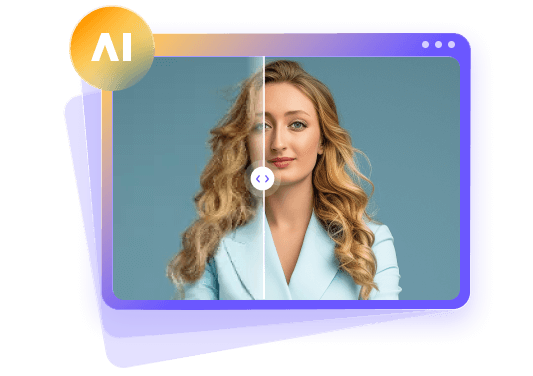
If you downloaded a wallpaper of your favorite Glitter Force design but aren't happy with the quality, you can use HitPaw FotorPea. This AI image enhancer offers features like resolution enhancement, noise reduction, and image improvement. Using this AI image enhancer, you can enhance your favorite Glitter Force artwork for larger displays.
Key Features of HitPaw FotorPea for Enhancing Glitter Force Wallpapers
Here are some key features you can use with HitPaw FotorPea to enhance anime illustrations and other colorful artwork.
1. Enhance Image to 4K/8K
If you have a low-resolution image, it may look fine on a small display. But if you try to enlarge it, it will become blurry. HitPaw FotorPea offers AI upscaling to enhance image resolution up to 4K, 8K, and beyond. With enhanced resolution, you can get better details of characters, costumes, and backgrounds.
2. AI Image Generation
If you cannot find a Glitter Force wallpaper of your favorite character or background, try AI image generation. Describe the image you want, then generate different styles, colors, and wallpaper designs.
3. Denoise
If you have downloaded a Glitter Force wallpaper that has some grain, noise, or compression artifacts, then you can use the Denoise feature. It can reduce noise while preserving important details. It's useful for artwork with darker backgrounds or subtle color gradients.
4. Fix Pixelate Image
When you enlarge a small image of anime illustration, you may find that the character's outline, facial features, and other details look pixelated. HitPaw FotorPea has different AI enhancement models that can help fix pixelate images. It can enhance image clarity and reconstruct details. However, results depend on the quality of the original image.
5. All-in-One Workflow
With HitPaw FotorPea, you don't have to switch between different applications to enhance images. It is a complete image enhancement tool with a range of editing and enhancement features. You can upload the image, choose the right enhancement model, and then export the enhanced wallpaper.
6. User-Friendly Interface
To use HitPaw FotorPea to enhance your Glitter Force wallpapers, you don't have to have any specific skills. The user-friendly interface makes it easy to upload images, choose the right enhancement model, and export the enhanced image.
7. Advanced Models Support
Different enhancement models handle different kinds of images. HitPaw FotorPea supports different enhancement models to upscale, denoise, sharpen, and restore details. Besides, the AI Upscale models also support anime illustrations and artwork, which can be useful for wallpapers that have colorful characters and detailed illustrations.


Steps to Enhance Glitter Force Wallpaper with HitPaw FotorPea
With HitPaw FotorPea, you can enhance your downloaded Glitter Force wallpapers with just a few simple steps.
Step 1: Download and Install HitPaw FotorPea
First, you need to download and install HitPaw FotorPea on your device. You can download the software from the official HitPaw FotorPea website and then install it on your device. Once it is installed, launch the application.
Step 2: Upload Your Wallpaper
Next, upload your wallpaper to HitPaw FotorPea. You can open the AI Enhancer feature and then import your wallpaper. You can also drag and drop the image to upload it.
Step 3: Choose the AI Enhancement Model
Now, you can choose the AI enhancement model that you want to use. If you want to enhance the resolution of your image, then choose AI Upscale. If you find any noise in your image, then choose Denoise. If you notice blurry details in your character's face or outline, try the Sharpen enhancement model. You can also choose Auto Mode and let the software choose the right enhancement.
Step 4: Preview the Enhanced Image
Click on the Preview button to see the enhancement result. You can compare the original image with the enhanced one. Check to see if the character's face, costume details, and the background look better. At the same time, make sure the enhanced image doesn't look unnatural.
Step 5: Export Your Wallpaper
Once you are happy with the enhanced wallpaper, you can export it. Choose your desired settings and export the image. Set the size according to your phone/desktop screen size.
You can also refer to the official getting started guide of HitPaw FotorPea for more details about this software.
Part 4: 5 Tips for Choosing the Best Glitter Force Wallpaper
Your wallpaper should not only look good but also help you use your screen easily. Keep these 5 points in mind before you choose your wallpaper.
- 1. Check the Resolution:Choose a wallpaper that has a resolution that is equal to or higher than the resolution of your screen. This will make sure that the image is not unnecessarily stretched or blurred.
- 2. Consider the Screen Ratio:Generally, wallpaper with a portrait design is good for use on phones, while those with landscape designs are apt for use on desktop monitors.
- 3. Select Your Favorite Character:Pick a character from Glitter Force whose design you like. You could also pick a wallpaper that shows the whole team.
- 4. Consider the Colors:Wallpapers of Glitter Force usually have good and magical effects. But you need to make sure that the colors of the wallpaper do not clash with the icons or widgets on your screen.
- 5. Keep it Simple:Try to avoid designs that have too many things on them because they can be distracting. Choose a wallpaper with a clear character and background. Also, make sure the wallpaper has enough empty space so you can use your phone or desktop effectively.
FAQs
You can find Glitter Force wallpaper on Pinterest, WallpaperCave, and WallpaperSafari. You will find a lot of wallpaper designs featuring the characters from Glitter Force. Some wallpapers feature group shots or magical transformations and include designs inspired by other anime shows. Before downloading a wallpaper, ensure you check the size of the images and their copyrights if you are going to share or use it somewhere else.
The best wallpaper resolution depends on your screen resolution. If you have a Full HD desktop monitor, choose a wallpaper with a resolution of 1920 × 1080 pixels. If you have a 4K desktop monitor, you need to look for a wallpaper with a resolution of about 3840 × 2160 pixels. However, phones have different screen resolutions, so choose a portrait image whose aspect ratio matches your screen.
Yes, you can use Glitter Force wallpaper on your phone and desktop. But you should choose an image that matches the orientation and dimensions of your screen. So, if you want to use a wallpaper on your phone, use a portrait image. Landscape images are better for desktop monitors. If your wallpaper doesn't have the character properly aligned, you can crop it or adjust its position on your screen.
You should first try to find a high-quality original version of the image. If the image is still blurry or pixelated, you can use an AI image enhancer like HitPaw FotorPea. This app offers several upscaling, sharpening, and denoising models to improve your image's quality and resolution. However, you should preview the output and ensure that it looks natural and that the original artwork of the character is not tampered with.
Conclusion
Finding the perfect wallpaper for your phone or desktop is not just about selecting your favorite character from Glitter Force. You also need to consider resolution, color, composition, and screen dimensions when choosing a wallpaper.
Check out Pinterest, WallpaperCave, and WallpaperSafari to find great Glitter Force wallpapers for your phone or desktop. If your image is blurry or pixelated, you can also use HitPaw FotorPea to enhance its quality. So, if you find a wallpaper you like but it doesn't have the quality you want, use HitPaw FotorPea to prepare it for your phone or desktop.
Leave a Comment
Create your review for HitPaw articles