



Sailor Moon iPhone Wallpaper: 10 Free Cute & Aesthetic Picks
 By Daniel Walker
You unlock your phone many times a day, so your wallpaper should make you smile. For a lot of anime fans, nothing does that like Sailor Moon.
But finding a good Sailor Moon iPhone wallpaper is harder than it looks. Many images are blurry, too small, or get cropped badly on a tall screen. In this guide, you'll find 10 cute and aesthetic wallpaper ideas and 4 free sites to download them. You'll also learn an easy way to make low-quality images sharp enough for your iPhone.

Part 1: 10 Cute & Aesthetic Sailor Moon iPhone Wallpapers in 2026
Sailor Moon has many looks, from soft pastels to dark space scenes. Here are 10 styles to try on your lock screen or home screen.
1. Pastel Pink Aesthetic Sailor Moon Wallpaper
This is the most popular style for a reason. Soft pinks, lilac clouds, and tiny stars give your phone a calm, dreamy feel. It works well if you like a clean and girly look.
2. Crescent Moon Minimalist Wallpaper
Not a fan of busy designs? Try a simple golden crescent moon on a plain pink or black background. It's subtle, and your app icons stay easy to read.
3. Luna and Artemis Cute Sailor Moon Wallpaper
Luna and Artemis are fan favorites. A cute Sailor Moon wallpaper with the two cats sitting under the moon feels sweet and playful. It's a great pick for cat lovers.
4. Chibi Sailor Moon Wallpaper
Chibi art shows the characters with small bodies and big heads. These designs look extra cute on a phone. Chibiusa wallpapers fit this style perfectly.
5. Sailor Guardians Group Wallpaper
Want the whole team? Group wallpapers show Sailor Moon with Mercury, Mars, Jupiter, and Venus together. Pick a vertical version so no one gets cut off on your tall iPhone screen.
6. Retro 90s Anime Sailor Moon Wallpaper
This style uses screenshots from the original 90s anime. The soft colors and old-school look bring back memories. Some versions add a VHS or film grain effect for extra nostalgia.
7. Moon Stick and Brooch Wallpaper
You don't need a character to show your love for the show. Wallpapers with the Moon Stick, the brooch, or the Crystal Star compact look stylish and simple.
8. Starry Night Sailor Moon Wallpaper 4K
Dark blue skies, glowing moons, and Sailor Moon in the middle make this style stand out. A Sailor Moon wallpaper 4K in dark tones also looks great with Dark Mode.
9. Black and White Manga Panel Wallpaper
Manga fans will love this one. Black and white panels from the original comic look sharp and artsy. They also pair well with a black or white phone case.
10. Sailor Moon Pattern Wallpaper
Repeating hearts, moons, bunnies, and stars make a fun pattern. Patterns are great for the home screen because they still look good behind your apps.
Part 2: Top 4 Websites to Download Free Sailor Moon Wallpapers in HD
Now you have some ideas. Next, you need a place to find them. These four sites have large collections for a Sailor Moon wallpaper free download.
1. Pinterest
Wallpaper styles: Pinterest is best for aesthetic ideas. You'll find pastel edits, lock screen pairs, fan art, and themed boards made by other fans.
How to download: Search "Sailor Moon iPhone wallpaper" and open a Pin you like. Tap the three dots (...) next to the Pin. Then tap Download image. It saves straight to your Photos app.
Resolution: It depends on what the uploader shared. Many Pins are compressed. If the Pin links to a source site, open it to get the full-size file.
Copyright note: Most images are fan uploads or reposts. Use them on your own phone only. Don't repost them as your own work.
2. WallpaperCave
Wallpaper styles: WallpaperCave groups wallpapers into topic pages. You'll find Sailor Moon collections for desktop and phone, with classic anime scenes, characters, and aesthetic edits.
How to download: Search "Sailor Moon iPhone" on the site. Open a collection and click the image you want. Then hit the download button.
Resolution: Sizes vary because users upload the images. Check the size shown on each image before you download.
Copyright note: The site hosts user uploads. Keep the files for personal use. Don't sell or print them.
3. DeviantArt
Wallpaper styles: DeviantArt is home to original fan art. You'll find unique redraws, chibi art, digital paintings, and styles you won't see anywhere else.
How to download: Search "Sailor Moon wallpaper" and open an artwork. If the artist allows it, you'll see a Download button. If there's no button, the artist doesn't want the file shared.
Resolution: It depends on the artist. Some upload large, high-quality files. Others share smaller previews only.
Copyright note: Each piece belongs to its artist, and the characters belong to their owners. Respect "do not repost" notes. Ask the artist if you want to use it for anything beyond your phone.
4. Alpha Coders / Wallpaper Abyss
Wallpaper styles: Alpha Coders runs Wallpaper Abyss for desktop images and a separate mobile section for phones. Its anime galleries include many Sailor Moon wallpapers, from official art to fan edits.
How to download: Search "Sailor Moon" and open an image. You can download the original file or crop it to your screen size. Most downloads don't need an account.
Resolution: This is the site's strong point. You can filter by resolution and find many HD and 4K options.
Copyright note: Images are user-submitted. Use them for personal wallpapers only.
Part 3: How to Enhance Sailor Moon iPhone Wallpapers to 4K/8K with HitPaw FotorPea
Found the perfect wallpaper, but it looks soft or blocky on your screen? That happens a lot with old anime screenshots and reposted images. The good news is you can fix it in a few clicks.
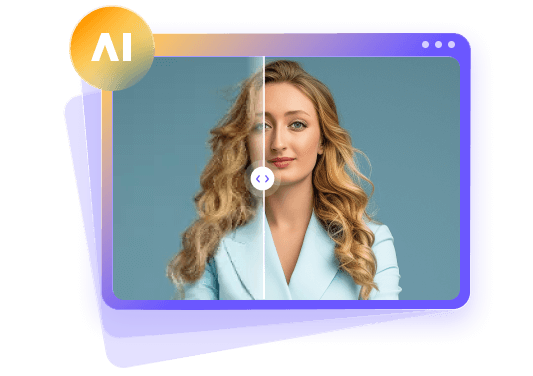
HitPaw FotorPea is an AI photo enhancer for Windows and Mac. It can upscale small images, clean up noise, and sharpen blurry lines. That makes it a handy tool for turning a low-quality Sailor Moon wallpaper into a crisp HD or 4K version.
Key Features of HitPaw FotorPea
- Enhance image to 4K/8K: Upscale small wallpapers to 4K or 8K so they look sharp on any iPhone screen.
- Advanced models support: Pick from several AI models, including General, Denoise, Face, Colorize, and an Animation model made for anime and cartoon art.
- Fix pixelated image: Smooth out blocky edges and jagged lines in old screenshots.
- Denoise: Remove grain and compression noise, which is common in 90s anime captures.
- All-in-one workflow: Enhance, remove backgrounds, generate AI images, and process photos in batches in one app.
- User-friendly interface: No editing skills needed. You upload, pick a model, preview, and export.


How to Use HitPaw FotorPea to Enhance Your Wallpaper
Step 1:Download and install HitPaw FotorPea. Open it and click AI Enhancer.
Step 2:Upload your Sailor Moon wallpaper. You can drag and drop it in. JPG, PNG, WEBP, and TIFF files all work.
Step 3:Choose an AI model. The Animation model works best for anime art. Use Denoise if the image is grainy. Then set the output to 4K or 8K.
Step 4:Click Preview to compare the before and after. If you like the result, click Export to save it. Then send it to your iPhone.
Part 4: Tips for Choosing the Best Sailor Moon iPhone Wallpaper
A great wallpaper should look good and still keep your phone easy to use. Keep these tips in mind:
- Match your screen size. Pick a tall, vertical image. A horizontal desktop wallpaper will get cropped and lose detail.
- Leave space for the clock. Choose an image with open sky or plain space near the top. This keeps the time and widgets readable.
- Keep the home screen simple. Busy art can hide your app icons. Patterns and minimal designs work better here.
- Try dark designs. Starry night wallpapers look rich on iPhone OLED screens.
- Make a matching pair. Use a character image on the lock screen and a soft pattern on the home screen.
- Check the quality first. Zoom in before you download. If it looks blurry, find a better version or enhance it.
- Credit the artist. If you share your setup online, tag the person who made the art.
FAQs
Pinterest, WallpaperCave, DeviantArt, and Alpha Coders are all good places to start. Pinterest is great for aesthetic ideas. Alpha Coders is best if you want Sailor Moon wallpaper HD and 4K files. Always keep downloads for personal use.
The best resolution matches your iPhone's screen. For example, the iPhone 17 Pro uses 1206 x 2622 pixels, and the iPhone 17 Pro Max uses 1320 x 2868 pixels. A slightly larger image is even better because it gives you room to crop and zoom.
Yes, using an image as a wallpaper on your own phone is generally fine. Just don't sell it, print it on products, or repost fan art as your own. If you share your setup, credit the artist.
Save the image to your Photos app first. Open it, tap the Share button, and choose Use as Wallpaper. Adjust the image with two fingers, then tap Add. Choose to set it as a wallpaper pair or customize the home screen.
Conclusion
A Sailor Moon iPhone wallpaper is an easy way to bring a little anime magic to your day. You can go with a pastel aesthetic look, a cute Luna design, or a dark starry night scene. Pinterest, WallpaperCave, DeviantArt, and Alpha Coders all have plenty of free options.
And if your favorite image looks blurry, try HitPaw FotorPea to upscale it to 4K or 8K. Your lock screen will thank you.
Leave a Comment
Create your review for HitPaw articles