





15 Creative Product Photography Ideas for Unique Product Images
 By Daniel Walker
Whether you're selling handmade jewelry, skincare products, clothing, or electronic accessories, stunning product images can help attract customers and strengthen your brand identity. However, this doesn't always require an expensive camera or a professional studio. With thoughtful styling, right lighting, and a little experimentation, you can transform ordinary products into eye-catching visuals.
To help you, this guide covers 15 creative product photography ideas, practical shooting tips, and how AI can enhance your product photos for professional-looking results.
15 Creative Product Photography Ideas to Try
Below are creative product photography ideas covering backgrounds, lighting, composition, and styling techniques that work for a wide variety of products:
Creative Backgrounds and Styling (1-4)
The right backgrounds and styling set the mood of a product photograph before viewers even notice the smaller details.
1. Create Eye-Catching Color Contrast
Pair products with contrasting backgrounds to make them stand out instantly. Bold combinations, such as yellow against purple or blue against orange, create striking visuals that capture attention and emphasize details.

2. Embrace Minimalist Product Styling
Keep your composition clean with neutral backgrounds and minimal props. This approach highlights the product's shape, texture, and design while creating an elegant, sophisticated appearance without unnecessary visual distractions.
3. Build Creative Scenes with Geometric Shapes
To create interesting product displays, use cubes, cylinders, arches, and spheres. Arrange geometric props at different heights to add balance and an artistic touch to your photographs.
4. Create a Monochromatic Product Scene
Choose different shades of one color for your product, background, and props. This technique creates a cohesive, stylish appearance while subtle variations in texture and lighting maintain visual interest.
Creative Lighting and Visual Effects (5-8)
Experimenting with lighting and visual effects can add depth, drama, and creativity to your product photos.
5. Use Dramatic Shadows to Add Depth
Place a strong directional light beside your product to create bold, dramatic shadows. Try window blinds or patterned objects to introduce interesting shapes and add depth to photographs.
6. Create Eye-Catching Reflections
Place products on glossy acrylic, glass, or mirrored surfaces for elegant reflections. This technique adds symmetry and sophistication, making perfumes, watches, and luxury accessories look more attractive in photos.
7. Make Products Appear to Float
Hang lightweight products with transparent fishing lines or removable supports to create a floating effect. Carefully place lighting and shadows to make the illusion convincing.
8. Capture Products in Motion
Add movement with water splashes, flying powder, or flowing fabric to create dynamic photos. Fast shutter speeds help freeze action and highlight your product in exciting, energetic compositions.
Creative Scenes and Perspectives (9-12)
Creative settings and unusual camera angles give your product photos a fresh, distinctive look.
9. Bring Nature into Your Product Photos
Use flowers, leaves, stones, or wooden surfaces to create fresh, organic product scenes. Natural elements introduce interesting textures and work particularly well for skincare, wellness, and eco-friendly product photography.
10. Experiment with Unexpected Perspectives
Capture products from unusual angles, including ground level, overhead, or extreme close-ups. Changing your camera position reveals interesting shapes and details, making ordinary products look engaging.
11. Tell a Story with Lifestyle Scenes
Show products in realistic everyday settings to help customers imagine using them. Include relevant surroundings, such as coffee mugs beside books, to create relatable photographs that communicate purpose and lifestyle.
12. Create Themed Product Photography
Design product scenes around seasons, holidays, or specific moods to create memorable visuals. Coordinate backgrounds, props, and lighting for a theme that supports your brand's marketing message.
Creative Product Details and Arrangements (13-15)
Highlighting small details and arranging products thoughtfully creates more engaging, professional-looking photographs.
13. Experiment with Glass and Transparent Props
Add transparent props like acrylic blocks, glass bowls, or sheets for interesting reflections and light patterns. These materials add depth and elegance without introducing distracting colors.
14. Highlight Details with Macro Photography
Capture extreme close-ups to reveal intricate textures, fine stitching, or delicate jewelry details. Macro photography emphasizes craftsmanship and helps customers appreciate features that might be overlooked otherwise.
15. Arrange Products in Creative Groupings
Group related products in symmetrical patterns, diagonal arrangements, or varying heights to create engaging compositions. Thoughtful positioning highlights product collections while maintaining visual interest and a cohesive presentation.
Essential Tips for Better Creative Product Photography
Creating attractive product photos requires more than creative ideas. Here are a few tips to help you capture professional-looking product images.
- Choose the Right Lighting
Use soft, natural light to highlight product details and reduce harsh shadows. Experiment with window light, LED lights, or softboxes for clear, balanced, attractive photos.
- Keep the Product as the Main Focus
Make sure your product remains the center of attention in every photograph. Use simple backgrounds, proper framing, and selective focus to prevent unnecessary distractions from competing with it.
- Use Props Without Overcrowding the Scene
Choose props that complement your product and support its overall theme. Also, avoid adding too many decorative elements, as cluttered arrangements can distract viewers and reduce visual appeal.
- Maintain Consistent Colors and Composition
Use a consistent color palette, background style, and composition across your product images. This creates a cohesive appearance, strengthens brand identity, and makes your photographs look professional.
- Shoot from Multiple Angles
Always capture your product from different angles, including front, side, overhead, and close-up views. Multiple angles reveal important features and help customers better understand the product's design and appearance.
How to Enhance Creative Product Photos with HitPaw FotorPea
Even carefully captured creative product photos may contain slight blur, unwanted noise, or insufficient detail. Instead of reshooting every image, you can use AI-powered editing software to improve its overall appearance.
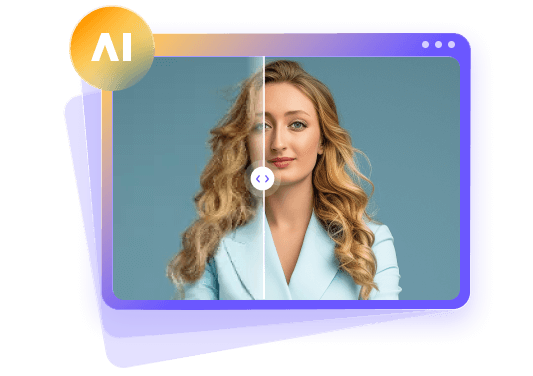
One such solution is HitPaw FotorPea, which is HitPaw's AI photo enhancer and AI photo generator for image enhancement, restoration, and creation. It offers advanced AI models to help improve image clarity, enhance features, and restore details, delivering more polished visuals. You can also increase the resolution to 4K or 8K and enhance multiple images at once.
This is especially useful for product photographers working with smartphone images, older product photos, or those that need additional refinement before publication.


Step-by-Step Guide to Enhance Creative Product Photos with HitPaw FotorPea
Step 1. Import Your Creative Product Photo
After launching the software, tap the "Enhance Photos Now" button. Then, drag & drop or click to import your creative product photo.
Step 2. Choose an AI Enhancement Model
Next, choose the appropriate AI enhancement model on the right. You can also pick the preferred mode for the chosen model.
Step 3. Preview and Export the Enhanced Creative Product Photo
Lastly, press the "Preview" tab and let AI finish processing. If everything looks fine, hit the "Export" button and that's all.
Common Creative Product Photography Mistakes to Avoid
Even the most creative product photography ideas can fail when small details are overlooked. Below are a few common mistakes to avoid if you want to present your products professionally:
- Overusing Props and Decorations
Adding too many props creates visual clutter and shifts attention away from the main subject. Too many decorations can also make the overall composition look messy and unprofessional.
- Poor Lighting and Harsh Reflections
Poor lighting can hide product details, while harsh reflections create unwanted glare. Uneven brightness and strong shadows may also distort the product's appearance and reduce visual quality.
- Distracting Backgrounds
Busy backgrounds filled with bold patterns, unnecessary objects, or competing colors can overwhelm the product. Such distractions make it difficult for viewers to focus on the subject and appreciate its features.
- Inconsistent Colors
Inconsistent color tones and editing styles across product images can make them appear unprofessional. These differences may misrepresent actual product colors and weaken the overall consistency of a brand's visual presentation.
- Ignoring Product Details
Overlooking small details like fingerprints, dust, scratches, or poorly positioned labels can make products appear unattractive. Blurry textures and missing close-up details may also leave customers uncertain about product quality.
FAQs About Creative Product Photography
Creative product photography is a style of commercial photography that goes beyond plain shots. It uses imaginative lighting, backgrounds, compositions, and styling to highlight product features in an appealing way.
Try unusual camera angles, colorful backgrounds, dramatic lighting, and creative props. Also experiment with reflections, floating effects, or motion photography to make ordinary products look more interesting and visually engaging.
Some common but creative product photo props include geometric blocks, mirrors, glass surfaces, fabrics, flowers, and natural materials. Choose items that complement your product's colors, style, and purpose without distracting from its appearance.
Soft, diffused natural light works well for most products because it reduces harsh shadows. Studio lights provide greater control, while directional lighting creates dramatic effects and highlights textures beautifully.
Use proper lighting, sharp focus, clean & contrasting backgrounds, and balanced compositions. However, you can also use AI photo enhancers like HitPaw FotorPea to improve photos' brightness, colors, and overall clarity.
Final Verdict
Creative product photography helps brands capture attention, showcase unique features, and create memorable visuals. By experimenting with lighting, backgrounds, props, and camera angles, you can transform ordinary product shots into stunning images.
However, if you want to improve the quality of existing product photographs, HitPaw FotorPea offers AI-powered tools to enhance image clarity, improve colors, increase resolution, and restore details effortlessly. Let's try it today.
Leave a Comment
Create your review for HitPaw articles