
How to Create AI Lifestyle Product Photography for Free
 By Daniel Walker
Small businesses may find it costly to hire a photographer, rent a studio, purchase lighting equipment, and arrange different backgrounds to create professional product photos for each new product. AI lifestyle product photography is a cheaper alternative that puts products into real-life situations without the need for a costly photoshoot. This guide will show you how to make beautiful photos of lifestyle products at no cost, test the helpful AI tools, write effective prompts, and make your final images more beautiful using HitPaw FotorPea.

What Is AI Lifestyle Product Photography?
The use of artificial intelligence to present products in real-life situations is called AI lifestyle product photography. Sellers are not required to arrange a real photoshoot; they can place a product photo and run AI to create a suitable background. To demonstrate, a bottle of skincare may be put on a counter in the bathroom, and a coffee package may be put next to a cup on a wooden table in the kitchen. AI image-generation algorithms are based on written prompts and image references to generate such scenes. This assists businesses in creating various visual styles without having to organize a separate photoshoot of each product.
Traditional Product Photography vs. AI Lifestyle Product Photography
Conventional product photography necessitates a camera, proper lighting, a photographer and even a rented studio. It can produce accurate product images; however, every photoshoot requires time and financial resources. AI is more flexible. The sellers are able to experiment with various backgrounds, light effects, and settings in a matter of minutes. Nevertheless, AI images can occasionally alter product labels, colors, or minor details. Hence, companies ought to verify all images that are generated before they post them.
| Comparison | Traditional Photography | AI Photography |
|---|---|---|
| Cost | Equipment and studio expenses. | Often lower, with free options available. |
| Time | Requires photoshoot planning | Pictures can be created in a short time. |
| Flexibility | Relies on places of availability. | Many digital settings |
| Creativity | Confined by a lack of material means. | Multiple scene possibilities |
Where Can You Use AI Lifestyle Product Photos?
These images can be utilized by businesses in various marketing channels:
- E-commerce displays: Show products in a real-life environment to enable shoppers to see how the products can be used.
- Social media: Create appealing pictures on Instagram, Facebook, and Pinterest.
- Banners on the site: Display products against branded backgrounds on website landing pages.
- Digital advertisement: Explore different visual styles for advertising campaigns.
- Product catalogs: Present products with consistent backgrounds and themes.
Different Types of AI Lifestyle Product Photography
Various products require varying visual surroundings. A suitable background helps customers understand where and how they can use a product. The styles below provide useful ideas to produce attractive lifestyle product images.
Home and Interior Lifestyle Product Photography
This style is effective for furniture, kitchenware, lamps and home decorations. AI is able to put a sofa in a contemporary living room or display ceramic dishes on a well-organized dining table. The atmosphere is created with the help of natural lighting and the use of wooden furniture and neutral colors.
Beauty and Skincare Product Photography
Beauty products are visually appealing in a clean and simple environment. Skincare bottles can be placed on a marble vanity, beside a bathroom mirror, or near fresh flowers. The use of soft lighting and minimal backgrounds is used to emphasize the packaging and product information.
Food and Beverage Product Photography
Food and drinks need suitable settings to make them look fresh and attractive. Kitchen tables or coffee shops can be used to display coffee brands, whereas the juice bottles can be shown in picnic scenes. AI is also able to make breakfast table settings with natural light and natural shadows.
Fashion and Accessories Product Photography
Handbags, shoes, watches, and jewelry can be displayed in everyday settings. For example, AI can show a handbag on a restaurant chair or a watch next to a notebook on an office desk. Fashion brands are also fitting in urban streets, fancy dressing tables, and modern interiors.
How to Create AI Lifestyle Product Photography Free
Making beautiful product pictures does not necessarily involve a professional camera or a costly studio. Using the appropriate AI, you can convert a basic product image into a life-like image. This will begin by selecting an appropriate background, a free tool, and a concise prompt. Then you are able to edit the finished picture to suit your marketing requirements.
Choose the Right Lifestyle Scene for Your Product
The product and its purpose should coincide with the background. A skin care bottle is natural on a clean daylight bathroom counter. Coffee packages look attractive on small kitchen tables alongside cups and breakfast foods. Furniture and home decorations look best in contemporary living rooms with balanced colors and natural lighting. Always use an environment that is able to make the customers envision the use of the product.
Find Free AI Tools for Lifestyle Product Photography
You don't need an expensive subscription to create lifestyle product images. Here are four free AI tools worth exploring:
- Microsoft Designer: Offers free AI image generation with a Microsoft account, including creative styles and backgrounds. Check its current commercial usage restrictions.
- Canva AI: Provides 20 monthly uses of eligible AI tools on the free plan, including image generation and background creation. Some premium elements require payment.
- Adobe Firefly: Offers free daily generative credits for creating realistic product images and different visual styles. Eligible outputs can be used commercially.
- Photoroom: Offers 5 AI generations and 100 exports per month on its free plan, with a focus on product backgrounds and lifestyle scenes. Free usage is limited to personal purposes.
Free allowances and licensing terms may change, so check each platform's latest policies before using images commercially.
Create Realistic Product Photography with AI Prompts
A prompt is a good explanation to the AI of what type of image you want. Add the following five aspects:
- Product appearance: State its color, shape, material, and packaging.
- Environment: Select an appropriate environment or setting.
- Lighting: Use natural daylight, soft studio, or warm evening light.
- Camera angle: Specify a close-up, eye-level, or top-down view.
- Composition: Discuss where the product is to be located and what is to be placed around the product.
AI Lifestyle Product Photography Prompt Examples
Four prompts that you can copy and use are listed below:
- Skincare: This skincare bottle is placed on a white marble bathroom counter; it is a sunny day, towels are fresh, shadows are not too intense, and there are a minimum of background elements. Do not change the original packaging and label.
- Coffee: Put this coffee pack next to a ceramic coffee cup on a comfortable wooden kitchen table. Include natural morning sunlight and a natural breakfast scene.
- Handbag: This handbag should be placed on a modern city chair, in a trendy cafe, on a sunny day, with natural light, and professional fashion photography.
- Home decor: The use of this decorative vase would be in a modern living room on a wooden table, accompanied by neutral furniture, interior plants and soft lighting at the windows
Customize Your Images for Different Marketing Needs
One size of the image is not applicable to all platforms. Write the composition depending on your publishing location.
- E-commerce: Post square images with easy accessibility of the products.
- Instagram: Feeds and Reels are square or vertical.
- Facebook advertisements: The advertisements are to be in landscape or square format, with text advertising.
- Banners on the websites: Choose broad pictures with the product off-center from the text.
Always go through the final picture that has been made before posting to ensure that it has no false labels, distorted figures, or unnecessary objects.
How to Enhance AI Lifestyle Product Photos with HitPaw FotorPea
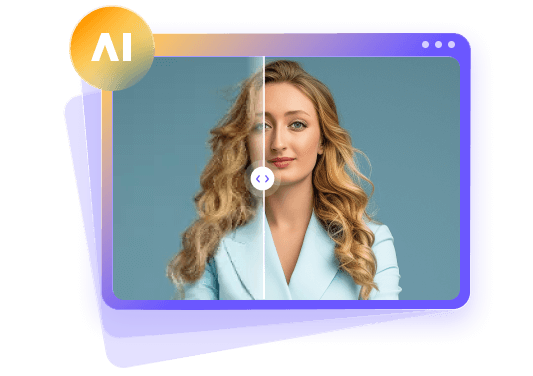
The images of products created by AI can also be vague, blurred, or of low quality. Such problems may impact the professional appearance of advertisements and Internet shops. HitPaw FotorPea helps sharpen images, deblur, and improve the quality of images before posting. It may also come in handy, especially when you require an AI-generated image on different marketing sites. Customers can also easily see relevant product information when using clearer images.
Steps to Enhance AI Lifestyle Product Photos with HitPaw FotorPea
Step 1: Download and Open HitPaw FotorPea
Go to the official HitPaw FotorPea website. Install the software on your computer. Click on it and choose the AI Enhancer option.


Step 2: Upload Your Product Image
Click on the button "Enhance Photos Now" and choose the product image generated by AI on your computer. It is also possible to drag and drop the picture into the workspace.
Step 3: Choose an AI Enhancement Model
Choose an appropriate model for your picture. The Sharpen Model can be used to fix blurred details, whereas the AI Upscale Model enhances resolution. The Denoise Model can also be used to eliminate undesirable noise in an image.
Step 4: Preview the Enhanced Image
Click Preview to work on the image. Compare the two versions (original and improved). Look at the product label, colors, edges, and details to ensure that they are natural.
Step 5: Export Your Final Image
Should you be content with the output, click on "Export" to save the improved image. Select an appropriate format and quality to suit your marketing.
FAQs About AI Lifestyle Product Photography
Yes, there are a number of AI-based tools that offer free functionality for creating images of lifestyle products. Nevertheless, other sites limit the number of generative images generated per day or month and might charge to download high-resolution images.
Canva, Microsoft Designer, and Adobe Firefly are helpful alternatives for novices. The ultimate decision is based on your favorite styles, unrestricted use and picture quality.
Take a photo of your product, select one of the AI image-generation or background-editing apps and tell it what environment you would like. To achieve improved outcomes, a clear product image should be used, and you should ask the AI to maintain its natural look.
Incorporate the look of the product, the background, lighting, camera angle and composition of the image. Certain guidelines contribute to more realistic and appropriate visuals of products.
Yes, there are numerous AI tools that can be used commercially, but the regulations are based on their specific terms of use and subscription schemes. It is always necessary to verify the terms of licensing of the given platform and ensure that your photos do not violate copyright and trademarks.
Conclusion
AI lifestyle product photography eases the burden on businesses to develop beautiful product images without having to invest a lot of money in professional photoshoots. Using the appropriate AI technologies, the appropriate scene and the appropriate prompts, you will be able to create the visuals for online stores, social media, and online advertisements. HitPaw FotorPea can also assist in fine-tuning your pictures to make them look more professional, making them clearer, less blurred and higher resolution before you post them to your customers.
Leave a Comment
Create your review for HitPaw articles