





How to Turn Off Blur on Twitter (X) on iPhone, Android & Desktop
Twitter(X) often blurs images and videos flagged as sensitive, making it frustrating to view content you actually want. To turn off blur on X (Twitter) and see sensitive content, you must log into X.com via Web browser and go to Settings and privacy > Privacy and safety > Content you see, then check the box for "Display media that may contain sensitive content" and also uncheck "Hide sensitive content" in Search settings. This will remove the blur and content warnings from your feed and searches. In this guide, we provides step-by-step instructions to turn off blur on X (Twitter) across desktop, iPhone, iPad, and Android.
Part 1: How to Turn Off Twitter Blur on Desktop?
If you prefer browsing Twitter on a desktop, you can disable Twitter blur sensitive content in just a few clicks. This setting lets you view photos and videos marked as sensitive without encountering a warning or blur mask. Follow these browser-based steps to learn how to turn off blur on Twitter quickly.
1.Visit the Twitter website and log into your account.
2.Select More from the sidebar. It is the last setting in the menu.

3.From the new drop-down menu, click on Settings and Privacy. You'll now be on the settings page.
4.From there, choose “Privacy and safety” and then click on the “Content you see” option.
5.Navigate to Content You See. You'll find it below Your Twitter Activity.
6.There's an option called Display Media That May Contain Sensitive Content. Click the check box to enable this setting. By default, you can't see sensitive content.
The platform automatically saves your settings. Return to your timeline and refresh the page. You'll notice Twitter no longer blurs or hides sensitive media.
Part 2: How to Remove Twitter Blur on Mobile (iOS & Android)?
Disabling sensitive-content blur on the X mobile app is just as straightforward as on desktop. Whether you're using an iPhone, iPad, or Android device, these in-app settings let you remove blur in Twitter and view every image or video clearly. Here's how to turn off blur on X using the official app.
Note: You can't turn off the blur on the X app if the setting isn't accessible in the app itself. Using a web browser is often more reliable for these specific settings. The X apps will mirror the settings you changed in web.
1.Open the X app and log in.
2.Tap your profile picture in the top left corner.
3.Scroll down to Settings & Support, then tap Settings and Privacy.
4.Choose Privacy and safety.
5.Tap the Content you see option.
6.Turn on Display media that may contain sensitive content.
After enabling X unblur sensitive content, return to your feed. You will no longer see any sensitive content warnings or Twitter unblur sensitive content.
Part 3: Enhance and Unblur Twitter Videos with HitPaw VikPea
For videos that remain blurred, HitPaw VikPea can unblur, enhance resolution, stabilize, and color-correct Twitter videos in just a few clicks. You not only unblur sensitive content but also upscale resolution, sharpen details, and improve color accuracy. What is more, HitPaw VikPea enables you to create stunning AI video for Twitter from text or static image with its powerful AI video generation feature.
The outstanding features in HitPaw VikPea
- AI-driven deblurring to reveal hidden details in every frame.
- Real-time noise reduction that smooths out grainy video artifacts.
- Resolution upscaling to enhance videos to 4K clarity.
- Intelligent color correction for vivid and natural tones.
- Frame stabilization to eliminate shaky camera effects.
- Generate creative videos from text and image.
- Batch processing support for enhancing multiple videos simultaneously.




Discover how HitPaw VikPea transforms low-quality Twitter videos into crisp, clear footage.
Step 1.Download and launch HitPaw VikPea on your computer. Import your video by clicking 'Video Enhancer', or simply drag and drop it into the menu.
Step 2.This software offers multiple AI models, including the General Restoration Model, UHD Restoration Model, Portrait Model, and Video Quality Repair Model, among others. Select the model that best fits your Twitter video needs.
Step 3.Preview the enhanced video by clicking Preview. If you're satisfied with the results, press Exportto save your unblurred, high-quality video.
Frequently Asked Questions about Twitter Blur
Q1. Why does Twitter blur my videos and photos?
A1. Twitter blurs videos and photos that it deems sensitive to protect users from potentially disturbing content. This includes media tagged by other users or detected by Twitter's algorithms as containing violence or other mature themes. The blur serves as a warning so viewers can choose whether to view the content or not.
Q2. How to get rid of Sensitive Content Warning blur on Twitter?
A2. To remove the content warning blur, navigate to Settings and Privacyon either your browser or the mobile app. Under Privacy and safety, go to Content You Seeand enable Display media that may contain sensitive content. This will unblur tweets marked with a sensitive-content warning.
Q3. What Is Sensitive Content on Twitter?
A3. Sensitive content on Twitter includes media that might be considered graphic, violent, or adult in nature. Users can flag their own posts as sensitive, and Twitter's moderation algorithms can also classify content as sensitive. The blur acts as a safeguard, prompting users to opt-in before viewing such media.
Q4. How to Enable 18+ Mode on Twitter?
A4. Twitter (X) doesn’t have a dedicated 18+ mode, but you can see adult content by allowing sensitive media. Enable Display media that may contain sensitive content in your privacy settings and ensure your account shows you’re 18 or older—this lets mature content appear without warnings.
Conclusion
Knowing how to turn off blur on X (Twitter) empowers you to view every image and video without unnecessary obstructions. From your desktop browser to the X mobile app, disabling the sensitive-content filter is straightforward. For professional-grade results, use HitPaw VikPea to unblur and enhance your Twitter videos, ensuring every detail shines. Now you have all the tools you need to remove blur in Twitter and enjoy clear, uninterrupted content.
 HitPaw Univd (Video Converter)
 HitPaw VoicePea
  HitPaw FotorPea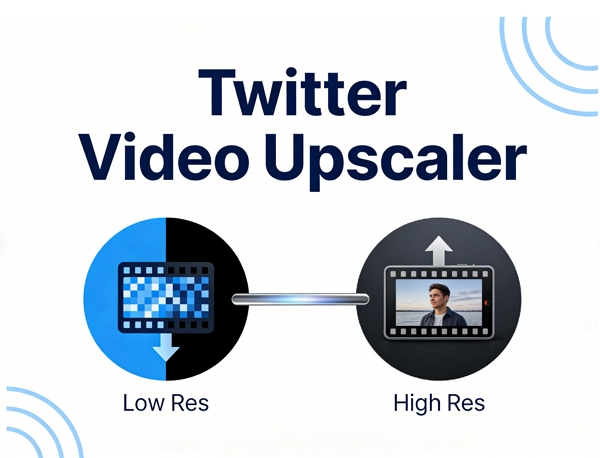


Share this article:
Select the product rating:
Daniel Walker
Editor-in-Chief
This post was written by Editor Daniel Walker whose passion lies in bridging the gap between cutting-edge technology and everyday creativity. The content he created inspires the audience to embrace digital tools confidently.
View all ArticlesLeave a Comment
Create your review for HitPaw articles