




Best Video Enhancer Apps for Android and iPhone in 2026
 By Daniel Walker
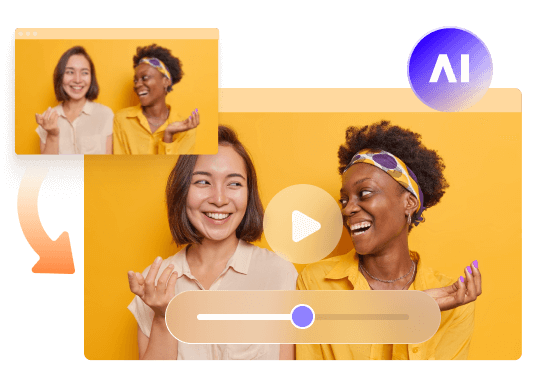
In 2025, enhancing video quality on mobile devices has never been easier. Whether you want to sharpen details, upscale resolution, reduce noise, or enhance colors, the right video enhancer app can make all the difference. From AI-powered tools to professional-grade editors, these apps allow you to improve video clarity with just a few taps. In this guide, we'll explore the best video enhancer apps for Android and iPhone, helping you find the perfect solution for creating high-quality videos effortlessly.
Part 1. What is Video Enhancer App?
A video quality enhancer app is designed to improve the resolution and quality of your videos. These apps are powered by advanced technology, including AI video enhancer apps, that automatically enhance various aspects of your videos, like resolution, sharpness, and color.
With these apps, anyone can turn their low-quality footage into something crisp and professional. Whether you need to fix blurry videos, adjust lighting, or upscale to 4K, the right app can do it all.
Now, let's dive into the top video enhancer apps available for iPhone and Android.
Part 2. Quick Overview of the Best Video Enhancer Apps in 2025
App Name
Supports 4K
Editing Features
Filters
Available On
Best For
Google Play/App Store Rating
CapCut
Yes
Advanced editing tools, multi-layer editing, keyframe animation
Yes
Android & iOS
Social media content creators
4.8 / 5.0
KineMaster
Yes
Multi-layer editing, green screen, transitions, audio mixing
Yes
Android & iOS
Professional mobile video editing
4.4 / 5.0
Utool
Yes
AI video enhancement, resolution upscaling, noise reduction
Yes
Android & iOS
AI-powered video quality improvement
4.6 / 5.0
Videoleap
Yes
Pro-level editing tools, blending modes, special effects
Yes
Android & iOS
Creative video editing & visual effects
4.3 / 5.0
HiQuality
No
Basic editing, AI-powered enhancements, brightness & contrast adjustment
Yes
Android & iOS
Quick and easy video quality improvements
4.2 / 5.0
Part 3. 5 Top Video Enhancer Apps for iPhone & Android
In 2025, these five apps stand out as the best for enhancing video quality on mobile devices. From simple edits to AI-powered enhancements, there's something for everyone.
1. Capcut
Capcut is a popular free video quality enhancer app that is widely used by social media creators. It's available for both iOS and Android, making it a versatile option for users across devices. Capcut is perfect for creators who want to upscale their videos, especially for platforms like TikTok. Its AI-powered features make it easy to enhance video quality without needing advanced technical knowledge.

Key Features:
- Video upscaling to 4K
- Keyframe animation and advanced editing tools
- Background removal and stabilization
- Filters and transitions for enhanced effects
 Pros:
- Free to use with powerful features
- Easy integration with TikTok
- Cross-platform support (iOS and Android)
 Cons:
- Can be overwhelming for beginners
- Watermark on exported videos
- Limited video enhancement controls
Best For:
Capcut is ideal for video quality enhancer app free users and social media content creators who need a quick, efficient way to enhance their videos.
2. KineMaster
KineMaster is another powerful app that works on both Android and iOS. Known for its professional-grade features, it allows you to work with multiple layers of video, text, and effects. Whether you want to enhance your video's resolution or add cool transitions, KineMaster has the tools to get the job done. It's especially popular with professional creators looking for a more detailed editing experience.
Key Features:
- 4K resolution export
- Multi-layer editing for advanced video projects
- Color correction and visual adjustments
- Speed control for slow-motion and fast-motion effects
Pros:
- AI-powered tools for automatic enhancements
- Extensive asset library (music, effects, templates)
- Professional editing features
Cons:
- Watermark in the free version
- High-performance requirements for editing
- Subscription required for advanced tools
Best For:
KineMaster is best for users who need a top video enhancer app with advanced editing capabilities and are willing to pay for premium features.
3. Utool
Utool is a great free video enhancer app powered by AI. This app helps you repair old or damaged videos, upscale their resolution, and remove noise. It's perfect for anyone looking to enhance the quality of older videos, turning blurry or pixelated footage into sharp, clear visuals.
Key Features:
- Video upscaling from 480p to 1080p or 4K
- Noise reduction for clearer audio and video
- AI-powered color correction
- Simple video editing tools like trimming and merging
Pros:
- AI-powered automatic enhancements
- Batch processing for multiple videos
- Easy-to-use interface for beginners
Cons:
- Limited editing features for advanced users
- High resource usage on some devices
- Free version has restricted access
Best For:
Utool is great for casual users who want a video quality improver app to enhance their old footage with minimal effort.
4. Videoleap
Videoleap is an excellent app for both iOS and Android users who are into creating professional-quality videos. It provides a wide range of editing options, from basic tools to advanced AI features. It's particularly good for those who want to work with video effects, transitions, and keyframe animations to bring their videos to life.
Key Features:
- 4K video export
- AI-powered upscaling and enhancement
- Chroma key (green screen) support
- Multi-layer editing and keyframe animations
Pros:
- Professional-grade features
- Real-time previewing of edits
- User-friendly interface for quick video creation
Cons:
- Some features are behind a paywall
- Can slow down with too many edits applied
- Limited support for some advanced features in free version
Best For:
Videoleap is perfect for creative video editors who want to experiment with advanced video effects and animations while still maintaining high-quality outputs.
5. HiQuality
HiQuality is a simple but effective AI video enhancer app that focuses on resolution upscaling. It's designed for those who want to improve the quality of everyday videos without complex editing. The app is ideal for enhancing selfies, YouTube videos, and even old black-and-white films.
Key Features:
- Upscale videos to 4K resolution
- AI-enhanced facial details and color restoration
- Supports various video types like anime and old films
- Simple editing tools for video trimming and merging
Pros:
- Lightweight and efficient on most devices
- Free to use with basic features
- Great for casual video enhancement
Cons:
- Limited editing features beyond resolution enhancement
- Free version has restrictions on output resolution
- Limited customization options
Best For:
HiQuality is great for casual users who want an easy-to-use video quality enhancer app free to enhance their everyday videos.
Part 4. HitPaw VikPea: Desktop AI Video Enhancement for Better Quality
While mobile video enhancer apps are convenient for quick improvements, they may not offer enough control or processing capabilities for videos with significant quality issues. If you want to enhance videos recorded on your Android phone or iPhone with more advanced AI technology, a desktop video enhancer is another option worth considering.
HitPaw VikPea is an AI-powered desktop video enhancement software for Windows and Mac. It helps improve blurry, noisy, low-resolution, and compressed mobile footage, with support for upscaling videos to 4K and 8K. Instead of relying on basic adjustments, it uses specialized AI models to restore details, reduce noise, and improve overall video clarity.
Key Features of HitPaw VikPea:- Up to 8K Upscaling: Upscale low-resolution videos to 4K or 8K with AI-powered detail recovery and quality enhancement.
- Multiple AI Models: Choose specialized AI models for different video types, including general restoration, portrait enhancement, animation, and low-light videos.
- Batch Video Processing: Enhance multiple videos simultaneously, saving time when processing large video collections.
- AI Frame Interpolation: Generate additional frames to increase frame rates and create smoother video motion.
- Real-Time Preview: Preview and compare original and enhanced footage before exporting to find the best results.


How to Enhance Videos with HitPaw VikPea
Step 1. Import Your VideoLaunch HitPaw VikPea on your computer. Open the Video Enhancer module and upload the video you need to upgrade.
Choose an appropriate AI model based on your footage. For example, use General Restoration for blurry videos, Portrait Model for face details, or a low-light enhancement model for dark recordings.
Click Preview to process a short video segment. Compare the original and enhanced footage side by side to check whether the details and clarity have improved.
Choose your desired output resolution, such as 4K, and click Export to save the enhanced video to your computer.
Conclusion
The best video enhancer app for Android or iPhone depends on your needs, whether you want quick video improvements, sharper details, or better overall quality. Mobile apps are convenient for enhancing videos on the go, while desktop software like HitPaw VikPea offers more advanced AI capabilities, including multiple enhancement models, batch processing, frame interpolation, and upscaling to 8K. If you want greater flexibility and professional-level video enhancement, VikPea is worth trying.
Leave a Comment
Create your review for HitPaw articles