

How to Improve Dating Profile Photos and Make Them Look Better
 By Daniel Walker
Your dating app photos are basically your online handshake. In a second or two, people decide whether to swipe or pass. But here's the thing: a lot of great pictures get ruined by small tech annoyances, a bit of blur, bad lighting, or the ugly grain that happens when apps compress your photos. Before you know it, a good photo turns dark or blurry, hiding what you actually look like.
You don't need to drop money on a professional photoshoot to fix this. Instead, try running your photos through an AI enhancer. These tools clear up shadows, sharpen soft edges, and remove grain without making you look fake or heavily filtered.
Answer Box: How to Enhance Portrait Photos for Dating Profiles
Image Selection
Choose a high-resolution, well-lit portrait photo that clearly shows your face and natural expression.
AI Enhancement
Upload the picture to an AI enhancer tool, select the appropriate model (such as a face or portrait model), and let the software process the details.
Preview the Result
Carefully compare the before-and-after versions to ensure the AI maintained your natural skin texture and real facial features without looking over-processed.
Export the Improved Portrait
Save the enhanced image in high quality, ready to upload to your dating apps.

Part 1: What Makes Dating Profile Photos Look Low Quality?
Before fixing your photos, it helps to understand why they lose quality and how to correct them effectively.
Blurry or Low-Resolution Portraits
Often caused by shaky hands, poor camera focus, or downloading compressed images from social media.
Solution
AI sharpening algorithms analyze pixel patterns to reconstruct lost edges and clarify facial features.
Poor Lighting and Uneven Exposure
Deep shadows under the eyes or washed-out foreheads distract from your face.
Solution
Brightness and exposure adjustments rebalance lighting to make your facial features clearly visible.
Grainy or Noisy Images
Low-light snapshots taken with older smartphone cameras often suffer from digital noise.
Solution
Noise reduction filters smooth out grainy textures while preserving essential details.
Unnatural Skin Texture
Heavy-handed traditional filters often wipe away pores entirely, creating a fake, plastic look that deters potential matches.
Solution
Modern AI enhancement focuses on clarity rather than heavy airbrushing, keeping skin looking human and authentic.
Distracting Backgrounds and Poor Cropping
Cluttered backgrounds pull focus away from you.
Solution
Thoughtful composition or subtle background softening ensures you remain the primary focal point.
Part 2: How to Enhance Portrait Photos for Dating Profiles with AI
You don't need expensive equipment or a professional photographer to make your profile stand out. AI photo enhancement tools can take an ordinary snapshot and polish it into a crisp, eye-catching portrait.
If you are looking for a dedicated solution to handle this workflow, HitPaw FotorPea is an AI-powered photo enhancer and generator designed specifically to upscale low-resolution images, fix blur, and recover facial details effortlessly.


How to Enhance Dating Profile Photos with HitPaw FotorPea
Step 1:Launch HitPaw FotorPea and upload your chosen dating profile picture by dragging and dropping the file into the workspace.

Step 2:Select the model best suited for portraits, such as the Face Model or General Portrait Model, which is specifically trained to restore realistic skin tones, sharpen hair textures, and clear up blurry eyes.
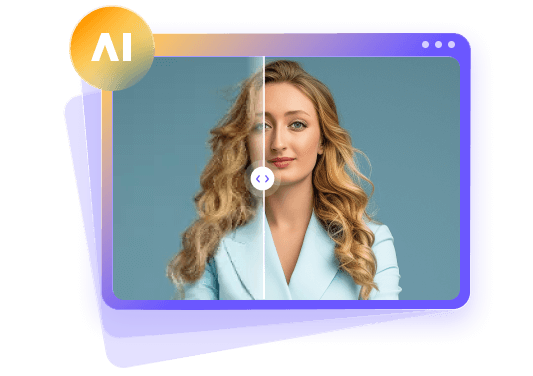
Step 3:Use the built-in split-screen preview to check the before-and-after results. Once satisfied with the natural look, click export to save your polished portrait in high definition.
Part 3: Tips for Getting the Best Results from AI Photo Enhancement
Start with the Best Original Photo: Always begin with the highest-resolution file available on your device rather than a heavily compressed screenshot or a downloaded social media thumbnail.
1. Choose the Right Enhancement Model
Match the AI model to your photo's specific flaw-use face-recovery models for blurry facial features and general upscalers for low-resolution backgrounds.
2. Avoid Excessive Sharpening and Smoothing
Keep slider settings balanced so your skin retains realistic pores and your expression stays uniquely yours.
3. Keep Lighting and Colors Natural
Watch out for overly saturated skin tones or boosted exposure that makes outdoor lighting look artificial.
4. Preview Before Exporting
Always zoom in on the eyes and smile during the preview stage to catch any weird AI artifacts before saving.
Part 4: Tips for Choosing Better Dating Profile Photos
Even the best AI tool cannot fix a photo with poor fundamentals. Keep these practical guidelines in mind when picking your lineup:
Choose a Clear, Recent Portrait
Select photos taken within the last year so potential matches instantly recognize you in person.
Use a Natural Expression
Aim for a relaxed, genuine smile or a warm, approachable look rather than an overly posed expression.
Keep the Background Simple
Pick locations with minimal clutter so your face remains the undeniable center of attention.
Include Variety in Your Profile
Combine one strong close-up portrait with full-body shots and candid action photos showing your hobbies.
Prioritize Authenticity
Skip heavy edits that drastically alter your body shape, jawline, or eye color. Mutual attraction starts with honesty.
Part 5: FAQs About Enhancing Portrait Photos for Dating Profiles
You can easily make your dating profile photos clearer by passing them through modern AI-powered image upscalers and sharpeners. These tools automatically analyze the underlying pixel structure of your photo to repair motion blur, eliminate grainy digital noise, and sharpen soft edges. Unlike simple contrast tweaks on your phone, AI intelligent processing reconstructs missing details in your skin, eyes, and hair while preserving the photo's overall realistic quality.
Yes, AI is extremely effective at enhancing dating profile portraits without making them look fake or synthetic. Specialized portrait enhancement algorithms can rescue dimly lit indoor shots, sharpen out-of-focus selfies, and scale up low-resolution photos downloaded from social media platforms. When used correctly, AI simply elevates the technical quality of your existing photos so your true appearance shines through cleanly to prospective matches.
To fix a blurry dating profile picture, choose an AI photo enhancer with dedicated face-restoration models. The AI detects key facial landmarks-such as eyes, lips, jawlines, and eyebrows-and uses trained machine-learning models to reconstruct defined edges that were lost due to camera shake or low light. This process fills in soft patches, giving your blurry portrait crisp focal clarity while keeping your facial expression completely recognizable.
Yes, many AI photo enhancement software programs and web applications offer free trials, daily credits, or web-based previews. These allow you to test out sharpening models, lighting fixes, and noise reduction on your portraits before committing to a paid plan. Using these free tools or trial versions gives you a risk-free way to test whether a blurry or low-res picture can be successfully rescued for your dating profile.
The key to maintaining a natural appearance is to use a light touch with AI tools and avoid heavy traditional smoothing or beauty filters that erase pores and skin texture. Always opt for portrait models designed specifically for clarity rather than face alteration. Before exporting, zoom in on your face to make sure your skin looks human, your facial proportions remain unchanged, and the overall lighting realistically matches the background environment.
Final Verdict
Enhancing your dating profile photos with AI is a quick and effective way to fix common issues like blur, low resolution, and poor lighting without booking a professional photoshoot. Tools like HitPaw FotorPea offer dedicated AI workflows to efficiently polish existing portraits. However, the golden rule of online dating remains authenticity: always use AI as a subtle touch-up tool to highlight your best self, ensuring you look like your true, recognizable self both online and on your first date.
Leave a Comment
Create your review for HitPaw articles