
Tips for Free Deepavali Images Download and Enhancement in 2026
 By Daniel Walker
Some captivating images may enhance your blog posts concerning digital greeting cards throughout Diwali. If you're searching for warm family moments, clear images, and unforgettable Diwali memories, high quality will make a difference. Below, I've put together three go-to spots to grab great festive media for free, along with a few straightforward tips to get your content seen on both search engines and AI search tools.
Part 1: 3 Best Websites to Download Free Deepavali Images
1. Pexels: Free Deepavali Photos
Pexels is one of the easiest places to find crisp, high-resolution stock photos without paying a single fee. You may quickly access thousands of authentic festival photographs that capture distinctive cultural moments since photographers and artistic contributors from all around the world submit their work here every day. Finding what you need is easy and straightforward. Simply type "Deepavali," "Diwali," or similar terms into the search bar, filter by vertical or horizontal arrangement to suit your project, and then open any image to see a full-resolution preview.
You will find everything from detailed close-ups of handmade clay diyas and colorful floor rangolis to vibrant street celebrations and brightly lit homes. Downloading takes only a single click, and you can even choose custom dimensions to match social media graphics or print headers directly.
Just keep in mind that while these pictures are completely free to edit and use, it is always smart to double-check specific license terms on the download page if you plan to use them in commercial branding, client work, or paid ad campaigns.

2. Unsplash: High-Quality Deepavali Photography
Unsplash's image library is renowned for having a somewhat more artistic and polished vibe. This website is worth looking at if you want images that appear to have been taken by a professional photographer.
Like on any other stock website, enter your search term, peruse the collection, and then click the download option on any image that grabs your attention. You may easily find moody pictures of decked entrances, sparklers, festival lights, and traditional lamps.
Just keep an eye out for images that have the "Unsplash+" symbol; those are included in their premium subscription package. For free downloading, stick to the unmarked images.
3. Pixabay: Free Deepavali Photos and Illustrations
If you require more than simply normal camera photographs, Pixabay is an excellent option. It provides a vast array of vector graphics, translucent PNGs, and celebratory digital art in addition to standard images.
When making a customized greeting card or advertising banner, you can use Pixabay's search parameters to show just vector art or graphics. This makes finding festive symbols, ornamental borders, and tidy clipart easy. Like the other websites, each download page lists the specific usage rights, so you are always aware of whether an image allows for commercial or altered use.
Part 2: How to Enhance Free Deepavali Images with HitPaw FotorPea
Sometimes a picture is almost perfect, but it is blurry, small or too dark. Since most festival images are taken at nite with only lamps for light, this is typical. AI improvement can be useful in the situation. It is an optional step, and you should only edit images that you have permission to change.
HitPaw FotorPea is HitPaw's AI photo enhancer and AI photo generator. It is built to make everyday editing easier, even if you have never used photo software before. If you want high-resolution Deepavali images for print or a large screen, it can help a small file look cleaner.
Here are the features that matter most for festival photos:
AI Photo Enhancement
Improves the quality and details of suitable blurry or low-resolution images.
Low-Light Enhancement
Brightens dark festival photos so lamps and faces are easier to see.
Smart De-Reflection
Reduces distracting reflections in suitable images, such as glare on glass.


How to Enhance a Deepavali Image with HitPaw FotorPea
Step 1:Open the software on your computer, click "Enhance Photo Now", drag your downloaded Deepavali photo into the workspace, or click the import button to browse your folders.
Step 2:Pick the AI processing model that fits your image. For example, use the Low-Light model for dim candle photos or the Face Model if you are fixing up a portrait of family members.
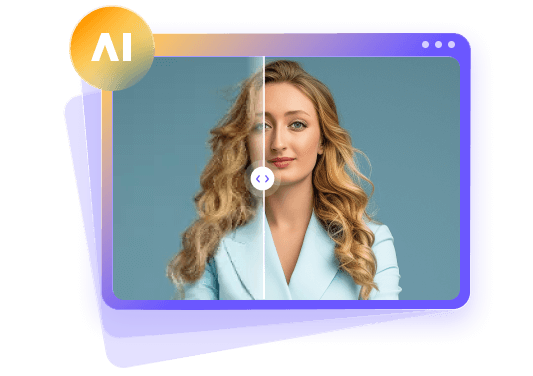
Step 3:Click preview to compare the original picture with the fixed version side-by-side. If everything looks good, click export to save the full-resolution file.
Part 3: FAQs About Free Deepavali Images
You can find thousands of free photos on popular stock sites like Pexels, Unsplash, and Pixabay. All three offer search tools to help you quickly find festival-related visuals like lit diyas, rangoli, and fireworks. Browsing dedicated tags like "Diwali" or "Festival of Lights" helps you discover curated collections fast.
Most pictures on Pexels and Pixabay are free for commercial use, but rules can vary. Always click into the image license details on the host site to confirm if you need to give photographer credit or follow specific restrictions. Checking for model releases is also important if people appear in the photo.
When searching on stock platforms, use the built-in size or resolution filters. Choosing "Large" or "Original Size" before downloading ensures you get crisp files suitable for printing or editing. Selecting these high-quality files prevents pixelation when scaling your graphics up for banners, poster prints, or high-definition screens.
If a photo looks blurry or dim, running it through photo editing software like HitPaw FotorPea can boost its resolution, balance the lighting, and clean up digital noise automatically. These smart tools sharpen fine details, brighten dark festive scenes, and remove grain from night photos with minimal manual effort.
Yes, as long as the platform's license permits modifications, you are free to crop, add text overlay, adjust colors, or combine the images into graphics for your personal or work projects. Customizing these visuals allows you to tailor greetings, incorporate brand logos, or adapt layouts for various social media channels.
Final Verdict
Finding vibrant, eye-catching graphics for Deepavali does not have to cost anything or stretch your budget. Pexels is great for candid, real-life festival moments, Unsplash is best when you want high-end photography, and Pixabay gives you plenty of flexibility with vector graphics and art assets.
If any photo you download looks a bit dark, blurry, or low quality, a quick run through HitPaw FotorPea can clean it right up by enhancing contrast and sharpening fine details automatically. Combining these free resource sites with smart editing tools gives you all the high-resolution visual material you need to create memorable holiday posts, greeting cards, and promotional designs this season.
Leave a Comment
Create your review for HitPaw articles