





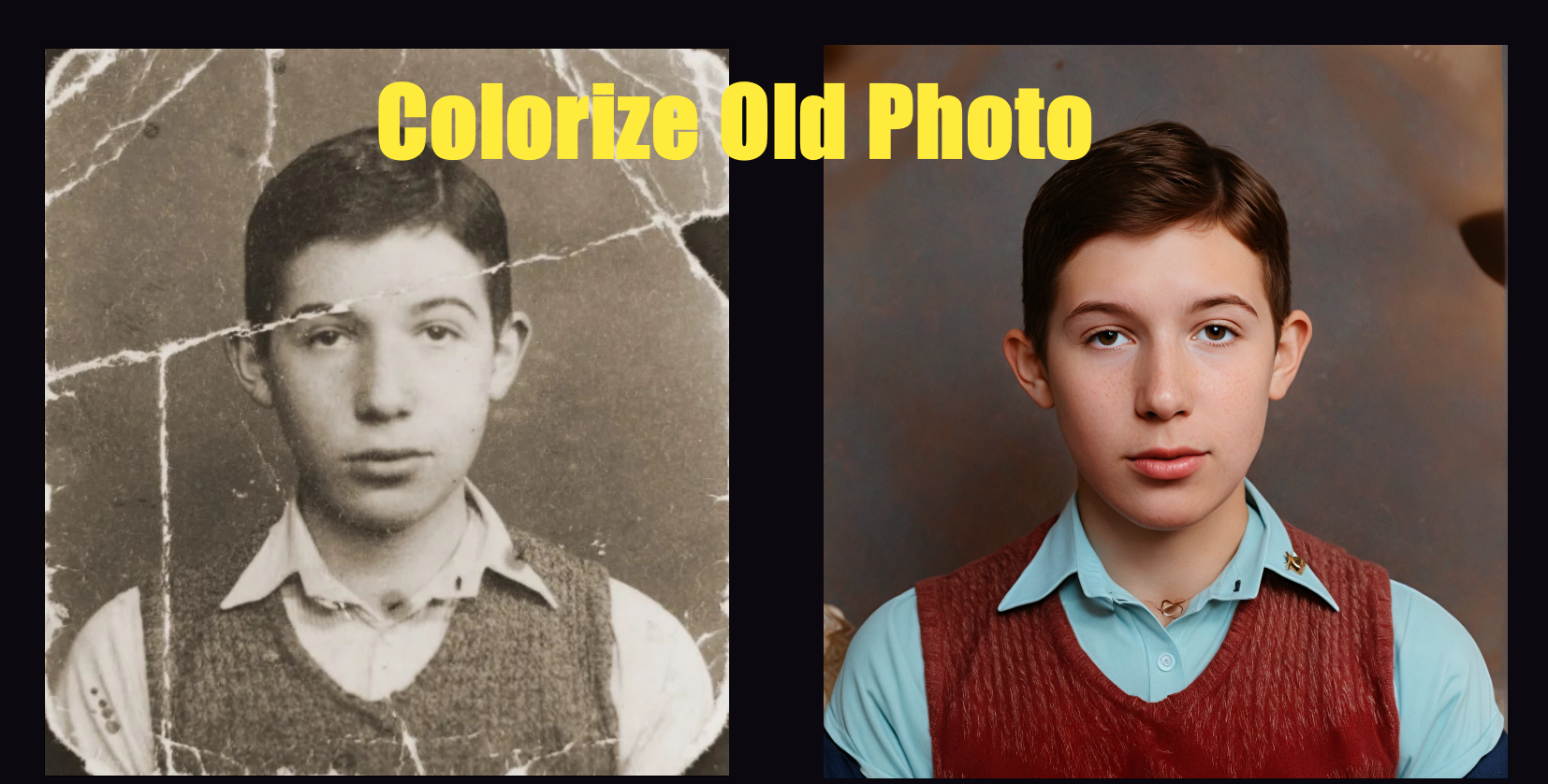
2026 Updated Guide on How to Colorize Old Photos with Free Tools
Old photos often lose detail and emotion due to fading over time.
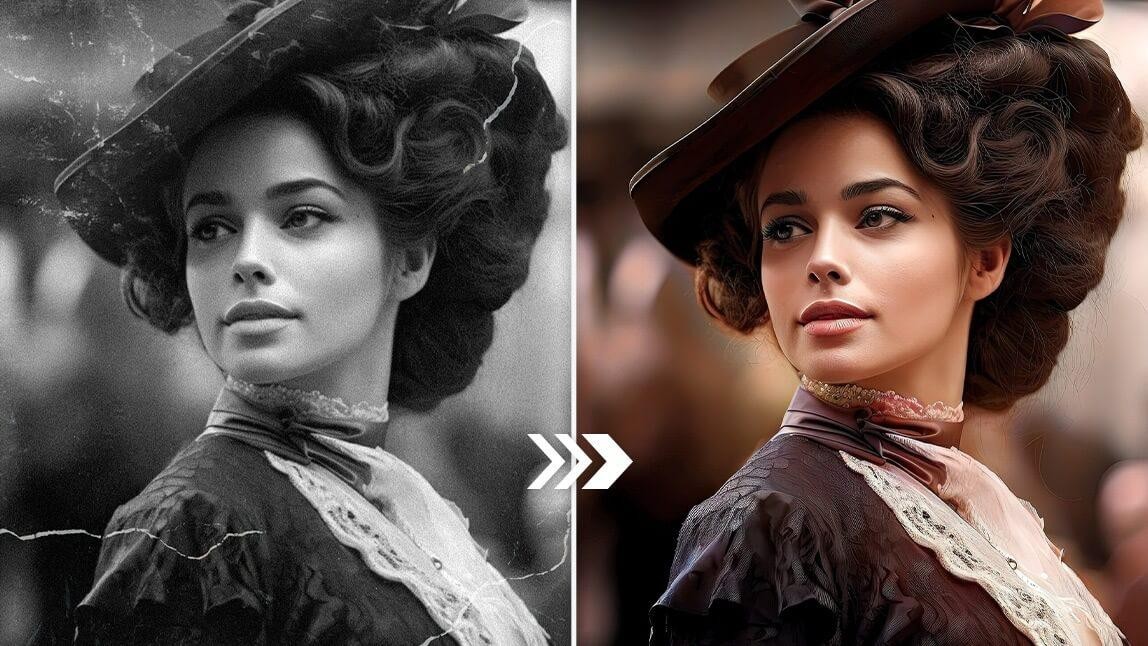
If you’re wondering how to colorize old photos, modern AI tools make it possible to restore black and white images with natural-looking colors in just a few steps.
In this guide, you’ll learn simple methods to colorize old photos efficiently, even if you have no editing experience.
Part 1. How to Colorize Old Photos (Step-by-Step Guide)
Colorizing old photos is easier than ever with modern AI tools. By following a few simple steps, you can turn black and white photos into realistic color images in minutes.
Basic steps to colorize old photos:
- Scan old photo or upload your old black and white photo.
- Choose an AI photo colorization tool.
- Let the AI automatically add color to the image.
- Review the result and make minor adjustments if needed.
- Save the colorized photo in high quality.
Part 2. How to Colorize Old Photos with Best AI Tools (Free & Paid)
With a clear understanding of the processes of how to colorize old photos, it's time to explore tools that make this whole procedure easier. Using AI-powered software, these tools offer a range of options for filling up your old photos with vibrant colors.
1. HitPaw FotorPea - AI Photo Colorizer with Batch Support
HitPaw FotorPea is a photo editing tool that can turn your black-and-white photos into colored ones. It uses advanced AI technology to add realistic and vibrant colors to faded photos automatically. Supports the most common image formats, such as PNG, JPG, WebP, and a few others.
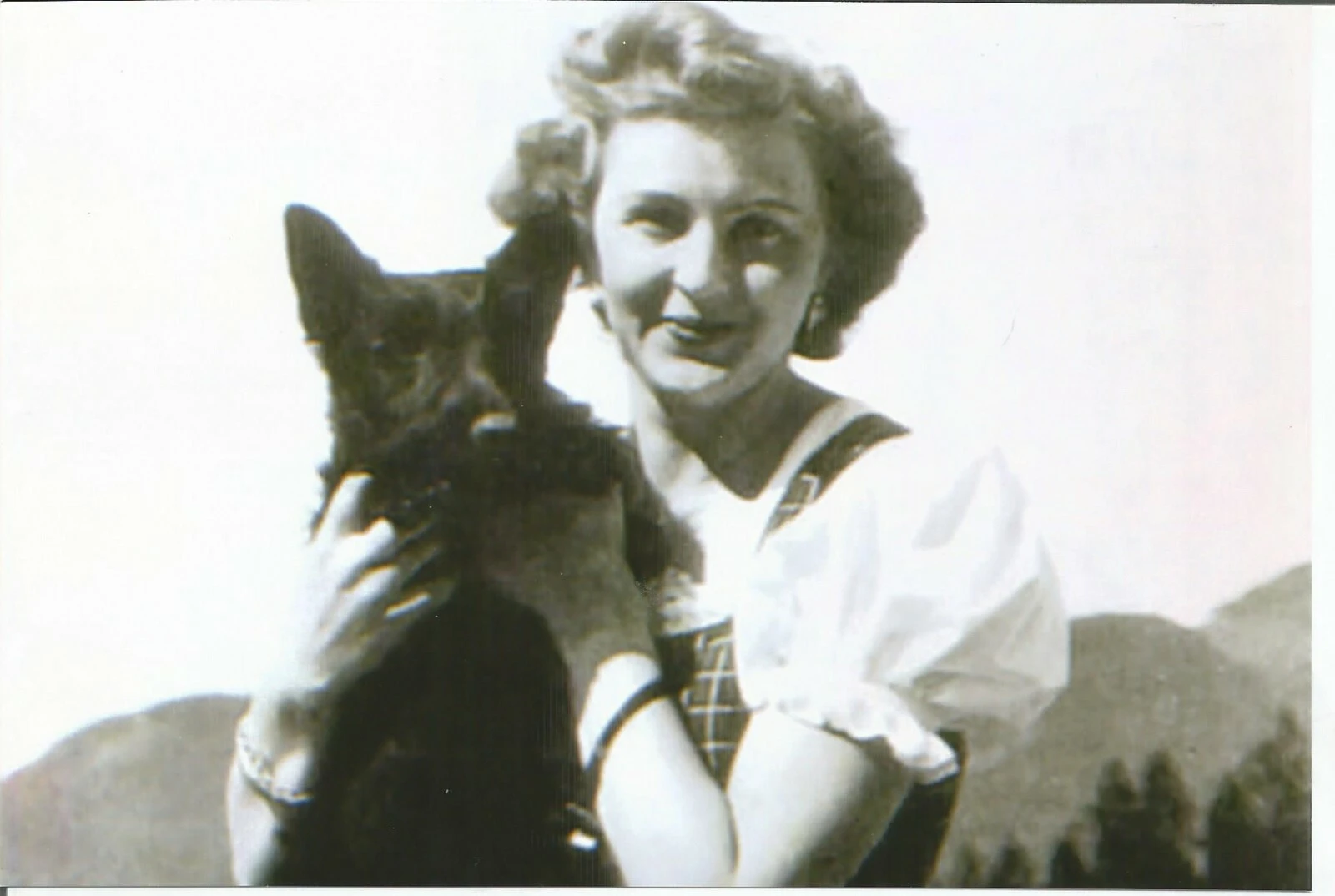
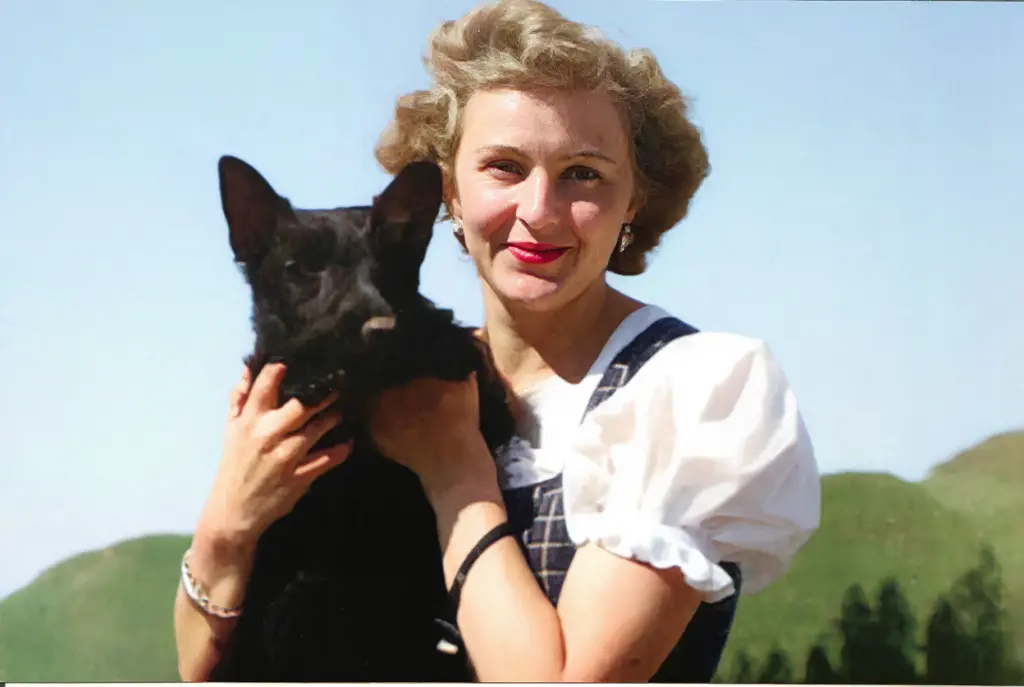
HitPaw FotorPea Old Photo Restoration tool is designed with a batch feature that is beneficial for a person who is converting many photos to colored ones, like albums or for a project. Using this, you can turn multiple images simultaneously to transform the old picture into a colored one. Plus, it has a compare feature that lets you see the before-and-after results of the photo.




More AI Features for Old Photos
- Fix Cracks and Imperfections: Repair damaged areas and remove visible flaws for a smoother, restored appearance.
- Boost Photo Resolution: Enhance image details and reduce blur to improve overall visual quality.
- Animate Old Photos: Use AI motion effects to transform static photos into dynamic, living memories.

2. HitPaw Online Photo Enhancer – Quick AI Colorization Without Installation
HitPaw Online Photo Enhancer is a web-based AI tool designed for quick photo enhancement and colorization. It allows users to colorize old photos online while also improving clarity, sharpness, and overall image quality.
This tool is ideal for users who prefer not to install software and want fast results directly in the browser. With AI-powered enhancement, faded or low-quality old photos can look clearer and more vibrant in just a few clicks.
Recolor Now!
3. YouCam Online Editor - AI-Powered Colorize & Enhance Tool
With the help of the YouCam online editor, you can easily colorize and enhance your old photos to give them a very modern look. The AI-powered tool adds vibrant colors to black-and-white images in seconds with a variety of color options to choose from. Not just color, it also repairs the damage and restores faded pictures.
4. Cutout.pro - Natural AI Colorization for Old Photos
You can bring old photos back to life by colorizing them with pictures of families, historical figures, ancestors, movies, etc. Instead of traditional colors, the AI image coloring algorithm adds consistent and natural colors to your old photos. This tool ensures that anyone can learn how to colorize old photos, from beginners with no experience to experts who refresh old pictures.
5. Colorize - Instant Old Photo Colorization & Restoration
It has various options, from colorizing black and white photos to removing old scratches from photos. Instantly restores old photos to make memories alive using its cutting-edge old photo restoration tool. Colorizer ensures that every detail is revived with stunning clarity that makes your memories timeless using its instant photo-enhancing features.
6. Pallet App - Custom Color Options & Filters for Old Photos
Using this software, you can turn your old black-and-white pictures into new ones by choosing from light, flowers, interior, history, or clothes. Once you add your image, you can also choose different colors from the various options given inside the tool. With over 21+ filters, your photo can be transformed so easily that it becomes hard to guess it was ever black-and-white.
Part 3. (Quick 3 Steps)How to Colorize Old Photos Using HitPaw FotorPea?
To bring color to your old photos, HitPaw FotorPea offers a simple and effective solution. Here are step-by-step guidelines on how to colorize old photos using this tool.
Step 1. Launch the Tool and Upload the Picture
Open the HitPaw FotorPea and go to the “AI Enhancer” tool on your device. Now click the “Choose Files” button and upload the target picture you want to use.
Step 2. Colorize the Target Photo
Afterward, in the Image Restoration section, toggle to the “Advanced Restore Model” to turn the photo colored. To enhance the picture further, enter other prompts and click the “Generate” button right under the image to see the results.
Step 3. Export the Final Colorized Photo
Next, check the final result and hit the “Export” button to download the final colored and repaired picture.
Part 4. Tips for Achieving Natural and Realistic Colorization
Achieving natural and realistic colonization can be tricky, but there are a few key tips on how to colorize old photos and ensure your colorized photos look as natural and realistic as possible. You can achieve the perfect colorization process by following these tips and techniques.
1. Study the Original Photo:
Before starting colorization, users should closely examine the original black-and-white photo and look for any hint of natural colors. By observing these finer details, they can choose colors that make sense to the scene.
2. Pay Attention to Lighting and Shadows:
Lighting plays a crucial role when learning to colorize your old photo, from where the light source is coming from, and how it affects different areas. Then, you can use this information to add depth by making areas shadow.
3. Use Layering Techniques:
A helpful technique is layering, which allows you to colonize different sections of photos independently. This method makes refining each area of the image easier, ensuring a smooth transition between colors.
4. Focus on Background:
When colorizing, editors should pay special attention to the background as it significantly enhances the authenticity of an image. By focusing on indoor and outdoor shoots, you can help blend the image seamlessly into the environment.
Part 5. Common Problems When Colorizing Old Photos (And Fixes)
Colors Look Unrealistic or Over-Saturated
In some cases, AI colorization may produce colors that appear too bright or unnatural. This usually happens when the original photo lacks contrast or detail. Enhancing the image quality before colorization can help achieve more balanced and realistic colors.
Faces or Skin Tones Don’t Look Natural
Old photos with uneven lighting or faded facial details can affect how AI detects skin tones. Improving brightness and clarity before colorizing often results in more natural-looking faces.
Old Photos Are Blurry or Heavily Damaged
AI colorization works best with clear images. If a photo is blurry, cracked, or low resolution, repairing damage and enhancing details first can significantly improve the colorization result.
Details Are Missing After Colorization
When important details are lost in the original image, AI may guess colors incorrectly. Combining colorization with AI restoration and enhancement tools helps preserve more accurate details.
Par 6. FAQ About Colorizing Old Photos
Q1. Is AI photo colorization accurate?
A1. AI photo colorization can deliver realistic results, especially when the original photo is clear and well-restored. The final quality may vary depending on image condition and enhancement level.
Q2. Can damaged old photos be colorized?
A2. Yes, damaged old photos can be colorized more effectively after repairing cracks, removing noise, and enhancing image details.
Q3. Do I need professional editing skills to colorize old photos?
A3. No, most AI photo colorization tools are beginner-friendly and require little to no manual editing experience.
Q4. Is it safe to upload old photos to online colorization tools?
A4. Reputable online tools process images securely, but it’s always recommended to review the privacy policy before uploading personal or sensitive photos.
Conclusion
To wrap things up, this article has explored various tools that help you learn how to colorize old photos. Among all the tools, HitPaw FotorPea stands out the most. Using this, you can turn your black-and-white images in real-time.
 HitPaw Edimakor
 HitPaw VikPea (Video Enhancer)
 HitPaw Univd (Video Converter)

Share this article:
Select the product rating:
Daniel Walker
Editor-in-Chief
This post was written by Editor Daniel Walker whose passion lies in bridging the gap between cutting-edge technology and everyday creativity. The content he created inspires the audience to embrace digital tools confidently.
View all ArticlesLeave a Comment
Create your review for HitPaw articles