


How to Create and Enhance ChatGPT Images 2.6 GIFs for Perfect Animation
 By Daniel Walker
Creating dynamic visuals has entered a thrilling new era with the launch of multimodal creative tools. When you want to capture attention online, static images often fall short. Creators now rely on motion graphics to communicate ideas faster and more engagingly. Mastering this workflow lets you turn simple text descriptions into captivating visual loops. This comprehensive guide walks you through everything you need to know about generating, refining, and perfecting your digital creations using the latest software breakthroughs.
Part 1. The Evolution of AI-Generated GIFs in ChatGPT Images 2.6
The introduction of advanced generative features allows users to produce fluid visual content instantly. Understanding this evolution helps creators maximize their output potential.
1. What's New in ChatGPT Images 2.6?
- Text-to-Animation Capabilities: Converting simple prompts into vibrant, multi-frame moving visuals directly within the chat interface.
- Image-to-GIF Workflows: Uploading static images and defining movement parameters.
- Built-in Animation Controls: Native options for setting loop behavior, frame speed, and basic scene adjustments.

2. Why AI-Generated GIFs Often Need Enhancement
- Common GIF Limitations: Artifacts, frame drops, lower resolution, and pixelation resulting from standard GIF compression.
- The Bridge Solution: Combining ChatGPT Images 2.6's creative prompt generation with dedicated AI enhancement software like HitPaw VikPea GIF Enhancer.
Part 2. Creating and Customizing Animated GIFs in ChatGPT Images 2.6
Generating high-quality motion graphics directly inside the chat interface requires a strategic balance of descriptive prompt engineering and precise setting adjustments. Understanding how to control movement dynamics and native interface tools ensures your baseline animation is optimized before post-processing.
1. Crafting Motion Prompts for ChatGPT Images 2.6
- Prompt Engineering for Movement: Specifying subject actions, camera panning, zoom speeds, and lighting shifts within text prompts to direct precise motion.
- Best Practices for Seamless Loops: Structuring prompt instructions so the final frame transitions smoothly back into the initial starting position.
2. Native Customization Controls in ChatGPT Images 2.6
- Adjusting Animation Speed: Tuning FPS (Frames Per Second) settings within the chat interface to dial in natural movement pacing.
- Editing Individual Frames: Fine-tuning or tweaking specific animation keyframes before exporting the draft file.
- Export & Share Settings: Selecting target resolution, compression presets, and loop behaviors tailored for instant sharing on X, Discord, or Reddit.
Part 3. Enhancing ChatGPT 2.6 GIFs with HitPaw VikPea GIF Enhancer
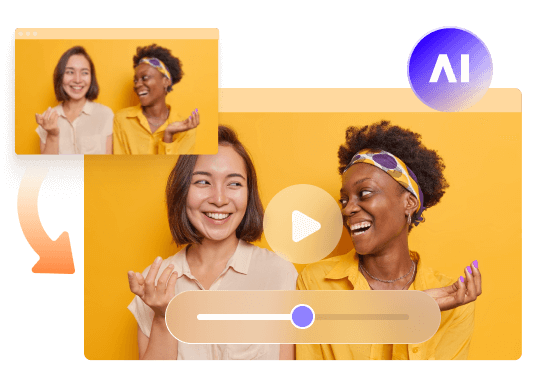
While native outputs provide a fantastic creative starting point, professional projects often demand superior clarity and precision. Utilizing an AI GIF enhancer like HitPaw VikPea bridges the gap between raw AI generation and broadcast quality. This specialized post-processing software applies sophisticated algorithms to repair compression damage, eliminate noise, and upscale resolution without losing fine details. Whether you want to edit GIF frames ChatGPT style or ensure pristine clarity across every second of playback, this toolkit delivers exceptional results for creators at any skill level.
- Advanced AI models specifically designed to intelligently restore missing pixel data.
- Powerful de-artifacting tools that remove compression blur and digital noise instantly.
- High-resolution upscaling capabilities to transform standard files into crisp high definition.
- Specialized frame interpolation technology for buttery smooth playback speeds.
- Intelligent color correction features that revive dull or washed-out animated sequences.
- Seamless edge optimization to ensure loops transition smoothly without visual jumping.


Step 1:Download and Launch HitPaw VikPea on your computer. Click Video Enhancer on the main interface and then import your GIFs. Or directly drag the GIFs into the Video Enhancer workspace from the Home tab.
Step 2:This software offers mutiple AI models such as General Model, Sharpen Model, Potrait Model and Video Quality Repair Model. Select a suitable models based on your needs.
Step 3:Under Export Settings, choose your desired resolution and select GIF as the output format. VikPea supports upscaling up to 4K or 8K. Click on Preview to see your video. If satisfied, Press the Export option to save your GIFs.
Part 4. Comparison: Native ChatGPT 2.6 GIFs vs. HitPaw VikPea Enhanced GIFs
Choosing the right approach depends on your final destination and quality requirements. Comparing native outputs with dedicated enhancement highlights why professional creators take an extra step.
| Feature / Metric | Native ChatGPT 2.6 Output | Enhanced with HitPaw VikPea |
|---|---|---|
| Max Resolution | Standard / Compressed | Upscaled 1080p / 4K |
| Noise & Artifacts | Visible compression artifacts | AI-cleaned, sharp edges |
| Frame Rate Control | Basic preset speeds | Custom interpolation & speed ramping |
| Frame-Level Editing | Limited preview edits | Full frame repair & restoration |
| Loop Smoothness | Standard auto-loop | Perfectly seamless loop optimization |
Part 5. Use Cases: Where to Apply Enhanced ChatGPT 2.6 GIFs
Upgrading your generative animations transforms raw concepts into production-ready assets suitable for professional distribution. By combining rapid text-to-motion generation with high-definition upscaling, creators can deploy crisp, fluid loops across diverse digital touchpoints to capture audience attention instantly.
- High-Impact Marketing & Social Content: Enhancing dynamic promos, social reaction posts, and product teasers for platforms like X, Instagram, and Reddit.
- Web Design & UX Micro-Interactions: Adding high-resolution animated icons, UI state indicators, and lightweight hero loops to modern websites.
- Community Building & Discord Emotes: Crafting custom animated stickers, server emotes, and community memes with pixel-perfect clarity.
- Digital Art & Storyboard Prototyping: Pre-visualizing character motion vectors, expressive avatars, and scene concepts before full video production.
Frequently Asked Questions On ChatGPT Images 2.6 GIFs
Currently, native exports default to solid backgrounds. However, you can easily remove or mask unwanted backdrops using external editing software or specialized masking tools before finalizing your animated project.
Yes, increasing resolution and frame count adds substantial data. Balancing visual clarity with smart compression settings ensures your files remain optimized for fast web loading and smooth playback performance.
HitPaw VikPea utilizes specialized portrait recognition models that target facial features across moving frames, restoring sharp eye clarity and natural skin textures to eliminate blur.
Conclusion
Combining powerful prompt generation with dedicated post-processing elevates your digital content to professional standards. By leveraging ChatGPT 2.6 animated GIF features alongside an AI GIF enhancer, you can effortlessly fix visual flaws, upscale resolution, and share stunning animations anywhere.
Leave a Comment
Create your review for HitPaw articles


