



Best Cyber Monday GIFs to Download and Share
 By Daniel Walker
Cyber Monday is one of the biggest online shopping events of the year, bringing exciting deals, limited-time offers, and special promotions. Whether you're sharing shopping excitement with friends or promoting a sale for your business, Cyber Monday GIFs are a fun way to get attention. Here are some great GIF ideas, free resources, and tips to improve GIF quality.

Part 1. Best Cyber Monday GIFs to Share
Looking for the perfect Cyber Monday GIF? From flashing discount banners to funny shopping animations, there are plenty of styles to choose from. Whether you want to celebrate the shopping holiday, promote special offers, or remind people about expiring deals, these Cyber Monday GIF categories offer something for everyone.
Cyber Monday Sale GIFs
Cyber Monday Sale GIFs are perfect for businesses, marketers, and shoppers who want to highlight special offers. These animations often feature bold SALE lettering, flashing discount percentages, coupon graphics, and eye-catching promotional banners. Bright colors like red, yellow, blue, and black help make the offers stand out, while animated text draws attention to the biggest deals.
Here are some popular Cyber Monday Sale GIF ideas:
50% OFF Flashing Sale GIF: A bold discount percentage that flashes or zooms in and out against a colorful background.
Cyber Monday Mega Sale GIF: Animated SALE banners with moving shopping bags, discount tags, and promotional text.
- Exclusive Coupon Code GIF: A coupon or voucher that flips open to reveal a special Cyber Monday discount code.
- Limited-Time Offer GIF: A countdown-style promotional banner with flashing "SALE ENDS SOON" text to encourage shoppers to act quickly.
These GIFs work particularly well in promotional emails, online store banners, and social media advertisements.
Happy Cyber Monday GIFs
Focused on festive greetings and celebration, these animations spread holiday cheer and warmth by incorporating upbeat text effects, colorful confetti bursts, and joyful retail motifs that create a welcoming, celebratory atmosphere for your audience.
Here are some fun examples:
- Happy Cyber Monday Greeting GIF: Animated lettering with colorful backgrounds, sparkling stars, and confetti.
- Cyber Monday Celebration GIF: Gift boxes opening, balloons floating, and fireworks bursting around a Cyber Monday greeting.
- Cute Character Celebration GIF: A cartoon animal or animated character jumping with excitement while holding a shopping bag.
- Neon Cyber Monday GIF: Glowing neon text that lights up or flickers against a dark background.
Cyber Monday Shopping GIFs
Cyber Monday is all about online shopping, so shopping-themed GIFs are a natural fit. These animations capture familiar online shopping moments, such as browsing products, adding items to a cart, checking out, and receiving packages. Some feature realistic shopping scenes, while others use cute illustrations, cartoon characters, or humorous memes.
Here are a few shopping GIF ideas worth sharing:
- Online Shopping GIF: An animated laptop or smartphone displaying a busy online store with products appearing on the screen.
- Add to Cart GIF: A shopping cart filling up with products as items are clicked or dragged into it.
- Shopping Spree GIF: A funny animation of someone excitedly shopping, collecting bags, or celebrating a big purchase.
- Package Delivery GIF: Animated parcels moving along a delivery route or a gift box opening to reveal a surprise.
Cyber Monday Deals and Countdown GIFs
When Cyber Monday deals are only available for a limited time, countdown GIFs can help create a sense of urgency. These animations often feature ticking clocks, digital timers, flashing promotional messages, and animated countdown numbers. Messages such as "Deal Ends Soon," "Last Chance," and "Only a Few Hours Left" make the limited-time nature of an offer clear.
Check out these countdown and deal-focused GIF ideas:
- Cyber Monday Countdown GIF: A digital timer counting down to the start of a Cyber Monday sale.
- Deal Ends Soon GIF: Flashing text that alternates between "HURRY!" and "DEAL ENDS SOON."
- Last Chance Discount GIF: A bold promotional banner with an animated clock and a final-hours discount message.
- Flash Sale GIF: A fast-moving animation featuring lightning effects, discount tags, and a limited-time offer.
Part 2. Where to Find Free Cyber Monday GIFs?
You don't have to create every Cyber Monday GIF from scratch. Several online platforms offer ready-made animated GIFs that you can browse, share, and sometimes download for free. Here are four useful places to find Cyber Monday-themed GIFs.
1. GIPHY
GIPHY is one of the most popular platforms for discovering and sharing animated GIFs. Its Cyber Monday collection includes shopping animations, discount graphics, sale stickers, and humorous reactions.
You can search for terms like "Cyber Monday," "Cyber Monday Sale," or "Online Shopping" to find relevant GIFs. GIPHY makes it easy to share GIFs through social media and messaging apps, and many GIF pages also provide sharing or embed options. Download availability may vary depending on the GIF and device.
Best for: Social media posts, messaging, and finding fun, expressive Cyber Monday GIFs.
2. Tenor
Tenor is another popular GIF search and sharing platform. It offers a wide variety of animated reactions, shopping-themed GIFs, and Cyber Monday greetings.
You can browse its Cyber Monday collection or search for specific phrases such as "Happy Cyber Monday," "Cyber Monday Deals," and "Shopping Sale." Individual GIF pages may offer different sharing options, including social media sharing, direct links, embed codes, and available SD, HD, or MP4 versions.
Best for: Quick GIF sharing, funny shopping reactions, and animated greetings.
3. GIFDB
GIFDB is a GIF library with a dedicated Cyber Monday category. It features a variety of promotional animations, including neon sale signs, flashing discount codes, shopping cart animations, and funny shopping memes.
One advantage of GIFDB is that individual GIF pages provide several ways to use the animations. Depending on the GIF, you can download the file, copy the GIF, copy its link, or get an embed code. This makes it useful for people who want to save GIFs or add them to websites and online content.
Best for: Finding specific Cyber Monday promotional GIFs and downloading or embedding animations.
Part 3. GIFs Blurry? Enhance with AI
Have you ever downloaded a Cyber Monday GIF only to find that it looks blurry, pixelated, or less sharp than expected? This can happen when GIFs are created from low-resolution videos, compressed repeatedly, or enlarged beyond their original dimensions.
If you want to reuse a GIF in a promotional email, website banner, or social media post, poor image quality can make the content look less professional. Instead of simply stretching the original GIF, you can use an AI-powered enhancement tool to improve its visual quality.
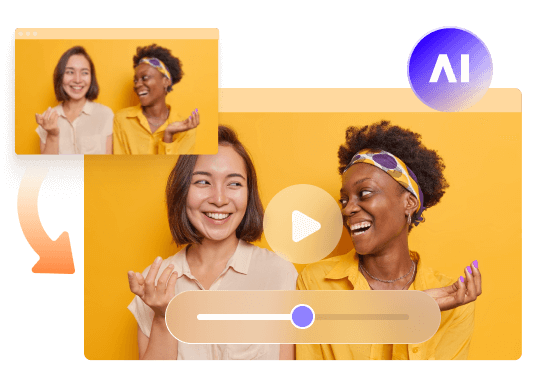
HitPaw VikPea is an AI-powered video enhancement tool that also supports GIF enhancement. It can process existing GIF files and videos, helping improve clarity, reduce visual noise, and recover details in low-quality footage.
Key Features of HitPaw VikPea for GIF Enhancement:
- AI Detail Recovery: Improves blurry visuals and restores details in low-quality GIF frames, making animations look clearer.
- AI Upscaling: Upscales low-resolution GIFs to higher resolutions, with output options of up to 4K or 8K, depending on the source and settings.
- Noise Reduction: Reduces visual noise, grain, and unwanted artifacts to create cleaner-looking GIFs.
- Batch Processing: Supports processing multiple files, which is useful when you need to enhance several GIFs for a marketing campaign.
- GIF Export: Lets you save the enhanced result in GIF format so you can preserve the animation for sharing.


How to Enhance a GIF with HitPaw VikPea
You don't need advanced editing skills to improve GIF quality with VikPea. Follow these simple steps:
Step 1. Import Your GIF
Download and launch HitPaw VikPea on your computer. Open the Video Enhancer feature and import the blurry or low-resolution GIF you want to improve.
Step 2. Choose an AI Enhancement Model
Select an appropriate AI model based on the GIF's quality issues. For example, use a sharpening or denoising model to improve blurry frames and reduce visual noise.
Step 3. Preview the Enhanced Result
Choose your preferred output resolution and preview the enhancement. Compare the original GIF with the processed version to check whether the details, colors, and overall clarity have improved.
Step 4. Export Your Enhanced GIF
Once you're satisfied with the result, open the export settings and select GIF as the output format. Click Export to save the enhanced animation to your computer.
Part 4. FAQs About Cyber Monday GIFs
Most user-uploaded GIFs on GIPHY are intended for personal social sharing and messaging. For official commercial marketing, it is best to check individual creator permissions, use royalty-free stock platforms, or design custom brand loops.
You can find free Cyber Monday GIFs on platforms such as GIPHY, Tenor, and GIFDB. These websites offer shopping animations, sale banners, discount graphics, and funny reactions. AWeber also provides free Cyber Monday-themed GIFs specifically suited to email marketing. Always check the usage rights before using downloaded GIFs for commercial purposes.
First, find a suitable GIF on a platform such as GIPHY or Tenor. Then use the available sharing option to post it directly to a supported social media platform, or download the GIF if the platform allows it. You can also upload a saved GIF to a compatible social media post or message.
GIFs may look blurry because of low original resolution, repeated compression, resizing, or the format's limited color palette of 256 colors. Enlarging a small GIF can also make individual pixels more noticeable. AI enhancement tools such as HitPaw VikPea can help recover details, reduce noise, and upscale GIFs to improve their appearance.
Conclusion
Maximizing your engagement during the biggest shopping event of the year relies heavily on visual impact. By leveraging top-tier Cyber Monday GIFs, sourcing them from reliable libraries, and utilizing tools like HitPaw VikPea to guarantee crystal-clear, high-definition quality, your brand will effortlessly capture attention, drive traffic, and maximize holiday sales.
Leave a Comment
Create your review for HitPaw articles