






Midjourney V1 Video Model: Features, Pricing & Alternatives
As a content creator, you might struggle to create engaging and unique content. Fortunately, video generator tools like Midjourney are now launching their new model, V1, with all new upgrades. So, if you seek to know whether Midjourney V1 is worth considering, review the guide since we’ll uncover every aspect in detail.
Part 1. Why Midjourney Is Launching an AI Video Model with V1
As Midjourney AI has announced the launch of the V1 video model on June 18, 2025, let's dive into the vision behind it:

- Evolution to Image-to-Video: With the growing demand for animated and video generation, the technology has evolved to cater to a larger audience through image-to-video generation.
- Strategic Positioning: Midjourney is competing with other tools, such as Runway or Deepbrain, by introducing the V1 model with a simple interface.
- Creative and Professional Use Cases: V1 is designed to solve the client’s problems, as it is versatile for every user case, allowing marketers to create engaging campaigns.
- Demand for Immersive Storytelling Tools: By considering the demand for visuals, Midjourney will enable users to tell stories in videos by simply providing a single prompt.
- Community Feedback: As Midjourney is a community-driven tool, its V1 launch reflects requests from its loyal customers for more improved features.
Part 2. Midjourney V1 Video Model: Features and Workflow
After knowing about its hype, now explore below what Midjourney AI art brings in terms of features and workflow:
- Image-to-Video Generation: V1 enables you to generate animations by uploading images as a prompt and selecting “Animate” to start the animation in motion.
- Modes: V1 offers two modes: an automatic animation setting that generates a motion prompt for basic movement and a manual mode for describing specific camera movements.
- Motion Options: It offers both low-motion and high-resolution settings, as low motion is ideal for ambient scenes, and high motion is suitable for moving outdoor scenes.
- Video length: Users can generate animated videos up to 5 seconds in length, which is ideal for storyboarding and motion graphics. These videos can be extended in chunks of 4 seconds, up to 21 seconds in total.
- Output Format: This tool generates videos in a standard resolution of 480p, while the aspect ratio you choose determines the final output.
While Midjourney V1 introduces exciting image-to-video capabilities, its output resolution and short video duration make it better suited for previews and creative concepts rather than final production. Creators who need higher resolution and smoother results often turn to dedicated AI video generators such as HitPaw VikPea for polished outputs.




Part 3. Midjourney Artificial Intelligence V1: Pros & Cons
While exploring Midjourney online, it's important to consider both strengths and weaknesses, and so the following part explains them in detail:
 Pros
Pros
- Besides downloading, this tool allows you to share your outcome via URL.
- It generates up to four outcomes at once, providing more choices for users to select from.
- Users can choose the desired style for their video from its “Style” option.
- This tool provides a "Scrub" tool to rewind the generated video and examine it.
 Cons
Cons
- The model doesn't produce output in HD quality, as it generates a video maximum of 480p.
- Disney and Universal have sued it, claiming that its AI players stole countless copyrighted works.
- While generating high-motion videos, it can create glitches in the animation.
Overall, Midjourney V1 focuses heavily on artistic animation and creative exploration. However, for users aiming to produce HD or social-ready videos with fewer artifacts and more control, a specialized AI video generator can be a more practical choice.
Part 4. Pricing & Access Plans for Midjourney AI V1
To explore more about the Midjourney app, we have broken down its pricing point along with its best usage:
| Aspects | Basic Plan | Standard Plan | Pro Plan | Mega Plan |
|---|---|---|---|---|
| Pricing Plans | Monthly: $10 | Monthly: $30 | Monthly: $60 | Monthly: $120 |
| Annually: $96 | Annually: $288 | Annually: $576 | Annually: $1,152 | |
| Fast GPU Time | 3.3 hour/month | 15 hour/month | 30 hour/month | 60 hour/month |
| Work Solo in Discord Direct Messages | Yes | Yes | Yes | Yes |
| Stealth Mode | No | No | Yes | Yes |
| Maximum Concurrent Image Prompts | 3 Fast | 3 Fast or Relax | 12 Fast or3 Relax | 12 Fast or3 Relax |
| Maximum Repeat / Permutation Size | 4 jobs | 10 jobs | 40 jobs | 40 jobs |
Part 5. Best HD AI Video Generator Alternative to Midjourney V1
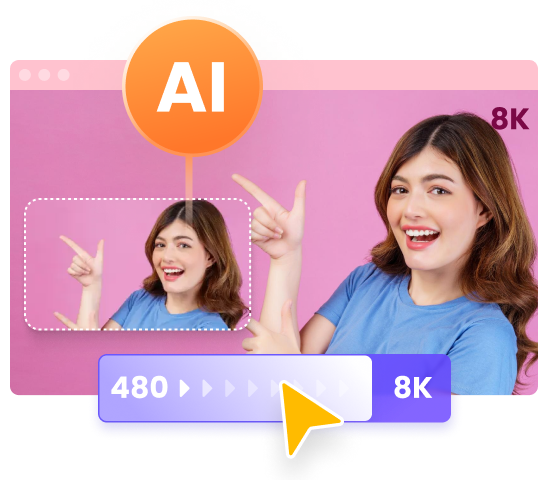
Unlike Midjourney V1, which focuses on short animated previews, HitPaw VikPea Video Generator is designed for creators who want finished, high-quality videos. It supports higher resolutions, smoother motion, and greater control over video output, making it ideal for social media, marketing content, and creative storytelling.
With an intuitive interface and AI-driven customization, HitPaw VikPea helps users turn images or text prompts into visually polished videos without complex workflows.
- Generate videos from images or text prompts with AI.
- Select the length of your animation to 5s or 8s to suit your requirements.
- Multiple AI models optimized for different cinematic and storytelling video styles
- Images can be inserted in any format, including PNG, WEBP, JPG, and JPEG.
- It allows you to select a preferred end frame to conclude the video on a perfect note
- Built in video enhancement improves clarity, sharpness, and overall visual quality
- How to Generate Stunning Videos With HitPaw VikPea Video Generator
To create videos from images using the HitPaw VikPea video generator, adhere to the following steps:
Step 1. Enter the Tool Page and Select Video GenerationFirst, access the tool and select the AI Video Generator tool from the main interface to start making your video.
Step 2. Insert the Script or Text Prompt
After that, enter a static image by clicking on the “Drag or Click to Add Image” option and insert your description in the “Prompts” box.
Step 3. Set the Resolution and Duration, and Generate
Adjust the “Resolution” and “Duration” for the output image and click on “Generate” to create your video. Once your video is generated, save it to your device.
Conclusion
To wrap it up, Midjourney V1 is being evaluated with the launch of the image-to-video feature, which enables the generation of animated videos. In this article, we have discussed its expected main features and workflow along with detailed pros and cons. HitPaw VikPea Video Generator stands out as a more practical choice for creators who need HD-quality videos with smoother motion and greater control. Whether you are creating content for social media, marketing, or personal projects, it delivers results that are ready to share.
 HitPaw VoicePea
  HitPaw FotorPea
 HitPaw Univd (Video Converter)

Share this article:
Select the product rating:
Daniel Walker
Editor-in-Chief
This post was written by Editor Daniel Walker whose passion lies in bridging the gap between cutting-edge technology and everyday creativity. The content he created inspires the audience to embrace digital tools confidently.
View all ArticlesLeave a Comment
Create your review for HitPaw articles