

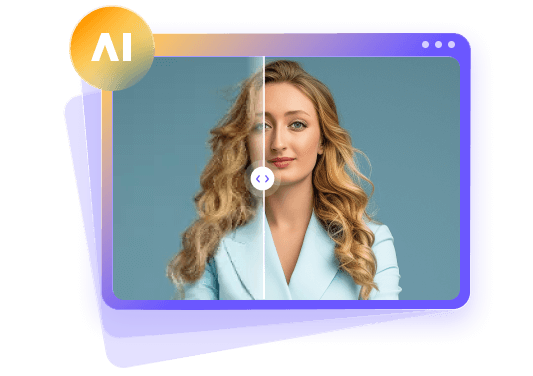
Kimi K3.1 Pro Review: Testing Its Visual Capabilities
 By Daniel Walker
Kimi K3.1 Pro represents Moonshot AI's latest leap into multimodal artificial intelligence, combining a massive 1-million-token context window with enhanced visual capabilities and 3D workflow execution.
In this comprehensive review, we benchmark Kimi K3.1 Pro across key visual analysis tasks, evaluate its spatial reasoning, and explore its integrated 3D creation features. We also highlight dedicated AI photo enhancer software like HitPaw FotorPea for users who need focused pixel-level photo upscaling and restoration.
Part 1: What Is Kimi K3.1 Pro?
Kimi K3.1 Pro is Moonshot AI's flagship open-weight multimodal reasoning model, serving as a heavily post-trained successor to Kimi K3. Built on a massive 1-million-token context window, the model is available across the Kimi web app (kimi.ai), mobile applications, Kimi Code CLI, and API platforms at competitive developer rates ($2 per 1M input tokens, $10 per 1M output tokens), as well as a high-speed variant.
In terms of image input and visual understanding, Kimi K3.1 Pro natively ingests high-resolution images, multi-page visual documents, diagrams, and video sequences. It analyzes visual content, extracts embedded text, identifies geometric layouts, and translates visual data into structured code or actionable text insights.
Important Workflow Clarification
It is critical to clarify that Kimi K3.1 Pro is fundamentally an image-input and visual-reasoning engine, not a direct 2D raster image generator or a direct pixel photo editor (such as Midjourney, DALL-E 3, or Photoshop AI). Direct pixel-level image generation and direct photo manipulation are not supported in the tested interface. Instead, its visual creation capabilities operate via code generation and tool execution, writing Three.js code, Blender scripts, and parametric CAD definitions through its native 3D Make feature.
Part 2: Kimi K3.1 Pro Image Quality Test
1. Visual Understanding and Image Analysis
During our hands-on evaluation, Kimi K3.1 Pro demonstrated exceptional perceptual accuracy when analyzing uploaded visual content. When fed high-density infographics, complex flowcharts, handwritten notes, and multi-layered architectural schematics, the model parsed object hierarchies and textual annotations with minimal error.
Thanks to its 1-million-token context window, users can upload dozens of high-resolution images or complete PDF presentations simultaneously. The model cross-references visual details across multiple files, maintaining context without degrading recognition precision.
2. Prompt Following and Visual Reasoning
Evaluating the prompt following under strict visual constraints reveals substantial architectural improvements in Kimi K3.1 Pro. When given detailed multi-step instructions regarding object relationships, foreground/background boundaries, and spatial arrangements, the model accurately traces element positions.
For example, when asked to analyze a photograph of a room layout and suggest a modified floor plan, Kimi K3.1 Pro correctly identified spatial boundaries, clearances, and structural obstacles, outputting precise geometric coordinates and formatted CAD-compatible script instructions.
3. Detail Recognition and Consistency
In tests focusing on detail recognition, Kimi K3.1 Pro successfully identified fine textures, small mechanical fasteners, micro-labels, and subtle material variations in macro photographs. Compared to its predecessor, claims-level hallucinations on visual and technical tasks dropped dramatically. The model maintains high structural consistency across multi-turn queries, ensuring that object descriptions, dimensions, and spatial properties remain aligned throughout an extended diagnostic session.
4. 3D Creation and Visual Output (If Applicable)
While Kimi K3.1 Pro does not output 2D bitmap graphics directly, its supported 3D creation workflow via 3D Make represents a major highlight. By processing a text prompt, a rough sketch, or a multi-view reference image, Kimi K3.1 Pro infers 3D geometry, proportions, and spatial relationships.
It generates executable Blender scripts, OpenSCAD code, or WebGL Three.js scenes to reconstruct usable 3D models. Users can preview, edit, and export these models for 3D printing or animation on kimi.ai. We must clearly distinguish this tool-assisted, code-driven 3D pipeline from direct AI image generation Kimi K3.1 Pro writes the code that renders the asset, rather than generating pixels directly.
Part 3: Key Factors Affecting Kimi K3.1 Pro's Visual Performance
Instruction Accuracy: Providing explicit visual context and clear spatial parameters significantly reduces ambiguous interpretation in code generation.
Composition and Spatial Relationships
High-density images with heavy object overlap require multi-angle reference uploads for perfect 3D reconstruction.
Detail Recognition and Texture Interpretation
Crisp lighting and high image contrast directly enhance the model's ability to decipher micro-textures and fine typography.
Consistency Across Complex Visual Tasks
Long multi-step tasks benefit from the model's 1M token context; though iterative code validation is recommended for complex CAD models.
Practical Usability and Manual Corrections
Because outputs are generated as code or 3D scripts, creators may occasionally need to perform minor manual adjustments inside software like Blender, Unity, or Unreal Engine.
Pros and Cons of Kimi K3.1 Pro
 Pros
- State-of-the-art visual understanding, spatial reasoning, and optical character recognition.
- Industry-leading 1-million-token context window for handling huge batches of image inputs.
- Powerful 3D creation workflow via 3D Make, writing parametric CAD and Blender scripts directly.
- Drastically reduced factual and visual hallucination rates compared to earlier open models.
- Flexible API pricing and native platform integration across web, mobile, and CLI environments.
 Cons
- No native 2D image generation or pixel-level photo editing capabilities.
- 3D workflows rely on tool integration and external code rendering rather than instant raster output.
- Highly specialized parametric designs may still require manual developer refinement.
Part 4: 3 Best Alternatives for AI Image Enhancement
While Kimi K3.1 Pro excels at visual analysis, spatial reasoning, and code-based 3D generation, it cannot upscale, sharpen, or restore existing blurry photos.
When you need to fix low-resolution images, eliminate digital noise, or restore compressed web graphics, dedicated AI image enhancement tools are required. These platforms use deep convolutional and diffusion models specifically engineered for pixel reconstruction.
1. HitPaw FotorPea
HitPaw FotorPea is HitPaw's flagship AI photo enhancer and AI photo generator. It provides a complete automated desktop solution for enhancing blurry, low-resolution, pixelated, or physically damaged photographs. Equipped with specialized neural models, including general clarity, face model, colorization, and noise reduction, HitPaw FotorPea delivers lossless upscaling up to 8K resolution.


How to Use HitPaw FotorPea to enhance images?
Step 1:Launch HitPaw FotorPea on your desktop and upload the target image you wish to restore or upscale.

Step 2:Select the appropriate AI model tailored to your photo enhancement requirements (e.g., General Model, Face Model, or Denoise Model).
Step 3:Click preview to inspect the real-time side-by-side AI enhancement result, then export your pristine high-resolution photo.
2. Topaz Photo
Topaz Photo is worth a look if you want more control over how a photo is repaired. It offers tools for sharpening, reducing noise, recovering faces, adjusting lighting and color, and enlarging images.
Those controls can help with wildlife shots, low-light photos, landscapes, or files prepared for printing. There is a learning curve, and strong settings can introduce strange edges or fake-looking detail. Check the full-size image before keeping the result.
3. Remini
Remini is especially associated with portrait and face enhancement. It can be handy for a soft selfie, a family picture, or a scanned photo that has faded with age.
There is a caveat: when the original face is blurry, an AI tool may invent detail rather than recover exactly what was there. That matters for old family photos where likeness is important. Remini is designed more for quick results than for detailed, hands-on editing.
FAQs About Kimi K3.1 Pro
Kimi K3.1 Pro is designed for multi-step agentic tasks, long-context software development, financial research, spatial visual analysis, and 3D asset creation.
Yes, Kimi K3.1 Pro features native visual perception, allowing it to interpret images, diagrams, technical charts, and video inputs accurately.
No, Kimi K3.1 Pro does not produce 2D raster photos directly. However, it can write parametric code and Blender scripts to build 3D assets via its 3D Make tool.
Yes, Kimi K3.1 Pro is accessible on the web and mobile through kimi.ai, while developers can access its open weights or pay-per-token API endpoints.
The top dedicated alternatives include HitPaw FotorPea for automated batch photo restoration, Topaz Photo for professional camera RAW workflows, and Remini for portrait face restoration.
Final Verdict
Kimi K3.1 Pro is a powerful multimodal reasoning model that redefines open-weight AI capabilities in spatial reasoning, code generation, and 3D asset creation. While it is not designed for direct pixel photo editing, its ability to analyze visual inputs and output production-ready 3D scripts makes it an invaluable asset for developers and creators.
For users who specifically need to upscale, sharpen, or restore low-quality photos, dedicated AI photo enhancers like HitPaw FotorPea remain the best tool for the job.
Leave a Comment
Create your review for HitPaw articles