
Canva Craft Review: How Good Is Its Image Quality?
 By Daniel Walker
Canva Craft has been getting a ton of attention lately, so we decided to test it out ourselves to see if it actually delivers for visual creators. Building graphics today takes speed and precision across multiple platforms, and AI tools have a lot to live up to.
We put Canva Craft through real-world tests covering text rendering, portraits, product photography, and landscapes. Here is an honest look at what works, where it falls short, what the pricing looks like, and how it stacks up against other high-resolution AI image tools on the market.
Part 1: What Is Canva Craft?
Canva Craft represents Canva's native AI-driven graphics generation engine designed to convert textual prompts into high-fidelity visual assets directly within the Canva editor. Built to streamline content workflows for social media marketers, brand designers, and digital publishers, Canva Craft combines prompt-engineering algorithms with automated graphic layout templates, enabling users to generate customized images without leaving their design workspace.
Key Features of Canva Craft
- Generates multi-style artwork, digital illustrations, and photorealistic concept renders from plain text inputs.
- Offers preset visual style filters including 3D render, minimalist vector, watercolor, filmic portrait, and commercial poster presets.
- Instantly outputs generated assets into active Canva document layouts, enabling immediate cropping, vector overlaying, and typography pairing.
How Canva Craft Generates Images
Under the hood, Canva Craft leverages deep learning diffusion architectures trained on vast visual asset datasets. When a user enters a descriptive prompt, the engine parses syntactic entities and style modifiers, iteratively refining pixel noise grid structures into coherent visual compositions aligned with the user's intent.
Availability and Pricing
Canva Craft is accessible across all major Canva platform tiers. Free plan users receive a daily quota of generation credits, while Canva Pro and Teams subscribers enjoy higher monthly usage limits, priority generation speed, and commercial use licensing.
Part 2: Canva Craft Image Quality Test
To accurately evaluate Canva Craft image quality, we conducted benchmark generation tests across five key visual design categories: text rendering, portraiture, product detail, landscape depth, and resolution retention.
1. Text Rendering and Poster Design
Rendering legible text inside AI-generated images has historically proven challenging for diffusion models. In poster-generation benchmarks, Canva Craft performs well with short headers and bold promotional slogans. However, longer subtitles or multi-line paragraphs often exhibit subtle character warping or letter fusion, requiring manual typography overlays within Canva for professional publication.

2. Portraits and Photorealistic Images
For photorealistic human portraits, Canva Craft captures natural facial lighting, skin tones, and hair textures accurately under standard prompt conditions. Complex hand gestures and fine eye symmetry occasionally exhibit slight artifacts, but close-up facial shots yield clean, publication-ready imagery suitable for blog hero banners and social media avatars.
3. Product Images and Fine Details
Commercial product photography demands sharp edge crispness, metallic reflection fidelity, and texture depth. Canva Craft excels at rendering smooth surfaces, such as glass bottles and matte packaging. Micro-textures such as fabric stitching or intricate embossed logos sometimes blur slightly under close magnification.
4. Landscapes and Creative Artwork
Artistic landscape generation represents one of Canva Craft's strongest capabilities. Atmospheric lighting effects, volumetric clouds, mountain depth cues, and vibrant color gradients render with impressive aesthetic balance and rich visual contrast.
5. Resolution and Detail Retention
When exporting generated assets, Canva Craft maintains clean pixel density up to standard web screen dimensions (1080p). However, when upscaling images for large-format physical print displays or ultra-high-definition canvas prints, raw outputs can lose fine-grain texture sharpness, making dedicated upscaling software beneficial.
Part 3: Canva Craft Pros and Cons
 Pros
- Directly accessible within Canva's design ecosystem without multi-app context switching.
- Built-in visual presets handle everything from vector icons to photographic renders.
- Outputs multiple prompt variations in seconds for rapid creative brainstorming.
- No complex technical parameters or local GPU installation required.
 Cons
- Fine typography and long subtitles can exhibit occasional rendering distortion.
- Native output resolution requires secondary upscaling tools for ultra-large print formats.
Part 4: Best Alternatives for AI Image Enhancement
While Canva Craft offers convenient generation within an all-in-one graphic suite, visual creators seeking ultra-high-definition detail, dedicated noise reduction, or advanced neural upscaling often require specialized AI image enhancement software. Below, we examine the leading alternatives engineered specifically for maximum image-quality restoration and precise generative output.
| Tool | Best For | Key Features |
|---|---|---|
| HitPaw FotorPea | Professional photo enhancement, 8K upscaling & fixing blurry shots | Specialized face restoration, background noise cleanup, multi-model AI upscaling, AI generation |
| OpenAI GPT Image | Following detailed descriptive prompts & creative visual concepts | Built on DALL-E 3, exact prompt matching, natural conversational tweaks |
| Google Gemini | Smart image analysis, visual reasoning & prompt improvement | Powered by Imagen 3, native image understanding, automatic prompt suggestions |
1. HitPaw FotorPea
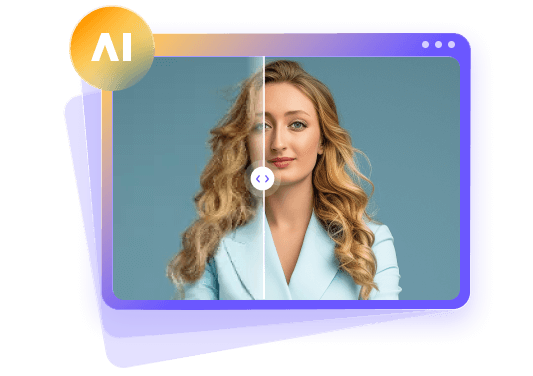
HitPaw FotorPea is HitPaw's AI photo enhancer and AI photo generator, designed for creators who require uncompromised image resolution, portrait clarity restoration, and automated noise reduction.


How to Use HitPaw Fotor to enhance photos?
Step 1:Launch HitPaw FotorPea and drag-and-drop your target low-resolution or blurry photograph into the main processing window.
Step 2:Choose from specialized neural models, including the General Model for real-world landscape restoration, the Face Model for portrait sharpening, or the Denoise Model for low-light noise removal.
Step 3:Click the Preview button to render a side-by-side comparison, then select your desired resolution output (up to 8K) and export the crystal-clear final file.
2. OpenAI GPT Image
OpenAI GPT Image leverages an advanced multimodal DALL-E 3 neural architecture to interpret nuanced natural language prompts with unmatched conceptual accuracy. It excels at parsing complex visual instructions, spatial relationships, and specific graphic styles, making it an ideal choice for creators who prioritize prompt adherence and creative concept generation.
3. Google Gemini
Google Gemini integrates powerful visual understanding with the Imagen 3 generative image engine. Beyond generating high-resolution artistic imagery, Gemini can analyze existing visual assets, evaluate composition balance, and suggest optimized text prompts, serving as both an intelligent creative assistant and a robust visual asset generator.
Part 5: FAQs About Canva Craft
Canva Craft is Canva's native AI image generation feature that creates visual artwork, graphics, and illustrations directly inside the Canva editing canvas using natural language text prompts.
Yes, Canva offers free daily generation credits for all registered account holders. Subscribers on Canva Pro and Canva for Teams plans gain access to expanded credit quotas and priority processing speeds.
Canva Craft outputs standard high-definition visual assets optimized for digital web standards (1080p). For ultra-large physical print displays, users can pair outputs with specialized upscaling tools like HitPaw FotorPea.
Canva Craft accurately renders short headlines and single-word logos. For lengthy body paragraphs or detailed multi-line text, combining AI image generation with Canva's native typography tools yields optimal legibility.
Canva Craft is primarily designed to generate new images from text prompts rather than enhance pre-existing photos. Dedicated photo enhancers like HitPaw FotorPea are recommended for repairing low-resolution or blurry uploads.
Final Verdict
In summary, Canva Craft delivers a remarkably convenient and creative workflow for graphic designers, marketers, and casual content creators who want to transform text prompts into visually engaging artwork directly within their editing workspace.
While ultra-large physical prints and intricate typographic overlays benefit from secondary tools, their speed and integration make them valuable assets for digital publishing. For users seeking specialized image quality enhancement, noise reduction, and 8K upscaling, dedicated tools like HitPaw FotorPea offer the perfect complementary solution.
Leave a Comment
Create your review for HitPaw articles