






Smartwatch Photography With Best Angles for Stunning Shots
Watches these days are functional gadgets that help you keep up your daily activities and are much more than a style statement. With the rise of e-commerce and social media marketing, high-quality smartwatch product photography plays a pivotal role in attracting customers and showcasing a smartwatch’s features. If you are a business owner of this product and want to showcase your smartwatches in the best way possible, this article is for you.
In this article, we will cover all the details you need to know about smartwatch photography, along with some handy tool recommendations.

Part 1. Understanding the Product For Better Photography
Before starting with the shoot, you need to have a thorough understanding of the product itself. This will help you in capturing its unique features while minimizing the challenges. As we all know, these gadgets have glass screens; one of the main hurdles during photography is the reflective surfaces.
These reflections can interfere with the smartwatch's details and impact the overall quality of the image. To manage these hurdles during the creative smartwatch photography, you can consider the tips mentioned below:
1. Use soft and diffused light sources, such as soft boxes or light tents.
2. Adjust the watch angle relative to the light source to avoid camera deflection.
3. Attach a polarizing filter to your camera lens to reduce glair and reflection.
4. Shoot in RAW format to get more flexibility for post-processing glair removal.
Key Design Elements to Highlight
Each variant of the smartwatch has a unique design and features that you must highlight in the shoot. These key elements can include the below-mentioned attributes:
1. Display Screen: Try to showcase the clarity and the crispness of the display, especially the watch faces.
2. Straps: Highlighting the different strap materials adds variety and interest to high-quality smartwatch images.
3. Bezels: Try to focus on small details like bezels and buttons to emphasize the details of the product when performing the shoot.
4. Brand Logo: Make sure that the logo is clearly visible in the shot for brand recognition.
Part 2. Plan the Product Shoot With the Right Elements
Planning the shoot beforehand is essential to make your photos look professional and polished. This involves selecting the right resources while aligning with the following goals:
1. Choosing Photography Style: Product photography can be done in different styles to serve diverse purposes and audiences.
2. Finding Appropriate Complementary Elements: These watches look best with complementary items that help tell a story, such as chargers and headphones.
3. Preparing the Product: You must make sure that the product looks captivating enough to grab the audience’s attention. For this, you can get the condition checked by inspecting it from different angles.
4. Displaying Screen Properly: Before clicking smartwatch advertising images, make sure that the smartwatch screen is in its best condition. Clean the screen properly and position it at the most flattering angle.
Part 3. Best Techniques to Capture the Perfect Shots
Let us learn about the right tricks and techniques to capture the perfect picture after understanding the photoshoot plan. Mentioned below are some of the ways you can consider to bring the best out of your product photography:
1. Keep the Background Simple: You should go for simple backgrounds like solid colors or subtle gradients to make the smartwatch stand out.
2. Try Capturing From the Best Possible Angles: Experiment with different angles to showcase both the front and side profiles, and make sure to choose the one in which the product looks best.
3. Ensure Proper Symmetry and Framing: Smartwatch photography often works best when there is symmetry and proper framing. When framing your shot, keep the watch aligned within the frame.
4. Platform Eccentric Shoots: Different platforms require different approaches for photography, for instance, choose simple shots with neutral backgrounds for e-commerce platforms. For social media, lifestyle shots with creative compositions and natural lighting will make the product look perfect.
5. Post-Process Enhancements: Once the wearable tech photography is done, enhance colors and remove distractions to maintain focus on the product.
Part 4. Top Tools To Use For Post-Processing and Editing
Post-processing plays a crucial role in making your smartwatch photos stand out when the right tools are used. Provided below are some of the top tools you can utilize to achieve the desired results:
1. HitPaw FotorPea
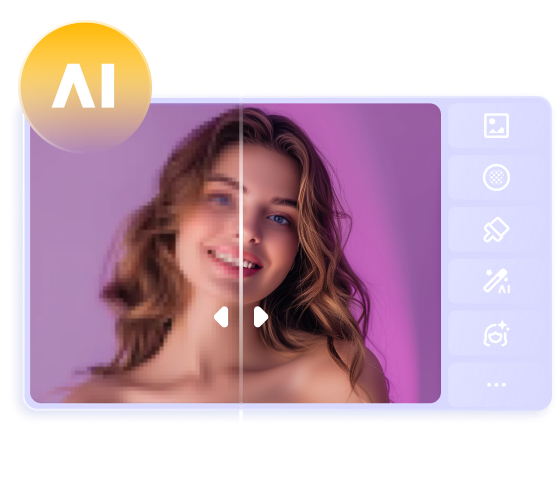
One of the reliable tools that help you refine the visual of your product images is HitPaw FotorPea. This AI-powered image editing tool detects the flaws in your image and enhances it to upgrade the image quality. With different quality customization options, you can transform your product photos into masterpieces even without the best lighting setup for smartwatch photography.
Key Features
1. The tools offer a bulk import option to add multiple product images for faster and more efficient results.
2. You can use the image upscale model offered by the platform to automatically enhance the image resolution.
3. Use the background remover feature if your raw product images do not have a professional background.
2. GIMP
Another tool that helps you upscale the images of your smartwatch is GIMP. With various graphical design elements, you can add different relevant props to give your shoot a more creative and compelling flair.
Key Features
1. Using this tool, perform high-quality scripted image manipulation to automate post-production editing.
2. The multi-layer image editing helps you work on different elements of an image independently.
3. It lets you adjust the aspect ratio of the image as per your requirements.
3. Fotor
It is an online image editor that provides various functionalities to enhance the overall image quality. You can perform basic editing such as cropping and rotating to give your smartwatch lifestyle photography for marketing campaigns a more professional touch.
Key Features
1. With the magic eraser, you can remove unwanted backgrounds and distracting elements from the photo.
2. One click-background remover makes your product images look more professional.
3. Enhance the overall quality with the AI-upscaler offered by the platform.
4. Pixlr
Pixlr is also an online handy tool that you can use to make your smartwatch photography stand out. This image editor allows you to modify the images and add enhancement effects to them by offering a large effects library.
Key Features
1. The generative fill feature of Pixlr lets you expand any image’s canvas automatically.
2. With the retouch feature, you can remove unwanted spots and objects from the photo.
3. Precisely isolate the product from the entire picture using the cutout functionality.
Part 5. How to Post-Process The Smartwatch Photography To Perfection?
After learning about close-up photography techniques for smartwatches, you might need tools like HitPaw FotorPea to make your image look perfect. Read the steps mentioned below to learn how to use this tool for your smartwatch shoot:
Step 1. Begin With Choosing Photo Enhancement in FotorPea
After you have launched FotorPea on your device, click on the “Enhance Photos Now” tab to begin the process.
Step 2. Import the Image and Enable the Upscale Model
In the following interface, import your smartwatch photo and enable the “Upscale Model” by turning the toggle on. Next, configure the settings like “Aspect Ratio” and “Quality” and click the “Preview” button located below the image.
Step 3. Review the Results and Export
Once the image quality is enhanced, review it in the preview window and after you are satisfied with the results, click on “Export” to save the results.
Part 6. How to Master the Smartwatch Branding
When you are done with the post-processing of smartwatch product photography, you must also focus on building brand recognition. Read below a few things you can do to make the brand stand out on different platforms.
1. Consistency for Brand Identity: You should make sure that all your product images have the same color format, layout, and theme to maintain brand consistency.
2. Logos and Brand Elements Addition: Users can add brand logos and other elements that represent their brands to build familiarity with the product among the audience.
3. Creating Engaging Ads: Another technique to take your high-quality smartwatch images to the next level is by creating engaging ads according to different media platforms.
Conclusion
To conclude, this article discussed some of the best techniques to perform smartwatch product photography. The article also explained how HitPaw FotorPea is one of the most reliable tools to enhance and upscale your product images with only a few clicks. The tool uses advanced artificial intelligence to detect the flaws in your images and remove them efficiently.
 HitPaw Edimakor
 HitPaw VikPea (Video Enhancer)
 HitPaw Univd (Video Converter)


Share this article:
Select the product rating:
Daniel Walker
Editor-in-Chief
This post was written by Editor Daniel Walker whose passion lies in bridging the gap between cutting-edge technology and everyday creativity. The content he created inspires the audience to embrace digital tools confidently.
View all ArticlesLeave a Comment
Create your review for HitPaw articles