





GPT Image 2.5 vs Seedream 5.0 Pro: Which Produces Better Images?
 By Daniel Walker
When picking an image generator, what really matters is how well the tool handles real-world visual details. In this review, we compare GPT Image 2.5 and Seedream 5.0 Pro on Image Quality across essential benchmarks, including photorealism, fine textures, text rendering, and prompt adherence. On top of that, you'll find a practical guide on upscaling base renders with HitPaw FotorPea to get them set for print-ready projects.
Part 1: What Are GPT Image 2.5 and Seedream 5.0 Pro?
What Is GPT Image 2.5?
GPT Image 2.5 is OpenAI's flagship visual model built on a hybrid transformer-diffusion engine. It stands out for conversational understanding, letting creators describe scenes, lighting, and camera angles naturally without complex prompt engineering. It also supports intuitive multi-turn editing, making it easy to adjust specific scene elements while keeping overall composition consistent.
What Is Seedream 5.0 Pro?
Seedream 5.0 Pro is ByteDance's commercial AI photo generator designed for studio-grade realism and precision. Powered by a specialized diffusion engine, it excels at rendering realistic micro-textures and clear typography. Graphic designers and brand marketers turn to Seedream 5.0 Pro when they need sharp details, exact product labels, and clean geometric structures right out of the box.
Part 2: GPT Image 2.5 vs Seedream 5.0 Pro: Quick Comparison
Here's the snapshot before we get into the details. It uses published specs only.
| Feature | GPT Image 2.5 | Seedream 5.0 Pro |
|---|---|---|
| Maker | OpenAI | ByteDance |
| Released | September 8, 2026 | August 12, 2026 |
| Best known for | Natural light, targeted edits | Text layouts, multi-image editing |
| Reference images | Supported | Up to 14 |
| Output | Up to 4K on some platforms | 1K and 2K |
| Price | Check OpenAI; not confirmed at launch | From $0.045 per image |
Part 3: How We Tested GPT Image 2.5 and Seedream 5.0 Pro
A fair test needs fair rules. Here's the setup for every round, so you can repeat it and check the results yourself.
- Same prompts. Paste each prompt word for word into both models.
- Matching settings. Use 3:2 for scenes, 1:1 for products, and 2K output on both.
- Five scenarios. A portrait, a product shot, an interior, a text poster and a photo edit.
- Separate scores. Rate visual quality, prompt adherence and artifacts from 1 to 5, and use each model's first result, with no cherry-picking.
A sample portrait prompt: "Close-up of a woman in her 40s by a window, soft morning light, visible skin texture, loose hair strands, linen shirt." Judge image quality on what you see at 200% zoom, not just the thumbnail.
Part 4: GPT Image 2.5 vs Seedream 5.0 Pro: Image Quality Comparison
3.1 Detail and Texture
Fine textures tell you a lot about an AI generator's true fidelity. Seedream 5.0 Pro delivers sharp micro-textures, capturing skin pores, fabric weaves, and metallic surfaces naturally without looking artificial. GPT Image 2.5 takes a slightly softer, more painterly approach. While it renders smooth hair flows and organic shapes beautifully, extreme close-ups reveal softer glass patterns compared to the razor-sharp details in Seedream 5.0 Pro.
3.2 Photorealism and Lighting
Photorealism depends on accurate lighting and shadow depth. GPT Image 2.5 excels at cinematic ambient lighting, producing soft fog, warm golden-hour glow, and rich mood. Seedream 5.0 Pro wins on physical camera accuracy, rendering bounce reflections, lens bokeh, and shadows that strictly follow real-world physics.
3.3 Color Accuracy and Composition
GPT Image 2.5 naturally formats multi-subject scenes, maintaining strong visual hierarchy and focal balance. Seedream 5.0 Pro offers neutral, true-to-life color accuracy without oversaturation, making it ideal for brand product shots where colors must match exact design specifications.
3.4 Text Rendering and Structural Accuracy
Text rendering remains a key differentiator. Seedream 5.0 Pro cleanly renders multi-word phrases, poster headlines, and package labels without garbled letters. GPT Image 2.5 handles short text well, but small secondary lettering occasionally shows minor character distortions.
3.5 Prompt Adherence and Image Editing
Prompt adherence measures how faithfully a model follows complex instructions. GPT Image 2.5 stands out in multi-turn editing such as changing a jacket's color or adjusting weather effects while keeping the main subject intact. Seedream 5.0 Pro follows static prompts precisely but can occasionally alter background elements during sequential edits.
Part 5: GPT Image 2.5 vs Seedream 5.0 Pro: Pros and Cons, Pricing
| GPT Image 2.5 | Seedream 5.0 Pro |
|---|---|
| Natural light; keeps subjects recognizable; precise edits; fast Flare tier | Strong text and layouts; 14 reference images; generate and edit in one model |
| Pricing unclear at launch; Sunburst is slower | Only 1K and 2K output; newer to many users |
| Check OpenAI; the older GPT Image 2 was listed near $0.17 to $0.21 per high-quality image | From $0.045 per image; about $0.09 for high resolution |
Part 6: Can You Further Improve AI-Generated Images?
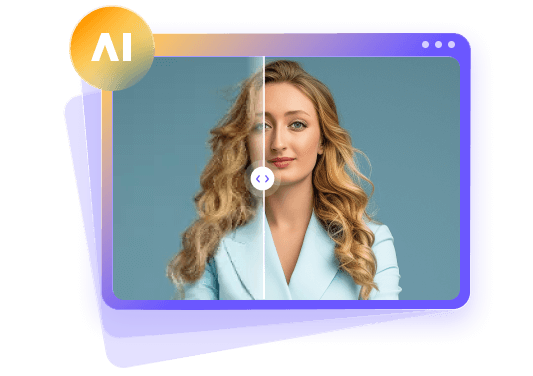
Even top generative models can benefit from post-generation polishing. Using a dedicated AI photo enhancer helps upscale resolution, clear compression artifacts, and refine fine details for high-res printing or professional presentations.
HitPaw FotorPea is HitPaw's AI photo enhancer and AI photo generator. HitPaw FotorPea bridges the gap between raw AI outputs and commercial print standards. It uses deep-learning models to upscale images up to 8K, sharpen blurry edges, and recover face details naturally.




How to Enhance an AI-Generated Image with HitPaw FotorPea
Step 1:Open HitPaw FotorPea on your desktop. Drag your AI-generated image into the interface or click 'Choose File' to load it.

Step 2:Select the right model in the side panel: 'Face Model' for portraits, 'General Model' for scenery, or 'Text Model' for graphics.
Step 3:Click 'Preview' to process the image. Check the side-by-side comparison, choose your target resolution (4K or 8K), and hit 'Export'.
Part 5: FAQs About GPT Image 2.5 vs Seedream 5.0 Pro
GPT Image 2.5 is easier for beginners because it understands natural language prompts without needing technical camera terms.
Seedream 5.0 Pro is better for posters and packaging because its typography engine renders clean, legible text without distortion.
Yes. HitPaw FotorPea enhances images from both GPT Image 2.5 and Seedream 5.0 Pro up to 4K/8K resolution while refining fine details.
GPT Image 2.5 excels at conversational context and multi-turn edits, while Seedream 5.0 Pro strictly follows precise physical scene descriptions.
Final Verdict
GPT Image 2.5 and Seedream 5.0 Pro each serve different creative needs. Choose GPT Image 2.5 if you value natural prompt understanding, mood lighting, and conversational editing. Pick Seedream 5.0 Pro if you need crisp textures, accurate text rendering, and studio lighting. Combining either model with an AI photo enhancer like HitPaw FotorPea ensures your images look polished and professional across all formats.
Leave a Comment
Create your review for HitPaw articles