






Create AI Figure Art Easily with Nano Banana Pro AI Prompts
 By Daniel Walker
Unlocking the full potential of digital toy design begins with mastering Nano Banana Pro prompts for figure creation. This advanced AI model style excels at transforming flat concepts into hyper-realistic, tangible-looking 3D objects, from glossy Lego bricks to textured claymation.
Whether you are a hobbyist collector or a professional designer, understanding these specific prompts allows you to bypass expensive 3D CAD software and visualize stunning prototypes instantly. In this guide, we explore the specific text commands that bring these digital toys to life.
Part 1: Who Seeks Figure Prompts with Nano Banana Pro?
The demand for high-quality Nano Banana Pro prompts for figure generation spans several creative and professional demographics:
- AI Art Hobbyists & Collectors: Enthusiasts who frequent platforms like Civitai seeking the "Nano Banana" aesthetic to reimagine anime characters as physical merchandise, such as Nendoroids or resin statues, without needing physical shelf space.
- 3D Printing Enthusiasts: Users looking to generate 3D Toy Prototype AI concepts to serve as visual references before modeling STL files for printing.
- Concept Artists & Designers: Professionals who need rapid iteration for toy lines, using AI figurine design to present mood boards to clients before committing to the manufacturing process.
Part 2: Top Nano Banana Pro Prompts for Figure Scenarios
The "Nano Banana Pro" style is renowned for its ability to handle lighting and texture, bridging the gap between 2D anime art and 3D realism. Below are the specific scenarios and prompts to achieve the best results.
2.1 AI Lego Style Figures
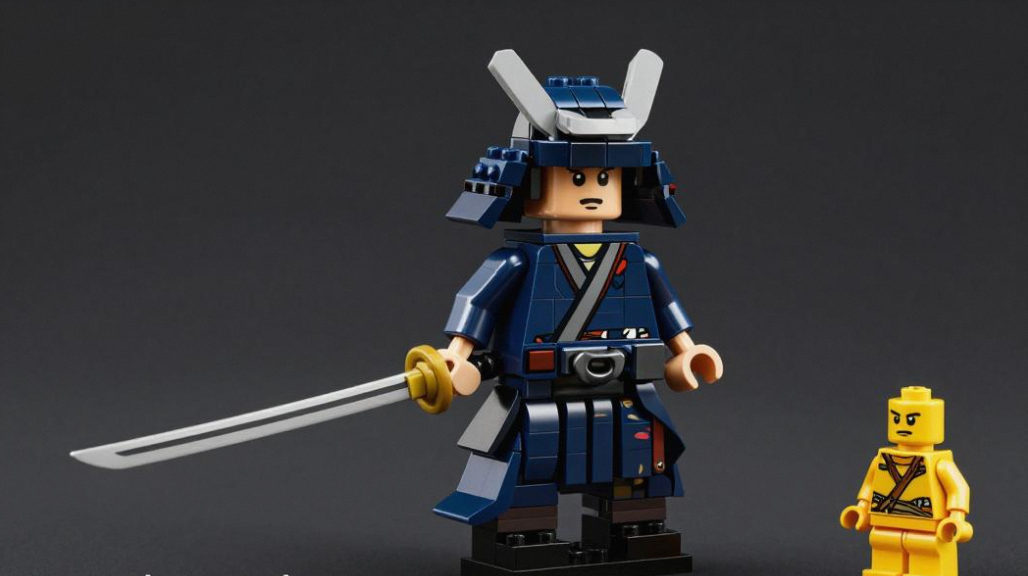
One of the most popular uses for this model is creating the AI Lego Style. The key here is to convince the AI to render hard plastic textures, cylindrical joints, and the iconic interlocking brick aesthetic.
Image Prompts for Nano Banana Pro:
Lego mini-figure of [Character Name/Description], made of plastic bricks, lego background, studio lighting, macro photography, shiny plastic texture, octagon rendering, depth of field, vivid colors, interlocking studs.
Case Example: A concept for a Cyberpunk Samurai set. The prompt transforms the flowing robes of a samurai into rigid, shiny plastic slopes, and the katana becomes a classic Lego accessory. The "macro photography" tag ensures the final render looks like a close-up photo of a miniature toy.
2.2 Claymation AI Art
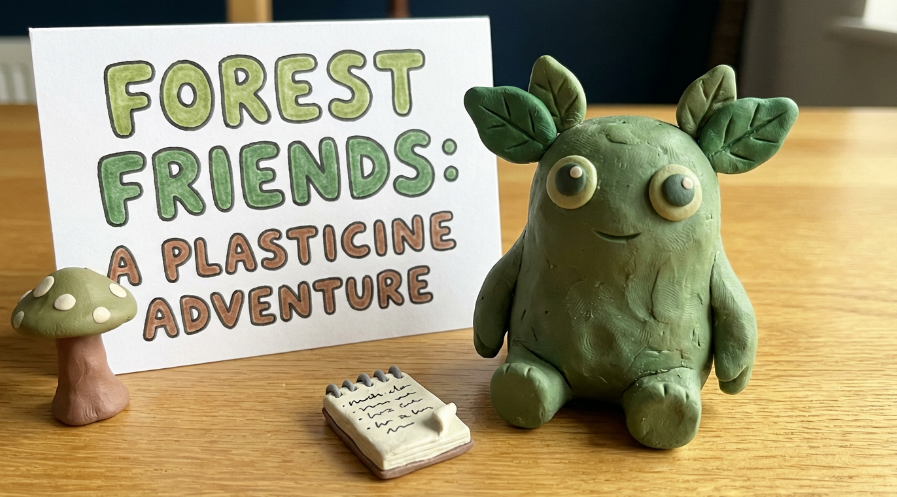
Claymation AI Art relies on imperfection. Unlike the sterile perfection of digital 3D, claymation needs to look pliable and tactile. You want to evoke the feel of Aardman animations or classic stop-motion films.
Image Prompts for Nano Banana Pro:
"Stop-motion animation still, [Character Description], made of clay, plasticine texture, visible thumbprints, slight surface imperfections, soft studio lighting, volumetric lighting, depth of field, aardman animation style, whimsical atmosphere."
Case Example: A pitch for a cute forest monster animation. The prompt "visible thumbprints" and "plasticine texture" are crucial here. They prevent the model from smoothing the skin too much, ensuring the result looks like a physical object molded by human hands.:
2.3 Funko Pop AI Generator
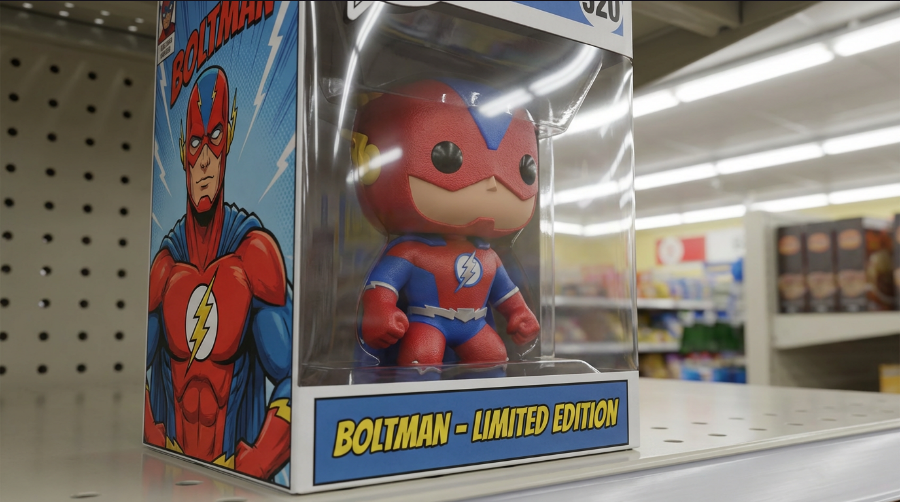
The Funko Pop AI generator style is highly specific: oversized heads, black button eyes, and a boxy stance. Collectors love visualizing custom Pops of themselves or niche characters.
Image Prompts for Nano Banana Pro:
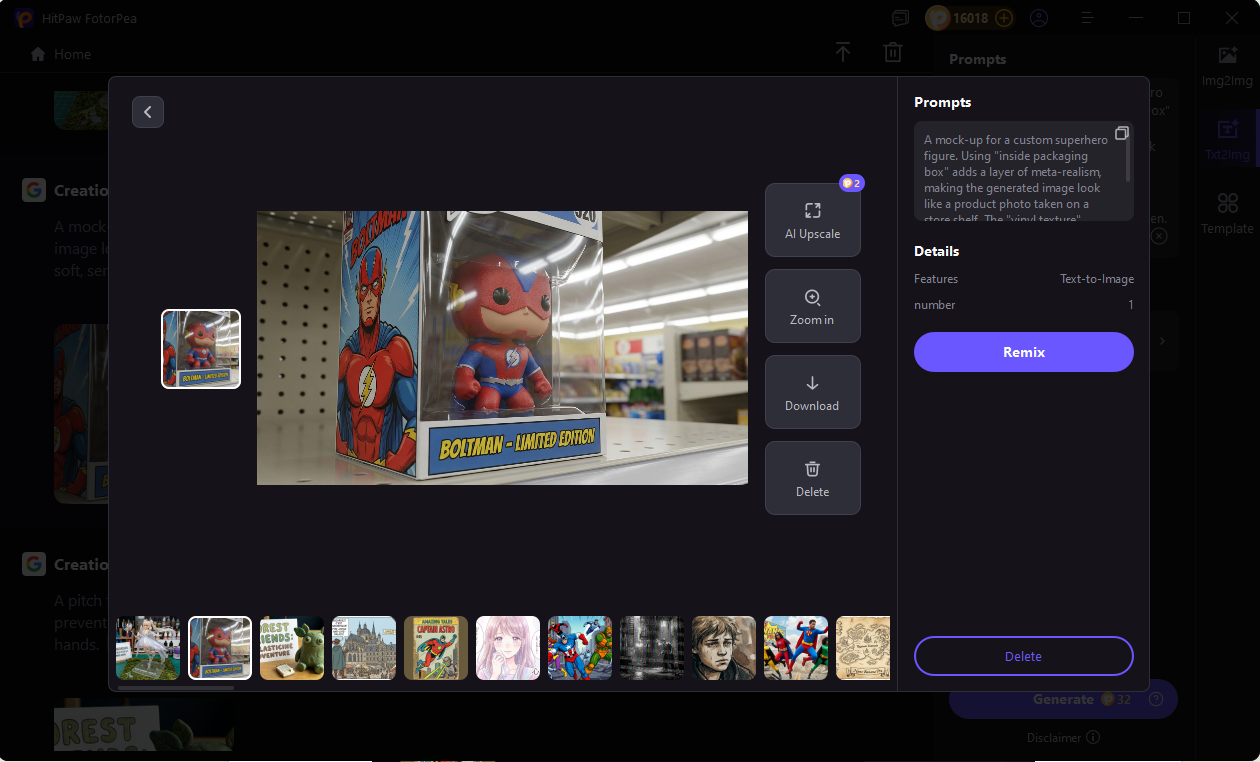
"Official Funko Pop vinyl figure of [Character], inside packaging box, box art visible, oversized head, black button eyes, no mouth, vinyl texture, shelf display background, retail lighting, 4k resolution."
Case Example: A mock-up for a custom superhero figure. Using "inside packaging box" adds a layer of meta-realism, making the generated image look like a product photo taken on a store shelf. The "vinyl texture" prompt ensures the light hits the figure with a soft, semi-gloss sheen.
2.4 Voxel Art Prompts
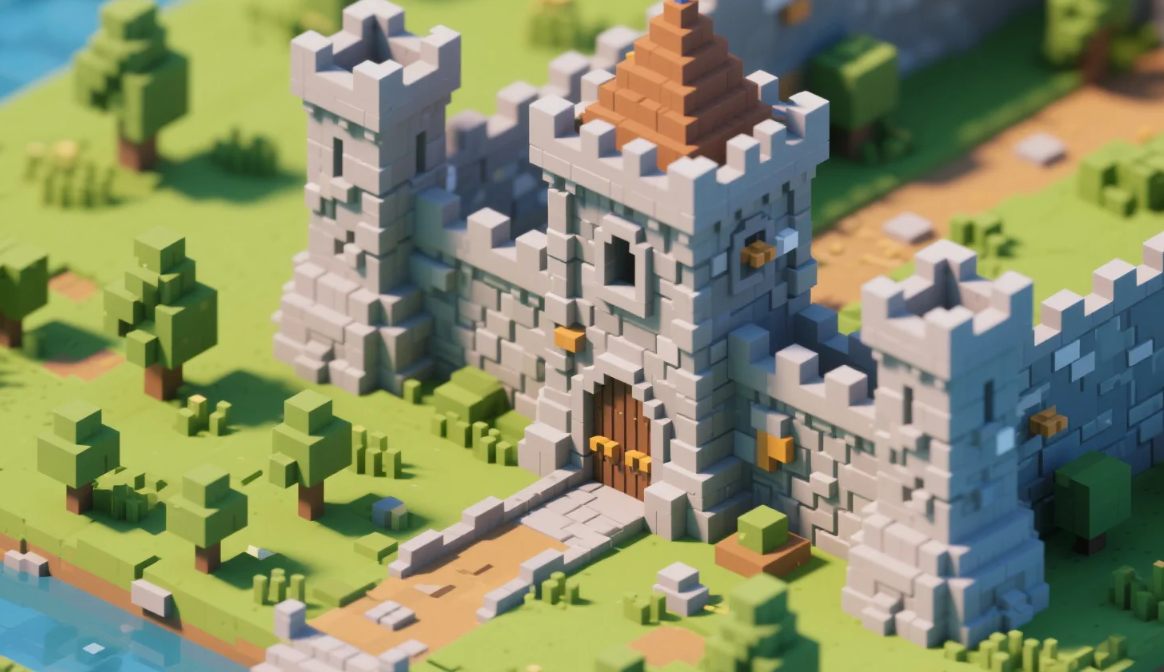
Voxel art prompts leverage the blocky, cubic aesthetic popularized by games like Minecraft. This style is excellent for retro-gaming concepts or isometric digital art.
Image Prompts for Nano Banana Pro:
"Voxel art, [Subject], made of tiny cubes, 3D isometric view, 8-bit 3D, vivid palette, clean background, sharp edges, digital render, Minecraft style, volumetric pixels."
Case Example: A level design for a medieval castle game. The isometric view is essential here. It forces the AI to render the subject from a top-down diagonal angle, which highlights the "stacking" nature of voxels.
2.5 Scale Model & PVC Figure
This scenario focuses on high-end AI figurine design. We are looking for the "Otaku" culture aesthetic—expensive, hand-painted, 1/7 scale PVC figures often found in Akihabara.
Image Prompts for Nano Banana Pro:
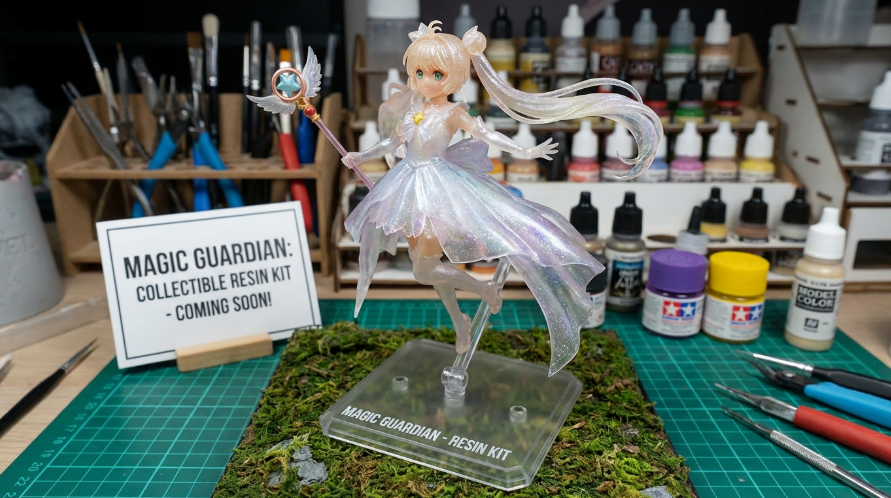
1/7 scale PVC figure, [Anime Character], resin kit, high gloss finish, detailed painting, plastic base stand, dynamic pose, anime merchandise, showcase lighting, glass reflection, premium collectible.
Case Example: A promotional image for a magical girl character. The "plastic base stand" and "resin kit" keywords ground the character, making it clear that this is a physical collectible figure, not an illustration.
2.6 Papercraft & Low-Poly
For a sharper, more fragile aesthetic, Papercraft prompts simulate folded paper or cardstock. This is distinct from Voxel art as it mimics folding rather than stacking.
Image Prompts for Nano Banana Pro:
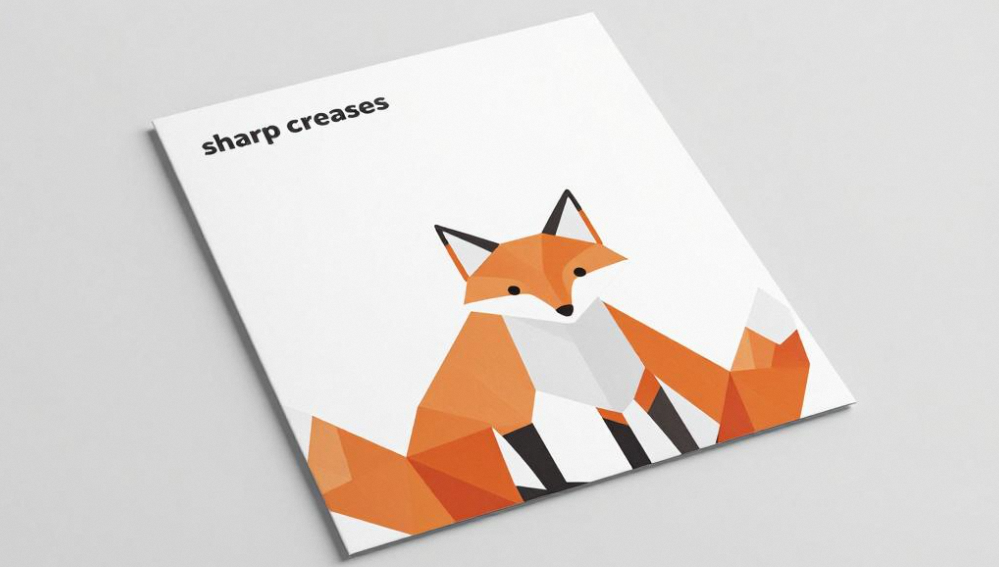
Papercraft art, [Animal/Object], origami style, folded paper texture, sharp creases, low poly mesh, matte paper finish, scissors and glue in background, craft table setting, soft shadows.
Case Example: A geometric fox design for a stationery brand. The prompt "sharp creases" helps the AI define the folded edges, producing a clean, modern papercraft aesthetic ideal for branding or illustration.
2.7 Model Kit Render (Mecha/Gundam)
The Model Kit render aims to replicate the look of "Gunpla" (Gundam Plastic Models). It involves mechanical details, sprues (the plastic frames parts come on), and injection molding lines.
Image Prompts for Nano Banana Pro:
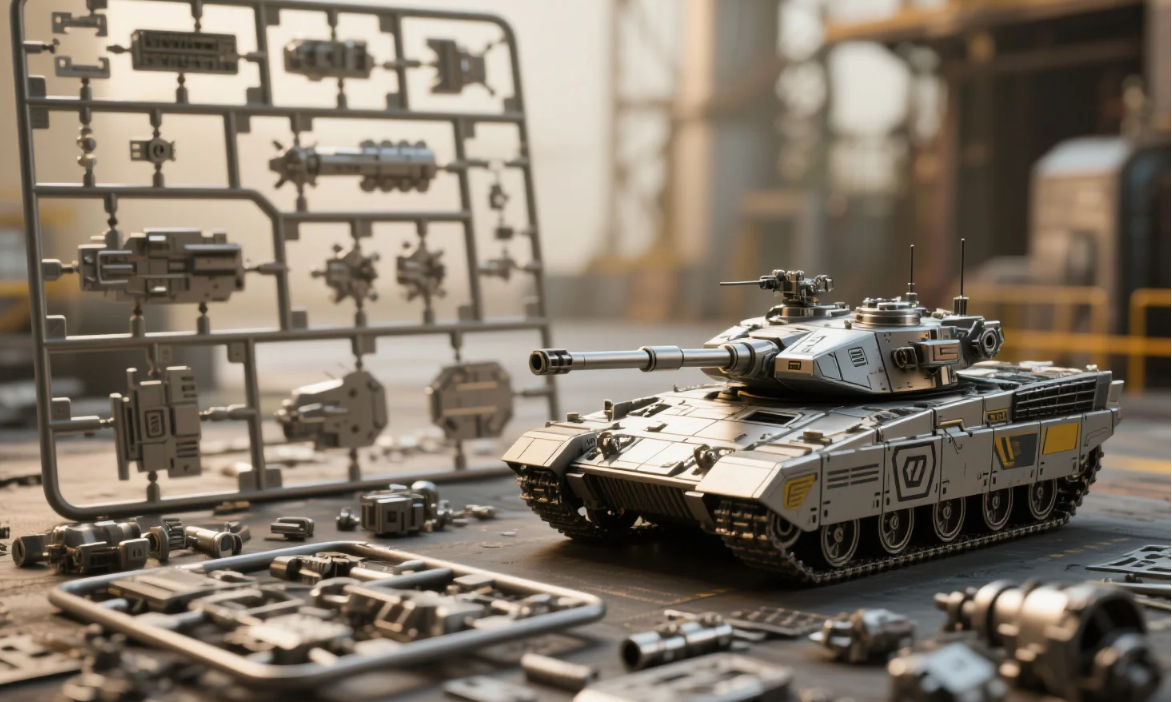
Plastic model kit, [Mecha/Robot], unassembled parts, sprue frame, injection molding, gunpla style, mechanical parts, macro shot, workbench background, Tamiya box art style, matte plastic.
Case Example: A futuristic tank concept. Mentioning "unassembled parts" and "sprue frame" creates a realistic pre-assembly model kit look—perfect for hobbyist blogs, product previews, or unboxing-themed visuals.
Part 3: Best Tool to Generate Image with Nano Banana Pro - HitPaw FotorPea
While knowing the prompts is half the battle, the raw output from AI models often lacks the resolution required for printing or professional display. HitPaw FotorPea (formerly HitPaw Photo Enhancer) is the essential tool to bridge the gap between a "cool concept" and a "production-ready asset."
Key Features of HitPaw FotorPea for Figure Design
HitPaw FotorPea is uniquely equipped to handle the demands of AI figure generation by focusing on raw image creation and granular detail enhancement:
- Built-in AI Art Generator: Integrates advanced AI art generation capabilities similar to the logic of Nano Banana Pro, allowing you to interpret "Lego," "Clay," or "Voxel" prompts directly within the software.
- AI Model Upscaling: Raw AI images are often generated at low resolutions (512x512). HitPaw’s AI upscaler boosts these images to 4K or 8K, sharpening the edges of Lego bricks and refining the fingerprints on claymation figures for a photorealistic look.
- Face Model Enhancement: Specifically useful for PVC figures, this feature ensures the anime faces on your figures are crisp and free of distortion.
- High-Fidelity Output: Delivers uncompressed, high-resolution image files, ensuring maximum detail retention for 3D modeling references.
Operational Steps for Generating Images with HitPaw FotorPea
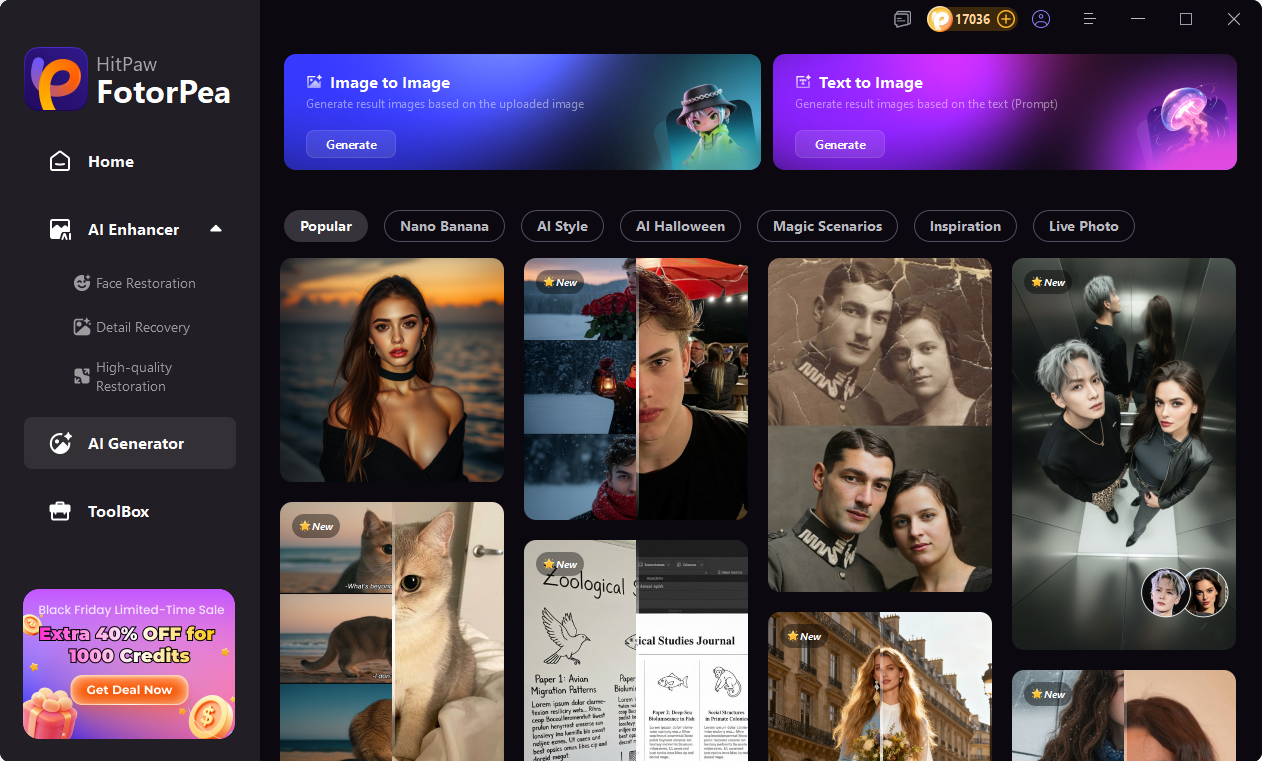
Step 1. Downloada and Access AI Generator
Install and launch the HitPaw FotorPea software on your computer. Then navigate to the AI Generator feature.




Step 2. Choose Nano Banana Pro Model
Choose Nano Banana Pro model and Paste your specific 'Nano Banana Pro' prompt.
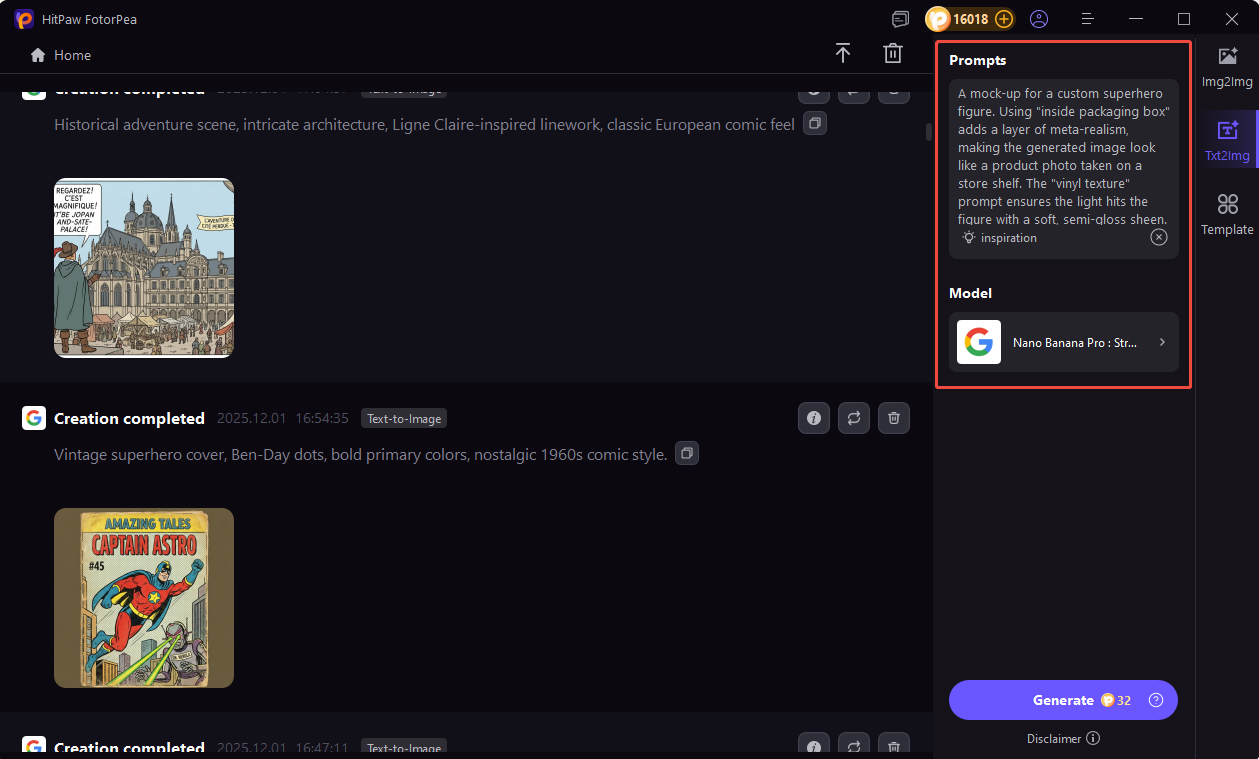
Step 3. Preview and Output:
Click generate to preview the AI figure. Once satisfied, use the Upscale feature to export your high-resolution figure artwork.
Frequently Asked Questions
While the 3D Toy Prototype AI images are excellent visual references, they are 2D images. You cannot print them directly. You must use them as a guide to model the object in CAD software like Blender or ZBrush before printing.
AI sometimes struggles with complex geometry. If the bricks look melted, try adding "octane render" or "hard edges" to your prompt. Alternatively, generate the image in HitPaw FotorPea and use the "General Model" enhancement to sharpen the lines.
For AI figurine design, a vertical aspect ratio (2:3 or 9:16) works best as it accommodates the full height of the character and the base stand. For "Lego scenes" or "Voxel environments," a landscape ratio (16:9) is preferred.
You must use "Negative Prompts." Include terms like: skin texture, realistic eyes, human anatomy, blood, veins. This forces the AI to stick to textures like plastic, vinyl, or clay.
Conclusion
Mastering Nano Banana Pro prompts for figure creation opens a world of digital manufacturing for artists and hobbyists. Whether you are simulating the nostalgic feel of AI Lego Style bricks, the tactile charm of Claymation AI Art, or the collectible allure of a Funko Pop, the right words make all the difference.
However, the prompt is just the beginning. To truly professionalize your results, tools like HitPaw FotorPea are indispensable. By combining precise prompting with HitPaw’s powerful generation and upscaling capabilities, you can turn a simple text idea into a gallery-worthy 4K digital collectible. Start experimenting with these prompts today and bring your toy concepts to life.
Leave a Comment
Create your review for HitPaw articles



