






Best AI Video Upscaler GitHub in 2026
"Looking to blow up some videos to higher resolutions, but don't have the budget to pay for any paid product, are there any open-source AI video upscalers?" - A question from Reddit.
AI video upscalers on GitHub allow users to enhance low-resolution footage to HD, 4K, or higher using open-source deep learning models like Real-ESRGAN (4x ESRGAN before 2018) and Waifu2x. These tools are free and flexible but require technical setup, command-line workflows, and powerful GPUs.
This guide explores the best video upscalers on GitHub, breaking down their capabilities, practical strengths, common drawbacks, and the overall experience of setting them up.
Want to Upscale Videos Without the Technical Setup?
GitHub projects give you flexibility, but they can require Python, CUDA, model downloads, and manual configuration. If you simply want to enhance a video without dealing with code or complicated setup, HitPaw VikPea offers a more streamlined AI video enhancement workflow. Skip to Part 4 and learn more.




Part 1. What is Video Upscaler GitHub
Video upscaling refers to the process of enhancing a video's resolution—typically from SD or HD to Full HD, 4K, or even 8K—using algorithms or AI-based technology. On GitHub, developers share open-source video enhancer GitHub projects that empower users to build and customize their own AI video upscalers.
These tools are often flexible, modifiable, and free to use, making them popular among tech-savvy users. With growing demand for 4K video upscaler GitHub solutions, more contributors are leveraging deep learning models to restore details and sharpen visuals. If you're looking to upscale video GitHub-style, here are the best tools available.

Part 2. Best 6 Video Upscale AI GitHub Tools
Quick Comparison: Best GitHub Video Upscalers
| Tool | Best For | AI Models | Setup Difficulty | |
|---|---|---|---|---|
| This method is only | QualityScaler | Real-world footage | ESRGAN-based | Easy |
| REAL Video Enhancer | Compressed videos | Real-CUGAN, Real-ESRGAN | Medium | |
| Waifu2x Extension GUI | Anime & animation | Waifu2x, Real-CUGAN, Anime4K | Easy | |
| SimpleMediaUpscalerLite | Basic upscaling | Multiple | Easy | |
| Video2X | Flexible workflows | Multiple | Medium | |
| RealScaler | Real-world videos | Real-ESRGAN | Medium |
Quick Take
If you want an easy-to-use open-source option, Waifu2x Extension GUI is a strong choice for beginners and anime content. Video2X is better suited to users who want more flexibility and model choices. For users who don't want to deal with Python, dependencies, or technical setup, a dedicated AI video enhancer such as HitPaw VikPea may be a more convenient option.
1. QualityScaler
QualityScaler is one of the most frequently recommended video quality enhancer GitHub tools. Built on advanced ESRGAN models, it allows users to AI upscale video on GitHub with minimal configuration. As an open source video upscaler GitHub project, it focuses on clean results, consistent color retention, and improved texture sharpness.

- User-friendly GUI.
- Upscales both images and videos.
- Overcomes GPU VRAM limitations with automatic image tiling and merging.
- Option to resize before upscaling.
- Multi-GPU support.
- Supports a wide range of image and video formats.
- Operating System: Windows 11 or Windows 10.
- RAM: 8GB or more.
- GPU: DirectX12 compatible with 4GB VRAM or more.
Programming Language:
Quality Scaler is developed entirely in Python.
 Pros
Pros
- Easy to set up compared to other GitHub video enhancers
- Excellent quality for anime and real-life videos
- Lightweight and resource-friendly
 Cons
Cons
- Requires manual frame extraction for full video workflows
- Limited GUI options
- No built-in timeline editing
2. REAL Video Enhancer
System Requirements:: Windows, Linux, macOS (depending on Python setup)
REAL Video Enhancer is a rising AI video enhancer GitHub project built for clarity-focused upscaling. Based on REAL-CUGAN and Real-ESRGAN variations, it provides smooth, natural enhancements that work especially well with highly compressed sources. As an open source video upscaler GitHub option, it offers strong balance between quality, stability, and usability.
- REAL-CUGAN & Real-ESRGAN model support
- Noise reduction and compression cleanup
- Batch frame enhancement
- Works with anime + real-life footage
Pros
- High-quality enhancement for compressed videos
- Good preservation of edges and colors
- Active community updates
Cons
- Requires manual setup
- No GUI
- Slower than some alternatives
3. Waifu2x Extension GUI
Waifu2x Extension GUI is one of the most user-friendly AI video enhancer GitHub tools, especially famous among anime upscalers. As a fully packaged GitHub video enhancer, it includes multiple AI engines such as Waifu2x, Real-CUGAN, SRMD, and Anime4K. Its fast processing, GPU usage, and clean interface make it a top choice for creators who want reliable AI upscale video GitHub performance without complex setup.
- Upscale and denoise images (png, jpg, webp, etc.).
- Enhance animated images (gif, animated webp).
- Improve video quality (mp4, webm, ogv, etc.).
- Apply effects like speed or reverse.
- Customize settings: noise, scale, mode, framerate, etc.
- Concurrent upscaling for multiple images or frames.
- Switch between waifu2x and Real-ESRGAN Anime upscalers.
- Installation: Download the installer from the releases tab.
- Note: Installation under C:/Program Files may require administrative rights.
- MacOS: users need to compile waifu2x-converter-cpp from source.
Programming Language:
The core of Waifu2x-GUI is developed using TypeScript (82.2%), with other components in Less, JavaScript, and HTML.
Pros
- User-friendly interface
- Excellent for anime and line-art content
- No manual Python setup needed
Cons
- Can consume significant VRAM
- Output varies depending on model choice
4. SimpleMediaUpscalerLite
SimpleMediaUpscalerLite is a lightweight GitHub video enhancer designed for users who want a simple, straightforward AI upscale video GitHub workflow without dozens of configuration options. It is one of the easiest open source video upscaler GitHub tools for beginners, providing efficient upscaling while staying resource-friendly.
- Upscale individual files or entire folders using various engines.
- GUI file manager for input & output file selection.
- Set custom scaling multipliers.
- Supports images (.png, .jpg, .jpeg) and videos (.mp4, .mkv).
- Multiple upscaling algorithms to choose from.
- Plugin support to expand upscaling engine options.
- Officially supported on Windows 10, 11.
- Unofficial support for Windows XP, Vista, 7, 8 via Python.
- Linux distros with wine installed.
Programming Language:
The application is primarily developed in Python (57.1%), with components in Vue (24.8%), JavaScript (12.9%), Shell (4.4%), and HTML (0.8%).
Pros
- Beginner-friendly
- Low hardware requirements
- Fast and efficient
Cons
- Fewer customization options
- Limited model selection
- No GUI
5. Video2x
Supported platforms: Windows (fully supported), Linux (limited support)
Video2X is a widely known AI video enhancer GitHub solution that automates video upscaling using multiple backend engines like Waifu2x, Real-ESRGAN, Anime4K, and SRMD. As one of the most flexible GitHub video enhancer tools, it allows users to upscale full videos without manually managing frame sequences. The software is ideal for users who want an all-in-one AI upscale video GitHub interface with substantial backend customization.
- Upscales video/GIF/image with lossless quality.
- Supports multiple renowned upscaling algorithms.
- Offers both GUI and CLI interfaces for user convenience.
- Capable of upscaling demos like Spirited Away's movie trailer and various GIFs.
- Provides a standard test clip for performance benchmarks.
Programming Language:
Video2X is predominantly developed in Python, accounting for 94.4% of the codebase, with other components in Dockerfile and Shell.
Pros
- Supports many AI models
- Good balance between quality and speed
- Handles entire videos automatically
Cons
- Setup can be lengthy due to multiple models
- Some engines require GPU for acceptable speeds
6. RealScaler
RealScaler is a powerful open source video upscaler GitHub project based on Real-ESRGAN that focuses on delivering clean, artifact-free results. Many creators choose it when they need a fast and stable video quality enhancer GitHub option that performs well with real-world footage. The tool produces natural textures and reduces compression noise, making it ideal for upscaling 480p or 720p videos to HD or 4K.
- User-friendly GUI for easy operation.
- Capable of upscaling both images and videos.v
- Features automatic image tiling and merging to bypass GPU VRAM limitations.
- Provides an option to resize media before upscaling.
- Multi-GPU support for enhanced performance.Multi-GPU support for enhanced performance.
- Supports a variety of image formats (png, jpeg, bmp, webp, tif) and video formats (mp4, wemb, gif, mkv, flv, avi, mov, qt).
- Operating Systems: Windows 11 or Windows 10.
- Minimum RAM: 8GB.
- GPU: DirectX12 compatible with at least 4GB VRAM.
Programming Language:
RealScaler is entirely developed in Python, encompassing both the backend and frontend functionalities.
Pros
- Excellent for real-world videos
- High-quality output with minimal distortions
- GPU-accelerated
Cons
- No GUI
- Requires separate frame extraction
- Slow on CPUs
Part 3. What Makes GitHub Video Upscalers Difficult to Use?
GitHub video upscalers can be powerful, especially for users who enjoy experimenting with AI models and technical workflows. But "free and open-source" doesn't always mean "easy to use." Before choosing a GitHub project, consider the time, hardware, and technical knowledge required to get from a low-resolution video to a finished 4K file.
1. Complex Installation and Setup
Most GitHub video enhancers rely on Python, PyTorch, CUDA, and other frameworks that require manual installation. You may need to clone repositories, install dependencies, configure environments, or download model files before upscaling anything. For newcomers, this makes even the simplest video quality enhancer GitHub setup feel overwhelming.
2. Lack of a Unified Interface
Unlike commercial tools with polished GUIs, many GitHub projects provide only scripts or command-line interfaces. Users often have to extract frames with FFmpeg, upscale them manually, then reassemble the video afterward.
3. Limited Support and Documentation
Since most open-source video upscalers are community-driven projects or research demos, support is limited. Documentation may be outdated or overly technical, leaving beginners to navigate GitHub issues, Discord threads, or Reddit posts in hopes of finding answers.
Part 4. Best GitHub Alternative for Easy AI Video Upscaling
If you want the benefits of AI video upscaling without dealing with code, dependencies, or manual frame processing, HitPaw VikPea offers a much simpler workflow.
Instead of setting up Python environments or configuring individual AI models, you can import a video, choose an enhancement model, preview the result, and export the improved footage in a few steps.
VikPea can upscale low-resolution videos to higher resolutions while also helping reduce noise, compression artifacts, blur, and other common quality issues.
HitPaw VikPea Amidst GitHub Alternatives
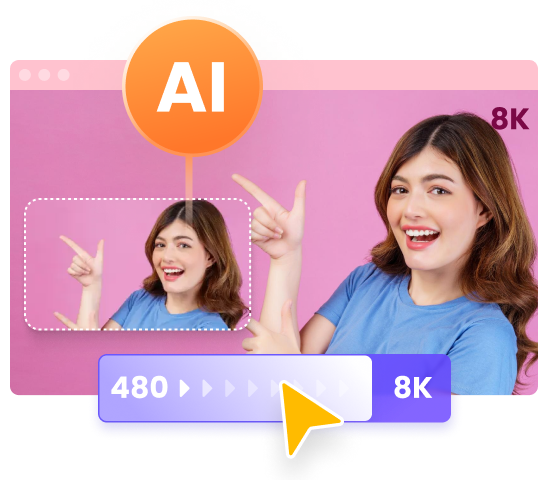
- Upscale videos to 8K with exceptional detail and clarity.
- Mature AI designed for upscaling anime and human face videos.
- Superior noise reduction for crystal-clear videos.
- Instantly see the upscaled result before export.
- Intuitive design for easy video enhancement.
- Watermark-free previews, batch processing, and GPU acceleration for quick, quality results.
HitPaw VikPea vs. GitHub Tools
| Feature | HitPaw VikPea | GitHub Tools |
|---|---|---|
| Coding Required |

|

|
| Installation Complexity | Low (Download & Install) | High (Python, CUDA, Models) |
| User Interface | Clean, beginner-friendly UI | Mostly CLI |
| Processing Speed | Optimized with GPU & Cloud Acceleration | Depends on setup |
| Format Support | Built-in format support | Manual via ffmpeg |
| Ideal For | Everyone, including beginners | Developers, tech users |
Step 1. Download and install this program to computer. Launch it and choose Video Enhancer module from the side menu.Import your low-resolution video to the program.
Step 2. As your needs, choose the General Restoration Model, Portrait Model or Animation and others. Each one will upscale your video from different aspects.
Step 3. After making your selection, hit 'Preview' to instantly see a side-by-side before-and-after comparison.
Step 4.Once satisfied, 'Export' the masterpiece you made with AI upscale video GitHub alternative.
Part 5. FAQs of Video Upscaler GitHub
Q1. What is Video2x?
A1. Video2x is an open-source AI video upscaler that automates resolution enhancement using models like Real-ESRGAN, Waifu2x, and Anime4K. It supports both GUI and command-line interfaces and is popular for batch upscaling entire videos on Windows systems.
Q2. How does Video2x work?
A2. Video2x works by applying deep learning super-resolution models to each video frame. It uses AI engines like Real-ESRGAN and Waifu2x to predict missing details, upscale resolution, and reconstruct textures, then reassembles frames into a higher-quality video output.
Q3. How does waifu2x work?
A3. Waifu2x works by using convolutional neural networks trained on anime-style images. It performs noise reduction and upscaling through GPU acceleration, mainly via CUDA, and generates cleaner, sharper visuals by learning patterns from high-resolution reference datasets.
Q4. What is TTA upscale?
A4. TTA upscale is a test-time augmentation method that averages multiple upscaled results. It processes the same frame in different orientations and merges eight outputs, reducing artifacts and improving accuracy, but usually runs about eight times slower than standard modes.
Bottom Line
Open-source video upscaler GitHub tools offer amazing potential for developers and enthusiasts. From Waifu2x-GUI to RealScaler, there's no shortage of innovation on GitHub. However, if you prefer a more accessible and powerful AI solution, HitPaw VikPea is the best non-GitHub alternative for upscaling videos to 2K, 4K, or even 8K without hassle. Whether you're improving old footage or enhancing modern clips, choosing the right GitHub video upscaler or its alternative makes all the difference.
 HitPaw Photo Object Remover
 HitPaw Video Object Remover
 HitPaw VikPea (Video Enhancer)



Share this article:
Select the product rating:
Daniel Walker
Editor-in-Chief
This post was written by Editor Daniel Walker whose passion lies in bridging the gap between cutting-edge technology and everyday creativity. The content he created inspires audience to embrace digital tools confidently.
View all ArticlesLeave a Comment
Create your review for HitPaw articles